190-01115-01 G3X™/G3X Touch™ Avionics Installation Manual
Rev. AV Page 31-3
31.4 Air Data Troubleshooting
Under normal operating conditions, the ADAHRS provides the following air data information:
• Total Air Temperature is measured
• Outside Air Temperature (OAT)
• Indicated Airspeed (IAS)
• True Airspeed (TAS)
• Barometric Altitude
• Density Altitude
• Pressure Altitude
• Static Pressure
• Differential Pressure
NOTE
TAS information can only be displayed at speeds greater than 20 Knots (TAS is invalid
when the aircraft is sitting still, or if no OAT probe is connected).
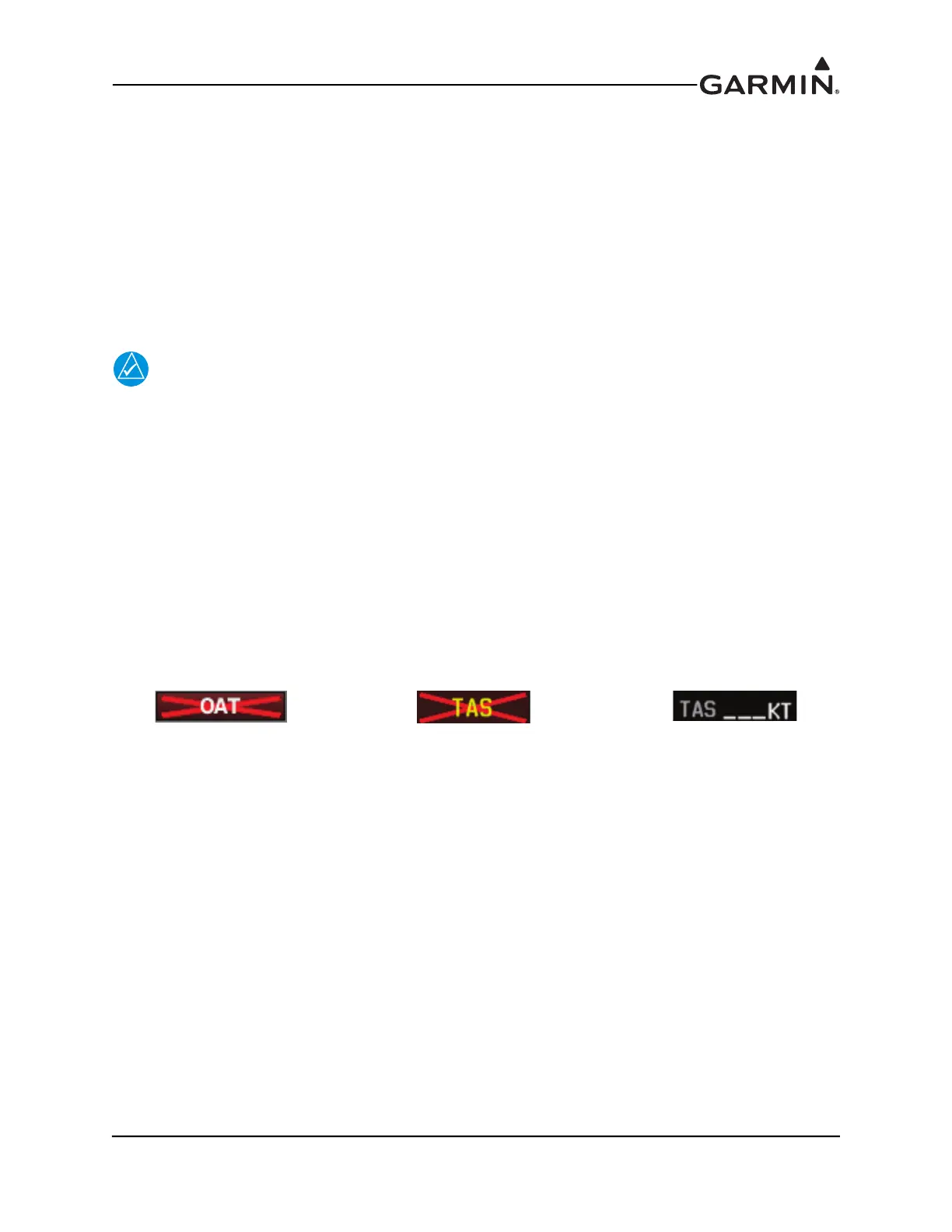
The displayed OAT (Figure 31-1) will either be a number (when valid), or display an X. Valid OAT is
required to calculate TAS, so if TAS is invalid because OAT is unavailable, both OAT and TAS will
display an X, which indicates the problem is OAT (not air data) related.
A dashed-out value for TAS may simply mean the true airspeed being measured is too low to be of value
(e.g. when the aircraft is on the ground). If the TAS indication still display dashes at speeds greater than 20
knots and/or the OAT indication is Red -X’d (as shown in Figure 31-1):
1. Check the GTP 59 OAT probe wiring and connection for faults.
2. Check configuration module wiring for damage, replace if any is found.
3. Replace the GTP 59 OAT probe.
4. If the problem persists, replace the ADAHRS with a known good unit.
Figure 31-1 Invalid OAT & TAS Indications



 To Next Page