190-01115-01 G3X™/G3X Touch™ Avionics Installation Manual
Rev. AV Page H-144
H.5.1 Updating Garmin Databases
Equipment required to perform the update is as follows:
• Windows-compatible PC computer (Windows 2000 or XP recommended)
• Verbatim 96504 SD Card Reader or equivalent card reader
• Updated database obtained from the flyGarmin website
• SD Card, 2 GB recommended (Garmin recommends SanDisk® brand)
• SDXC cards are not supported.
NOTE
In the event there is a file corruption problem with the SD card, it may be necessary to
reformat the card. This can cause an issue when formatting the SD card using Mac OS,
where the newly formatted card will not be recognized by the avionics system. When using
a Macintosh computer to format the SD card, Garmin recommends using the SD Memory
Card Formatter application available as a download from SDcard.org. When running the
application, use the Quick Format option.
After the data has been copied to the SD card, perform the following steps:
1. Insert the SD card in the card slot of the GDU 37X to be updated.
2. Turn on the GDU 37X to be updated (in normal mode).
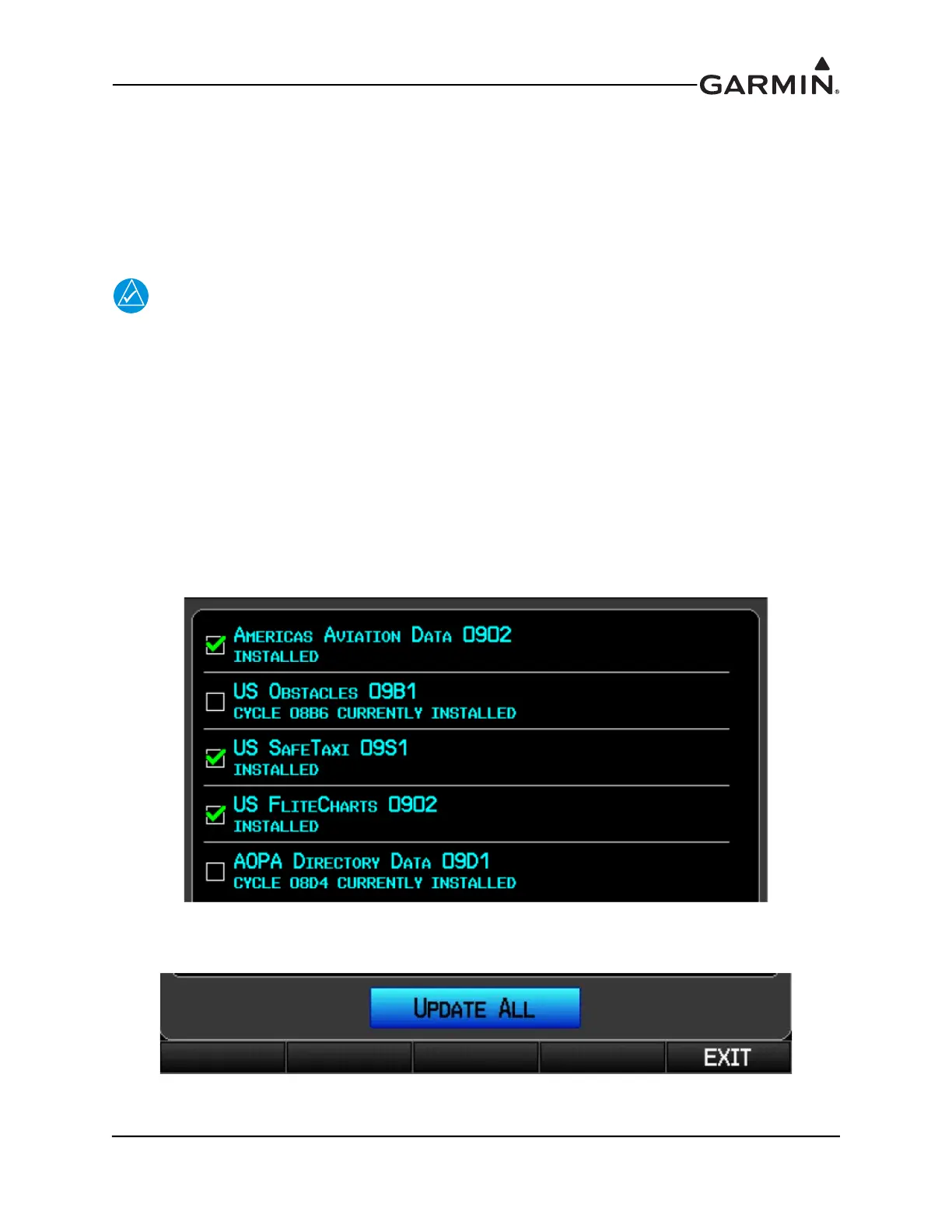
3. Upon turn-on, a screen appears which lists the databases on the SD card. A green checkbox
indicates the database already installed on the G3X is up to date, an empty checkbox indicates the
database on the SD card is more current and should be installed.
4. The database(s) can be updated by either highlighting UPDATE ALL and pressing the ENT key;
or by using the FMS Joystick to highlight a single database and pressing the ENT Key.



 To Next Page