190-01115-01 G3X™/G3X Touch™ Avionics Installation Manual
Rev. AV Page 30-36
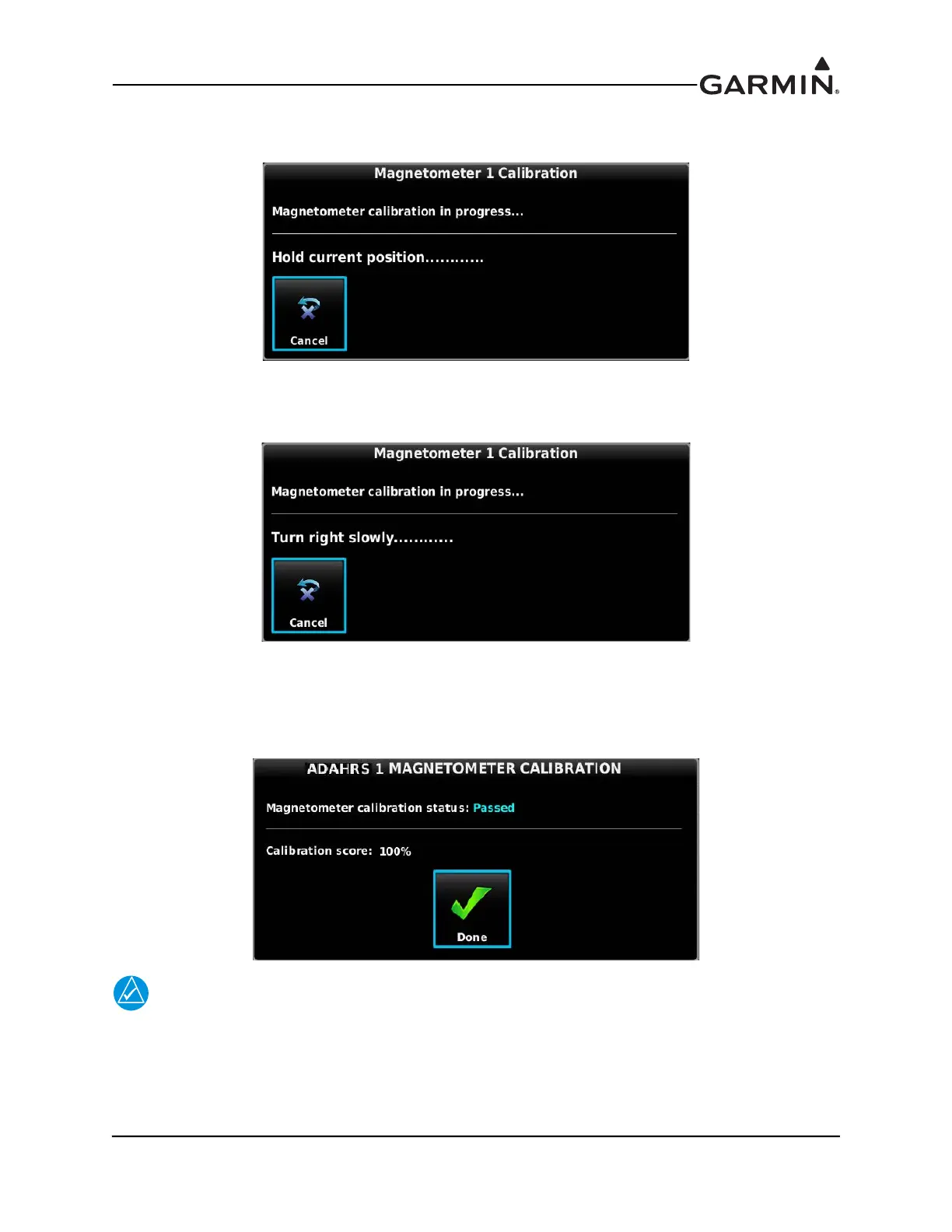
6. Follow the on-screen instructions, the dots at the end of the text will be removed as the test
progresses.
7. Follow the on-screen instructions by slowly turning the aircraft to the right, the dots at the end of
the text will be removed as the aircraft rotates 30 degrees. When all of the dots have been removed,
and the text changes to ‘Hold Position’, stop turning the aircraft, and wait for further instructions.
8. Continue following the on-screen instructions until the calibration is completed. The calibration
will go through 12 cycles of holding, then turning to the right before completing a full circle.
9. When the calibration is finished, Make sure that a Calibration Status of “Passed” is displayed,
press the Done button to return to the Magnetometer Calibration Page.
NOTE
If more than one magnetometer is installed, it is recommended to perform the Magnetic
Calibration Procedure for both magnetometers consecutively, one procedure immediately
followed by the next. This is especially important if something about the airplane has been
changed that required a repeat of the Magnetic Calibration Procedure.



 To Next Page