190-01115-01 G3X™/G3X Touch™ Avionics Installation Manual
Rev. AV Page 30-48
Stall Warning AOA Calibration
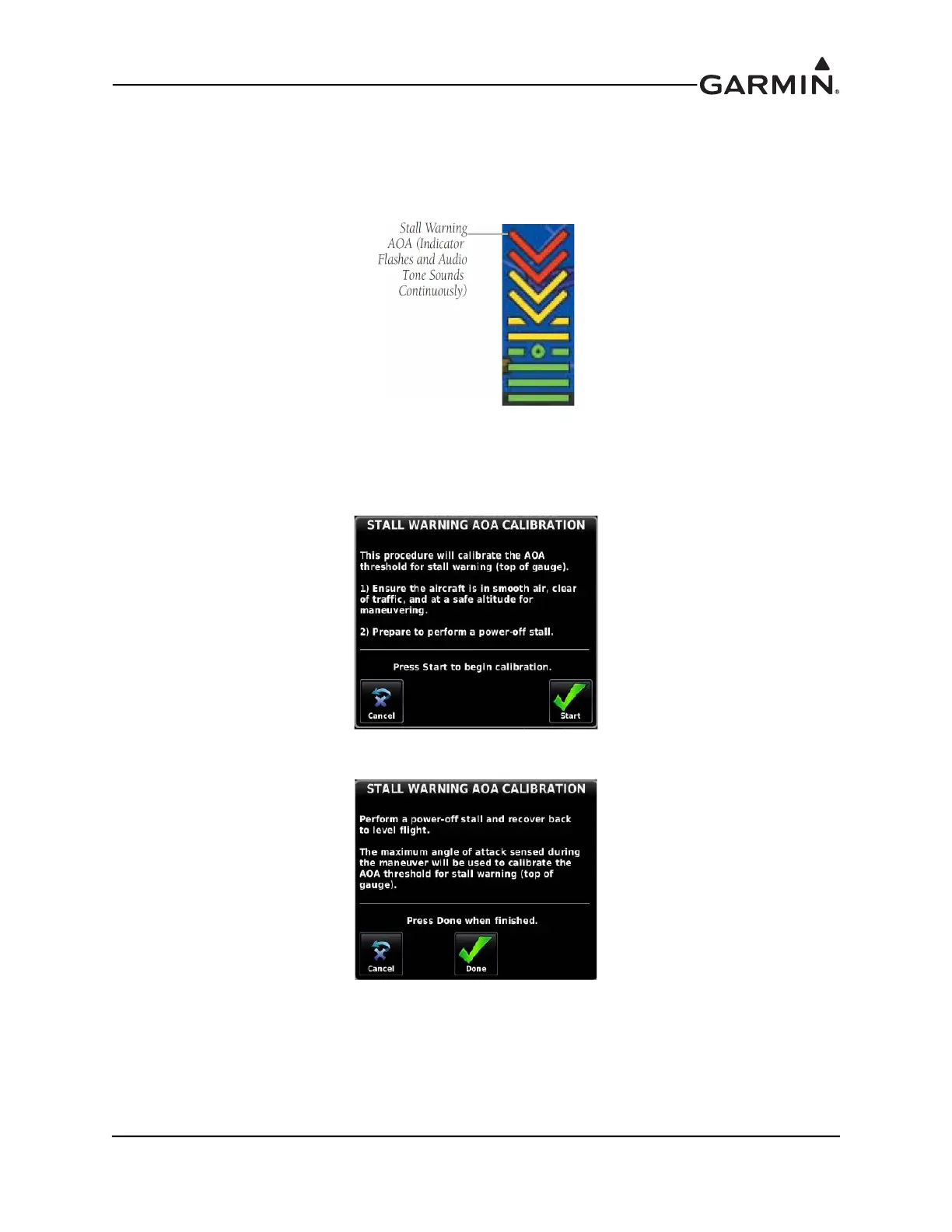
This procedure sets the AOA value for the top of the red "chevron" section of the AOA gauge
(Figure 30-12), which is also the AOA value at which the audible stall warning sound will play
continuously (just before stall break is suggested).
Figure 30-12 Stall Warning AOA
1. If dual curve AOA calibration is available, make sure the appropriate Flaps Up Calibration tab is
highlighted. Select the Stall Warning AOA calibration field, then press the Calibrate button
.
2. Follow the onscreen instructions, then press the Start button to begin the calibration.
3. Press the Done button when in compliance with the onscreen instructions.



 To Next Page