190-01115-01 G3X™/G3X Touch™ Avionics Installation Manual
Rev. AV Page 30-50
Approach Target AOA Calibration (Optional)
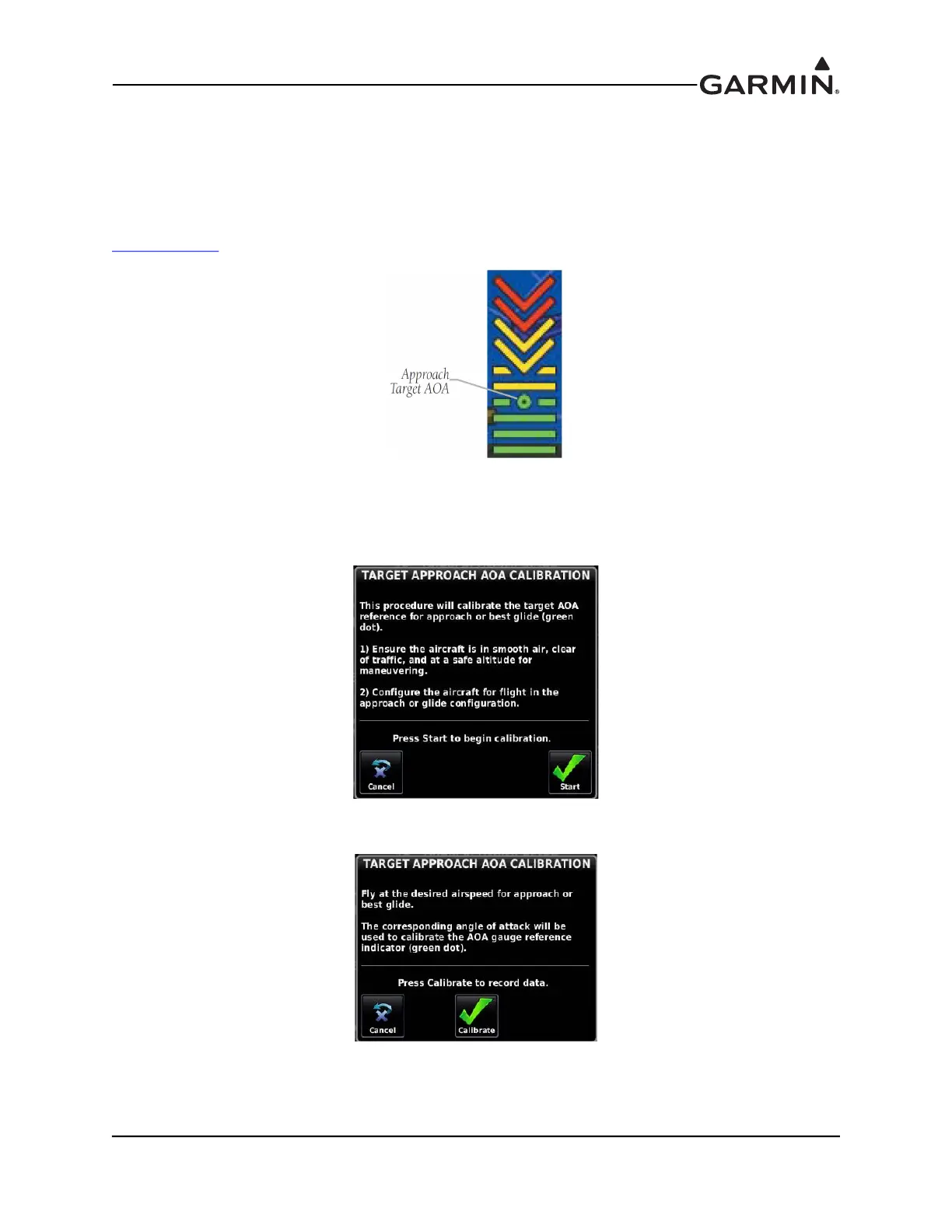
This procedure sets a specific point (1.3 x stall speed is suggested) on the AOA gauge to use as the ideal
target AOA for an approach, glide, short-field landing, etc. If calibrated, the approach target AOA will
display as a green circle on the AOA gauge (Figure 30-13). To be valid, the approach target AOA must be
between the minimum visible (green) and caution alert (yellow chevron) AOA points. Dependent upon
configuration, audible AOA alerts may begin at this calibration point (see AOA Alert Mode,
Section 30.4.20
).
Figure 30-13 Approach Target AOA
1. If dual curve AOA calibration is available, ensure the appropriate Flaps Up Calibration tab is
highlighted. Select the Approach Target AOA Calibration field, then press the Calibrate button
.
2. Follow the onscreen instructions, then press the Start button to begin the calibration.
3. Press the Calibrate button when in compliance with the onscreen instructions.



 To Next Page