190-01115-01 G3X™/G3X Touch™ Avionics Installation Manual
Rev. AV Page 30-134
Reference Speeds Tab
Reference Speeds–The aircraft Vspeeds can be entered using the Touch Screen or a Move Selector Knob.
A label can be added to the Custom (1-4) reference speed fields. The entered label text will be displayed on
the airspeed tape (in normal mode) at the entered speed. If no text is entered for the label, a small triangle
will appear instead.
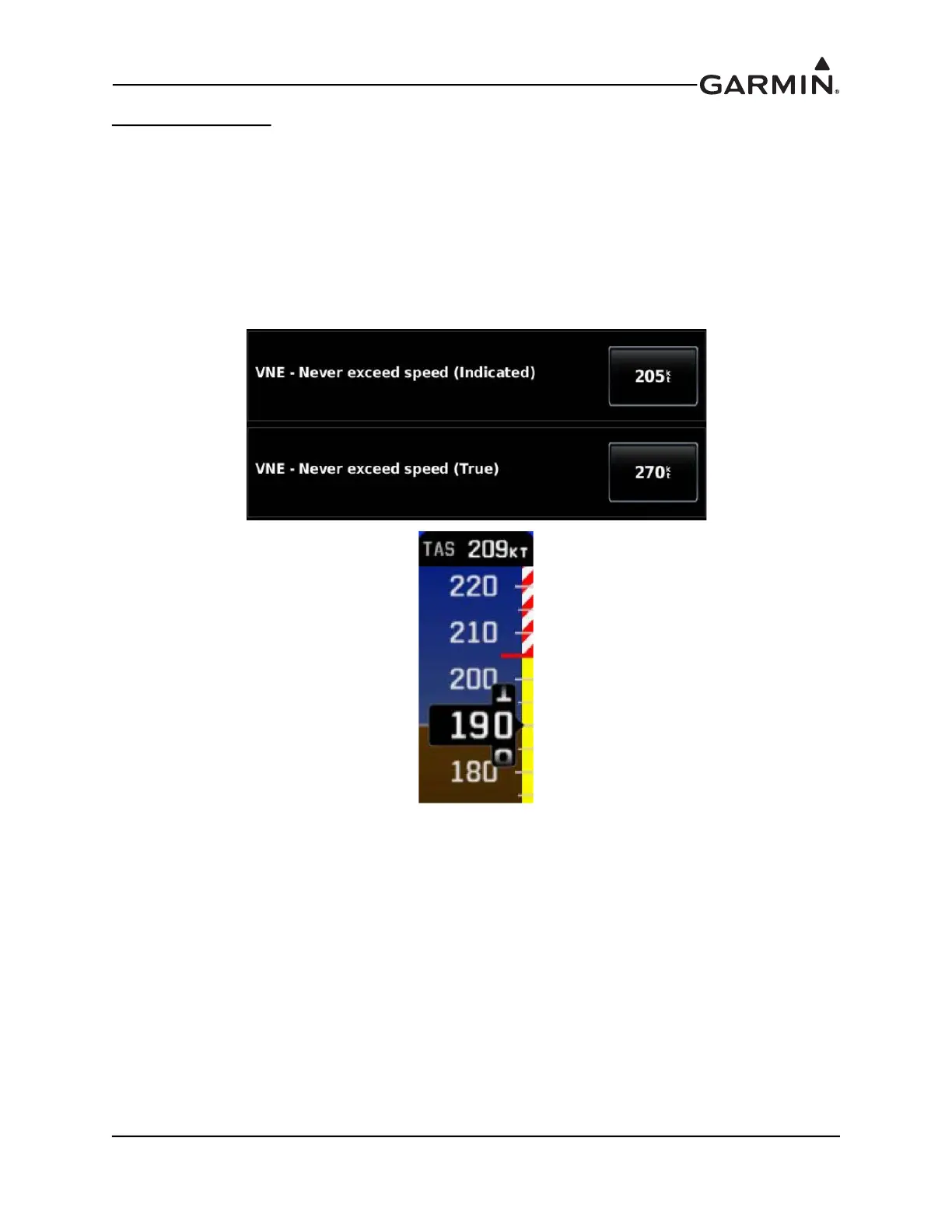
The aircraft's maximum speed limit can be configured in three different ways. All aircraft have a maximum
indicated airspeed limit (VNE) which is configured using the VNE - Indicated field. This airspeed is
marked on the PFD airspeed tape with a red line, and does not change with altitude. In this example, the
value for VNE has been entered as 205 knots indicated airspeed. The aircraft is below the never-exceed
speed any time its indicated airspeed is below 205 knots.
For certain aircraft types, maximum airspeed is additionally limited by true airspeed (TAS). A secondary
airspeed limit expressed as true airspeed may optionally be configured using the VNE - True field. This
airspeed is marked on the PFD airspeed tape with a second red color band, which shows the equivalent
indicated airspeed at which the aircraft's true airspeed will exceed the configured true airspeed limit value.
At low altitudes where true and indicated airspeed are similar, the PFD airspeed tape will show only the
indicated VNE limit. At higher altitudes where true airspeed increases, a second red color band will begin
to appear on the PFD airspeed tape to indicate the point where the aircraft will exceed the true airspeed
limit at the current pressure altitude.



 To Next Page