190-01115-01 G3X™/G3X Touch™ Avionics Installation Manual
Rev. AV Page 30-163
2. Monitor GPS status on the Main Page. Possible GPS status indications include:
3. Select 121.150 MHz on the COM transceiver.
4. Transmit for a period of 30 seconds while monitoring GPS status.
5. During the transmit period, verify that GPS status does not lose a valid GPS position fix on the
Main Page in configuration mode.
6. Repeat steps 3 through 5 for the following frequencies:121.175 MHz, 121.200 MHz,
131.250 MHz, 131.275 MHz, and 131.300 MHz.
7. Repeat steps 3 through 6 for other installed COM transceivers (if applicable).
8. If an installed COM supports 8.33 MHz channel spacing, repeat steps 3 through 5 (while
transmitting for a period of 35 seconds), for the following frequencies: 121.185 MHz,
121.190 MHz, 130.285 MHz, and 131.290 MHz .
9. Repeat step 8 for other installed COM transceivers supporting 8.33 MHz channel spacing (if
applicable).
10. This COM interference test should be repeated for each installed GDU 4XX with a connected
antenna.
NOTE
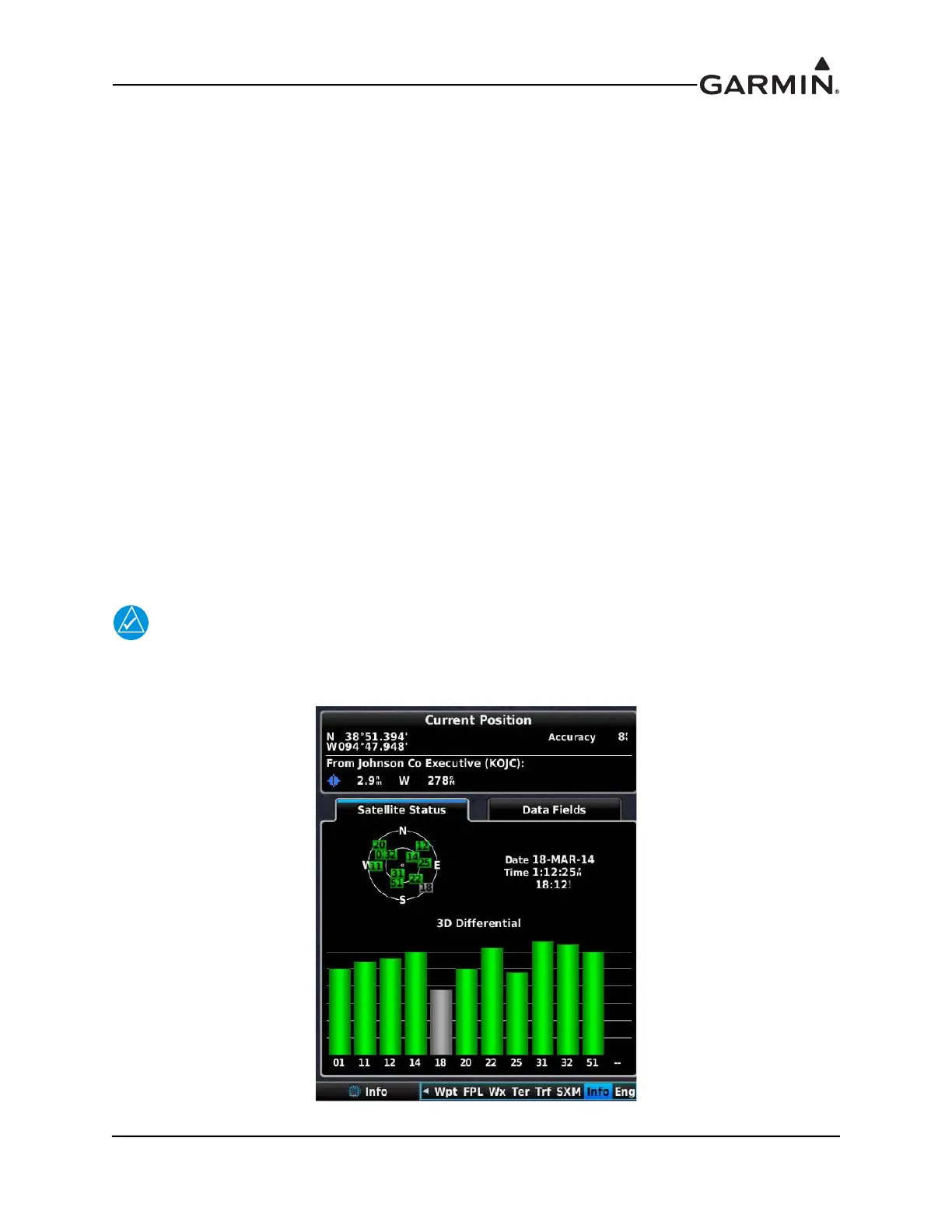
GPS Status may also be monitored on the Info page in normal mode. The signal strength
bars are a real-time representation of GPS signal strength, which may be useful for
troubleshooting a failed COM interference test.
• No Antenna • Searching the Sky
• AutoLocate® global
positioning indicator
• Acquiring
• Lost GPS Fix • No GPS Fix
• 2D GPS Fix • 2D Differential
• 3D GPS Fix* • 3D Differential*
*Indicates valid GPS position fix for this test


 To Next Page
 Loading...












