190-01115-01 G3X™/G3X Touch™ Avionics Installation Manual
Rev. AV Page 30-166
COM 1/MIC 1
COM 2/MIC 2
Allows the selection of monitoring COM, and MIC for transmitting, for
the COM radios. Note that both COMs may be selected for monitoring
simultaneously, but only one COM may be selected for transmitting.
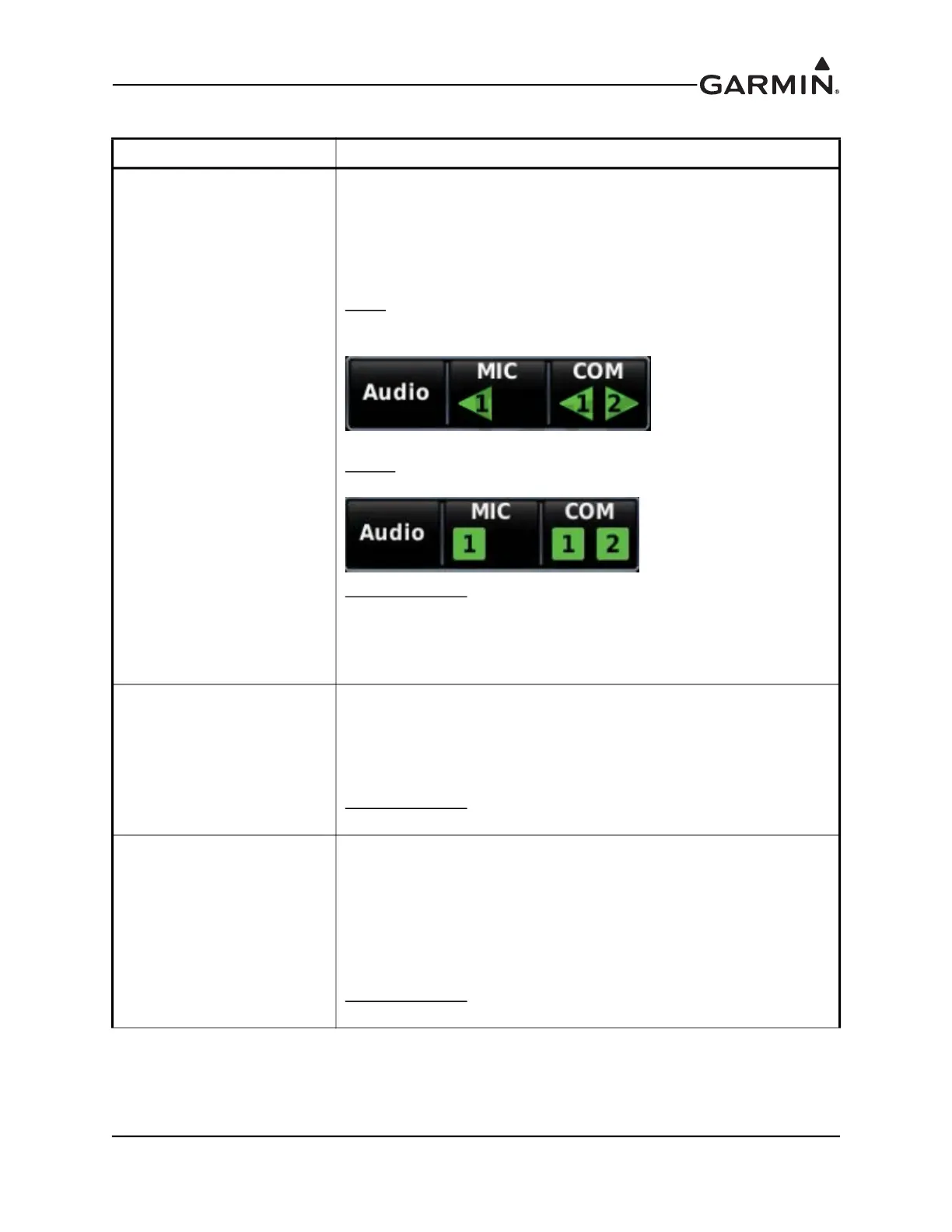
Indicator Type
Sets the MIC and COM indicators of the audio panel controls on the
GDU data bar as:
Arrow
- Appears as triangle to point to the selected radio on the data
bar. For example, this implies COM 1 is on the left and COM 2 is on the
right.
Square
- Displays selected COM radio without implying the radio’s
location.
Enabled/Disabled
(COM 2 only, GMA 245R only) - Used to enable
(show) or disable (hide) the audio panel page’s COM 2 controls when
COM 2 is not configured using the COM Radio configuration page.
Note that this is not an option with the GMA 245 since COM 2 is always
displayed on the actual audio panel.
NAV 1
NAV 2
Allows the selection of monitoring the navigation radios when the NAV
radio is enabled using the “Enabled/Disabled” selection.
Title
Used to set the titles of the NAV radios on the audio panel page when
the NAV radio is enabled using the “Enabled/Disabled” selection.
Enabled/Disabled
(GMA 245R only) - Used to enable (show) or disable
(hide) the audio panel page NAV controls.
AUX 1
AUX 2
AUX 3
Allows the selection of monitoring the auxiliary radios when the AUX
radio is enabled using the “Enabled/Disabled” selection.
Title
Used to set the titles of the AUX radio controls on the audio panel page
when the AUX radio is enabled using the “Enabled/Disabled” selection.
Volume - Used to set the volumes for the AUX radios when the AUX
radio is enabled using the “Enabled/Disabled” selection.
Enabled/Disabled
(GMA 245R only) - Used to enable (show) or disable
(hide) the audio panel page AUX controls.
Table 30-18 Audio Panel Configuration Settings
Selection Description



 To Next Page