190-01115-01 G3X™/G3X Touch™ Avionics Installation Manual
Rev. AV Page 30-199
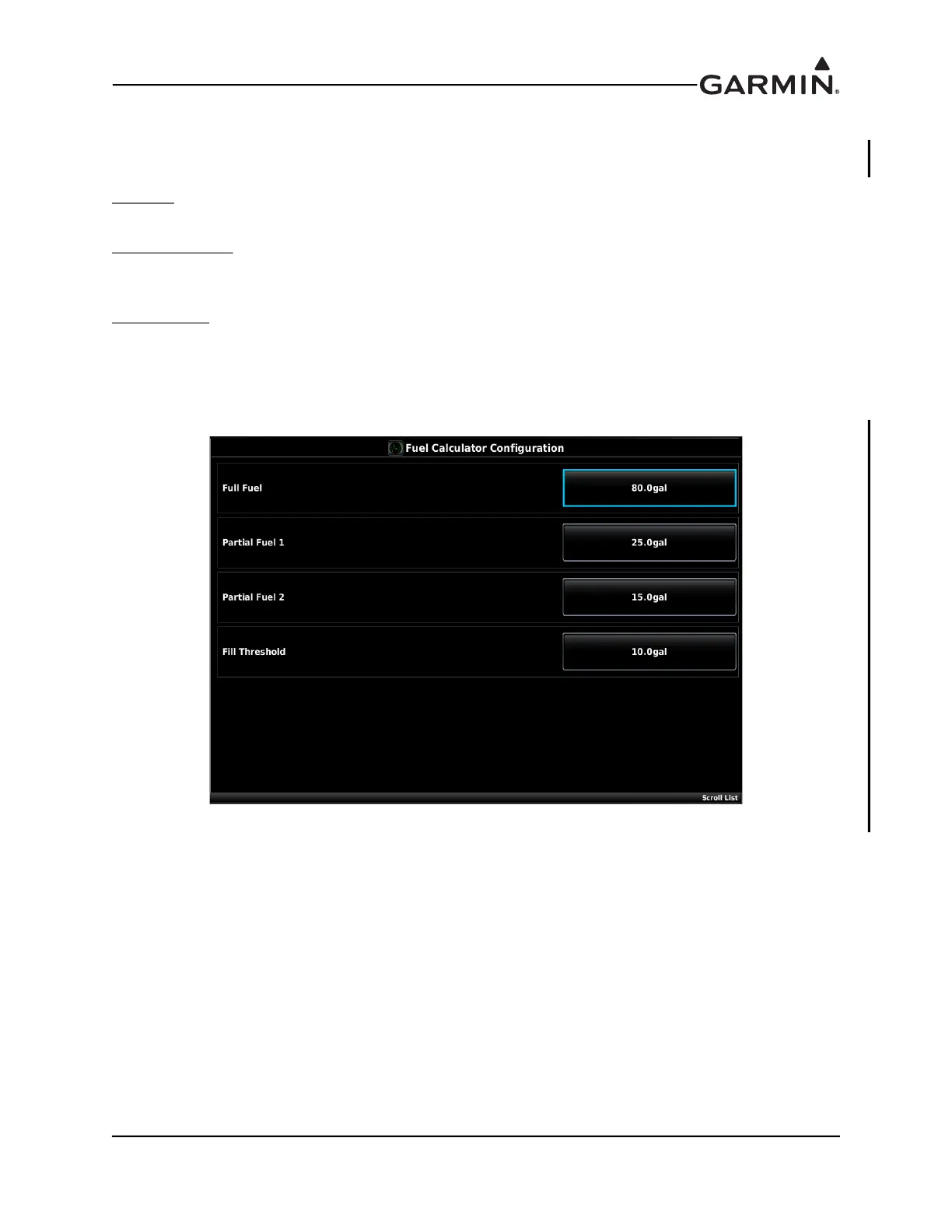
30.4.32.13.2 Fuel Calculator Configuration
The Fuel Calculator calibration page can be found under the Settings tab at the top of the Engine &
Airframe menu. Refer to the Pilot’s Guide for information on operation of the fuel calculator.
Full Fuel
– Sets the Full Fuel quantity for the fuel computer. Set according to the fuel tank capacity (set to
zero if not used).
Partial Fuel 1 & 2
– The Partial Fuel values may be used if the fuel tanks have ‘tabs’ or some other method
of putting in a known quantity of fuel (other than completely full tanks). If the Partial Fuel function is not
applicable or not desired, these settings can be left blank or set to zero.
Fill Threshold
– This setting is used to find if the fuel quantity should be confirmed upon system start.
When power is applied, the system compares the current fuel quantity to the fuel quantity recorded when
the system was last shut down. If the current fuel quantity exceeds the previous fuel quantity by more than
the fill threshold amount (10 gallons shown in previous figure) the system will assume that fuel has been
added and will pop up a reminder page prompting the pilot to confirm the quantity of fuel on board.



 To Next Page