190-01115-01 G3X™/G3X Touch™ Avionics Installation Manual
Rev. AV Page H-88
Stall Warning AOA Calibration
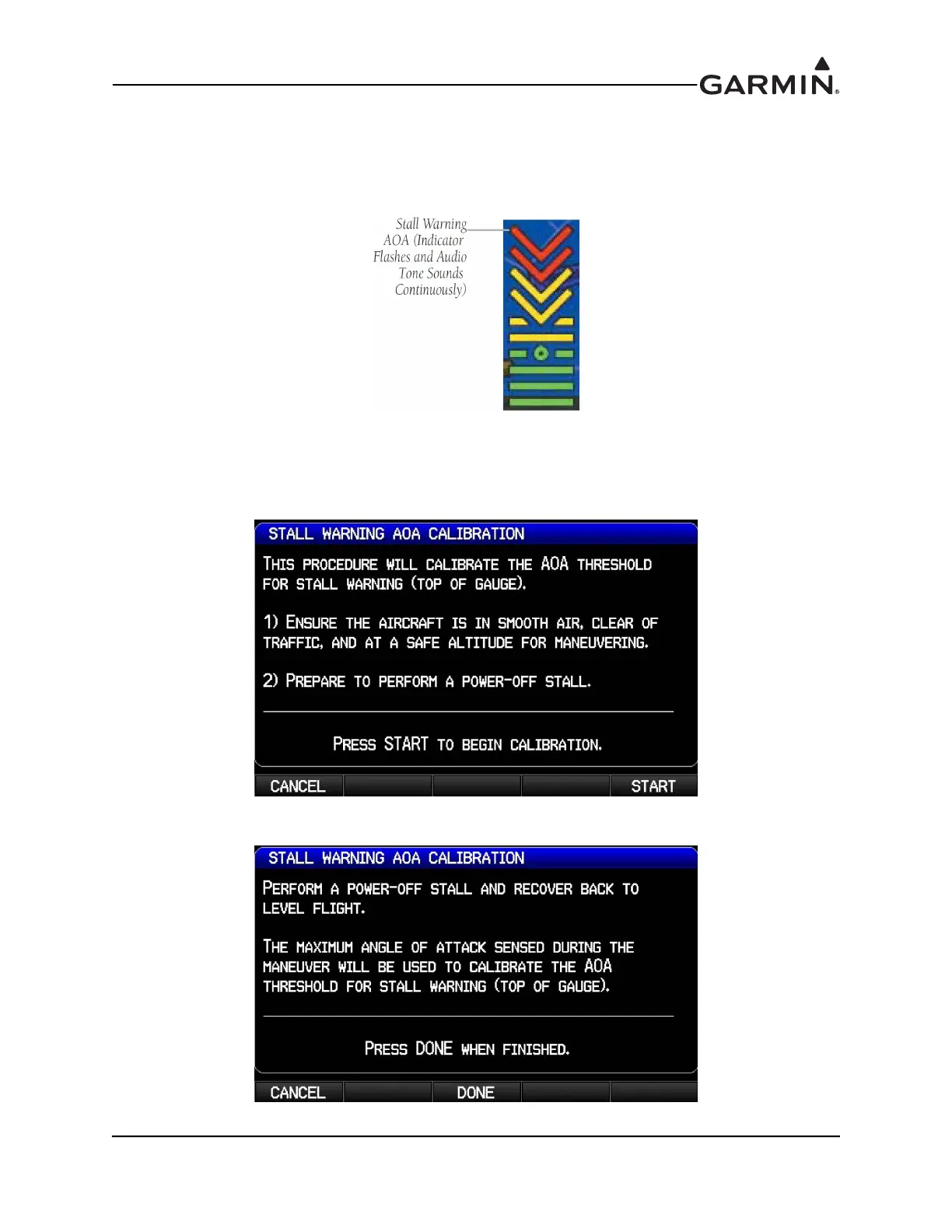
This procedure sets the AOA value for the top of the red "chevron" section of the AOA gauge
(Figure H-28), which is also the AOA value at which the audible stall warning sound will play
continuously (just before stall break is suggested).
Figure H-28 Stall Warning AOA
1. Use the FMS Joystick to select the Calibrated Stall Warning AOA calibration field, then press the
Calibrate softkey
.
2. Follow the onscreen instructions, then press the Start softkey to begin the calibration.
3. Press the Calibrate softkey when in compliance with the onscreen instructions.



 To Next Page