3
Initial operation
Charge the control device
20 / 92
1009.25B0
IFU 1009.25 EN 01
3.2.1 Charging of the control device with the mobile charging station (1009.24B0)
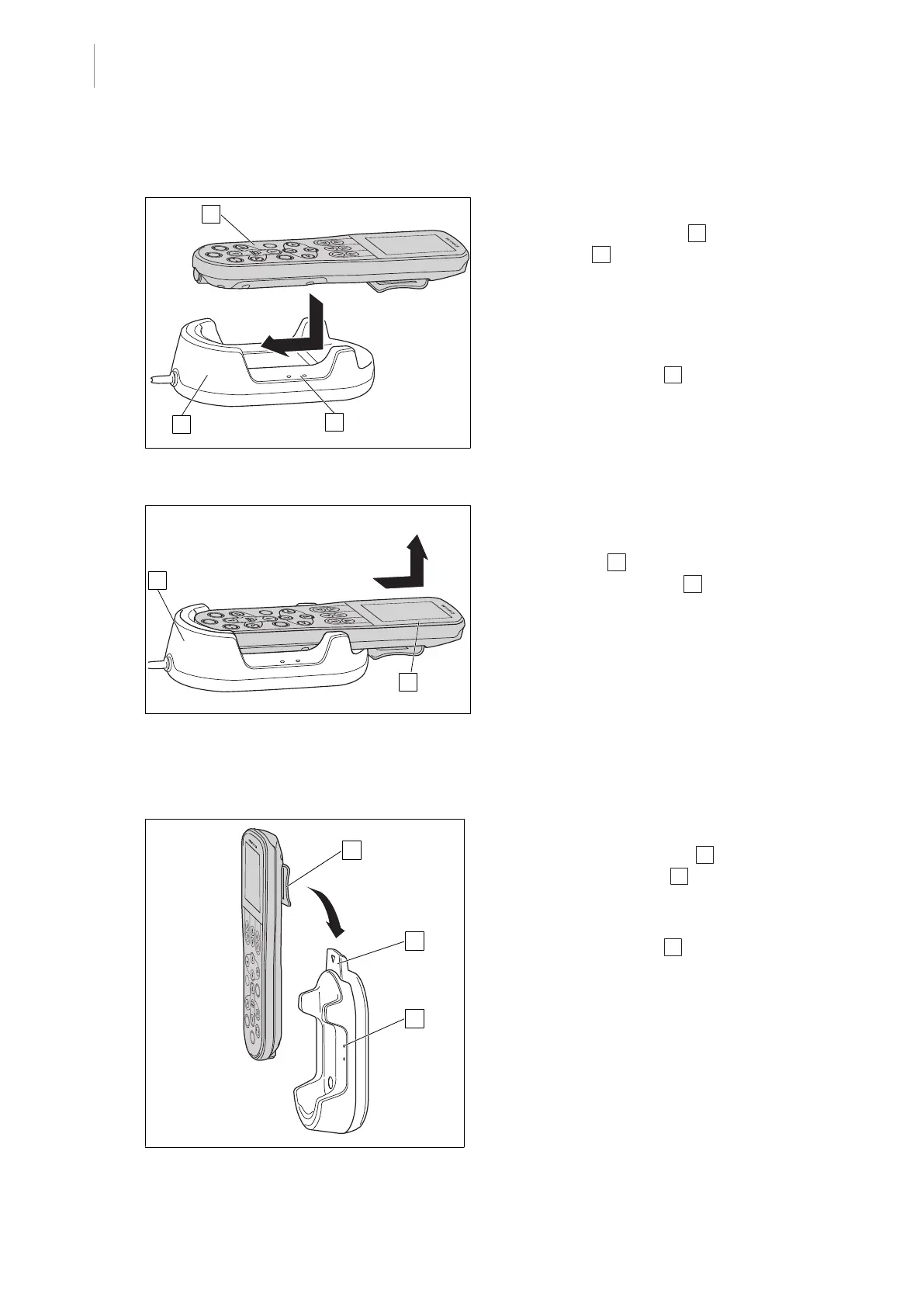
Fig.5: Charge the control device
Inserting the control device
1. Insert the control device 1 into the char-
ger cradle 2 from above.
2. Make sure that the control device is in
contact with the lower end of the charger
cradle.
Ø The control device is charged as long
as the green LED 3 is flashing.
Fig.6: Removing the control device
Removing the control device
1. Hold the control device at the height of the
touchscreen 1 and remove it upwards
from the charger cradle 2 .
3.2.2 Charging the stationary charging station (1009.24A0/C0)
Fig.7: Attaching a control device
Attaching the control device
1. Hang the holding bracket 1 of the control
device into the cradle 2 on the stationary
charging station.
Ø The control device is charged as long
as the green LED 3 is flashing.
2. Check for firm seating.



 To Next Page