5
Operating menu
Adjustment functions
66 / 92
1009.25B0
IFU 1009.25 EN 01
5.8.5 Adjusting the height of the OR table
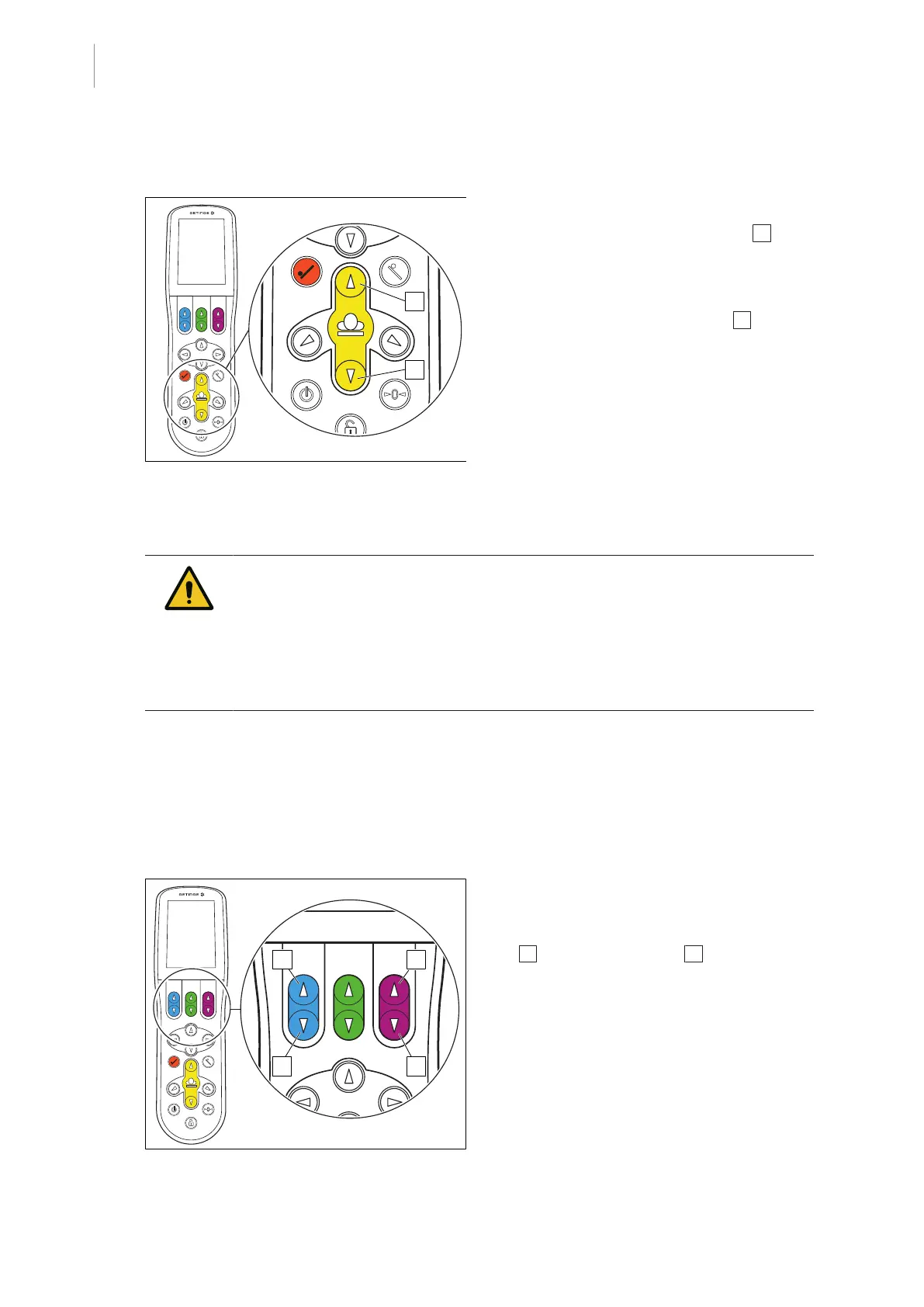
Fig.69: Lifting / lowering the OR table
Lowering the OR table
1. Press and hold the [Down] button 1 .
Ø The OR table moves down.
Lifting the OR table
1. Press and hold the [Up] button 2 .
Ø The OR table moves up.
5.8.6 Adjusting accessories at the NORMAL and REVERSE mounting point
CAUTI ON!
Property damage!
Single-section accessories without code plug can be damaged during attach-
ment to the REVERSE mounting point when the single adjustment function is
carried out.
Do not perform the single adjustment function for single-section accessories
without a code plug attached to the REVERSE mounting point.
5.8.6.1 Adjusting single-piece accessories
The upper body positioning is adjusted using the [Blue joint up] and [Blue joint down] buttons.
The lower body positioning is adjusted using the [Magenta joint up] and [Magenta joint down] but-
tons.
If accessories with a code plug are attached, the adjustment function is detected and assigned
automatically.
Fig.70: Adjusting single-piece accessories
Adjusting single-piece accessories
upwards
1. Press and hold the [Blue joint up]
1 [Magenta joint down] 2 button.
Ø The single piece accessory is adjusted
upwards.
Ø The adjustment angle is displayed on
the touchscreen.



 To Next Page