5
Operating menu
Overview touchscreen
28 / 92
1009.25B0
IFU 1009.25 EN 01
5 Operating menu
5.1 Overview touchscreen
NOTE
The graphics in this manual show the available functions on the touchscreen.
Depending on the operating table connected, the actual displays on the touch-
screen may differ from those shown in these operating instructions.
NOTE
Buttons are illuminated orange if they belong to active functions that can be con-
trolled via the touchscreen.
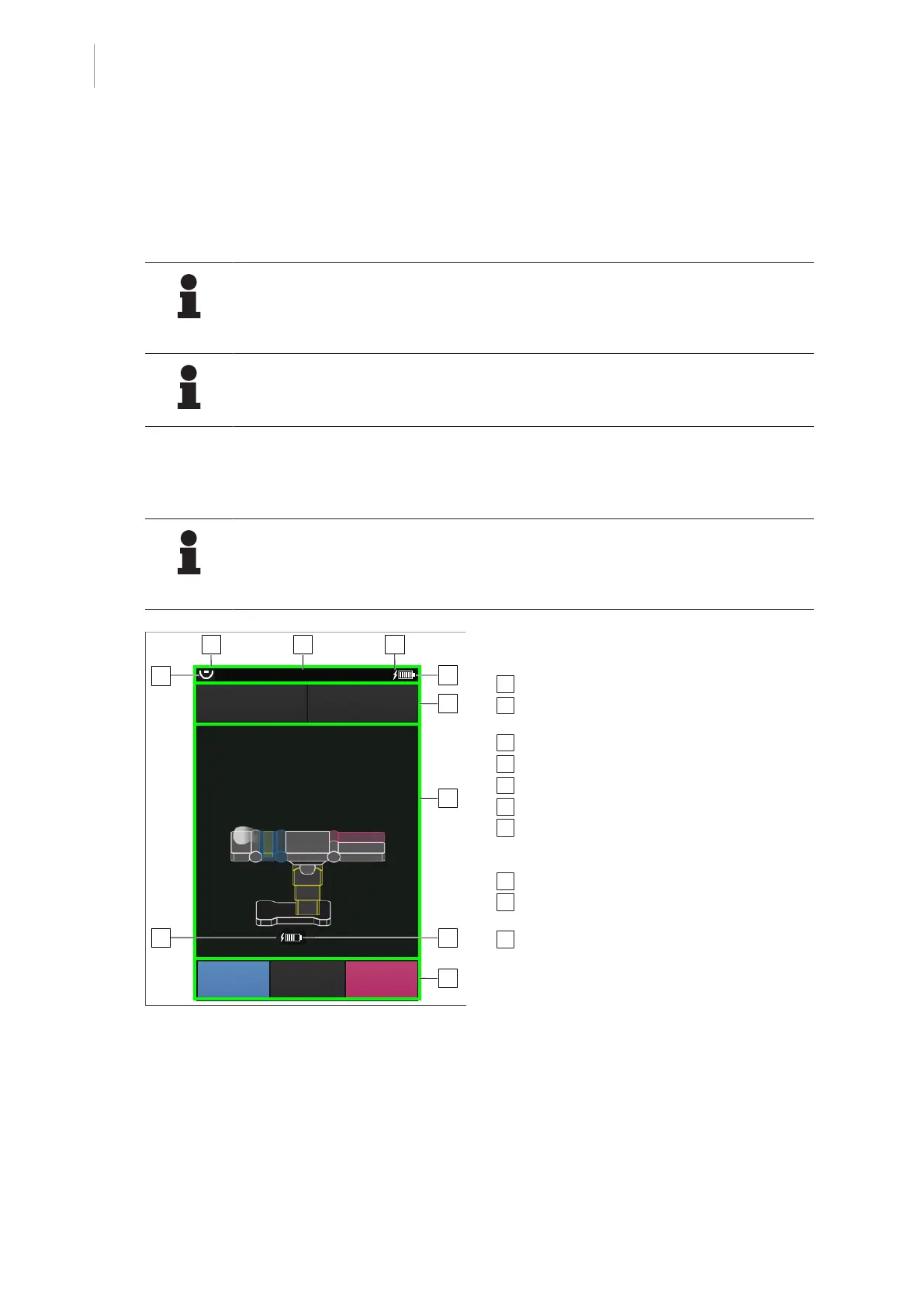
5.1.1 Display start screen
NOTE
The battery charge level of the control device is displayed in the status bar.
The battery charge level of the currently connected OR table is displayed in the
main window below the OR table graphic.
1
2
3
4
5
6
7
9
8
10
OR TABLE
POSITIONS
MENU
PATIENT
ORIENTATION
OR01-14
SELECT
Fig.15: Overview of start screen
The start display on the touchscreen is divided
into different areas with different icons:
1 Status bar area [8Page29]
2 Display of the name of the operating table and
IR code of the connected operating table
3 External power supply of the control device
4 Battery symbol of the control device
5 Navigation bar or operating bar
6 Main window area
7 External power supply of the operating table
with mobile/independently manoeuvrable
column
8 Control bar area (optional)
9 Battery symbol of the operating table with mo-
bile/independently manoeuvrable column
10 Connection active



 To Next Page