Operating menu
Symbols for status bar
5
1009.25B0
IFU 1009.25 EN 01
29 / 92
5.1.2 Display adjustment procedure
WARNI NG!
During inclination, lateral tilt and back plate adjustment the adjustment angle
display automatically shows the current adjustment angle. This display only
serves an informational purpose and does not provide an accurate view of
the actual table top angle.
When adjusting the table top, always observe the patient and do not rely on the
angle values shown on the display.
1
2
5
3
4
SPEED UP
30°
TREND: -20°
TILT: 0°
L: 30°
R: -30°
PATIENT
ORIENTATION
SELECT
OR01-14
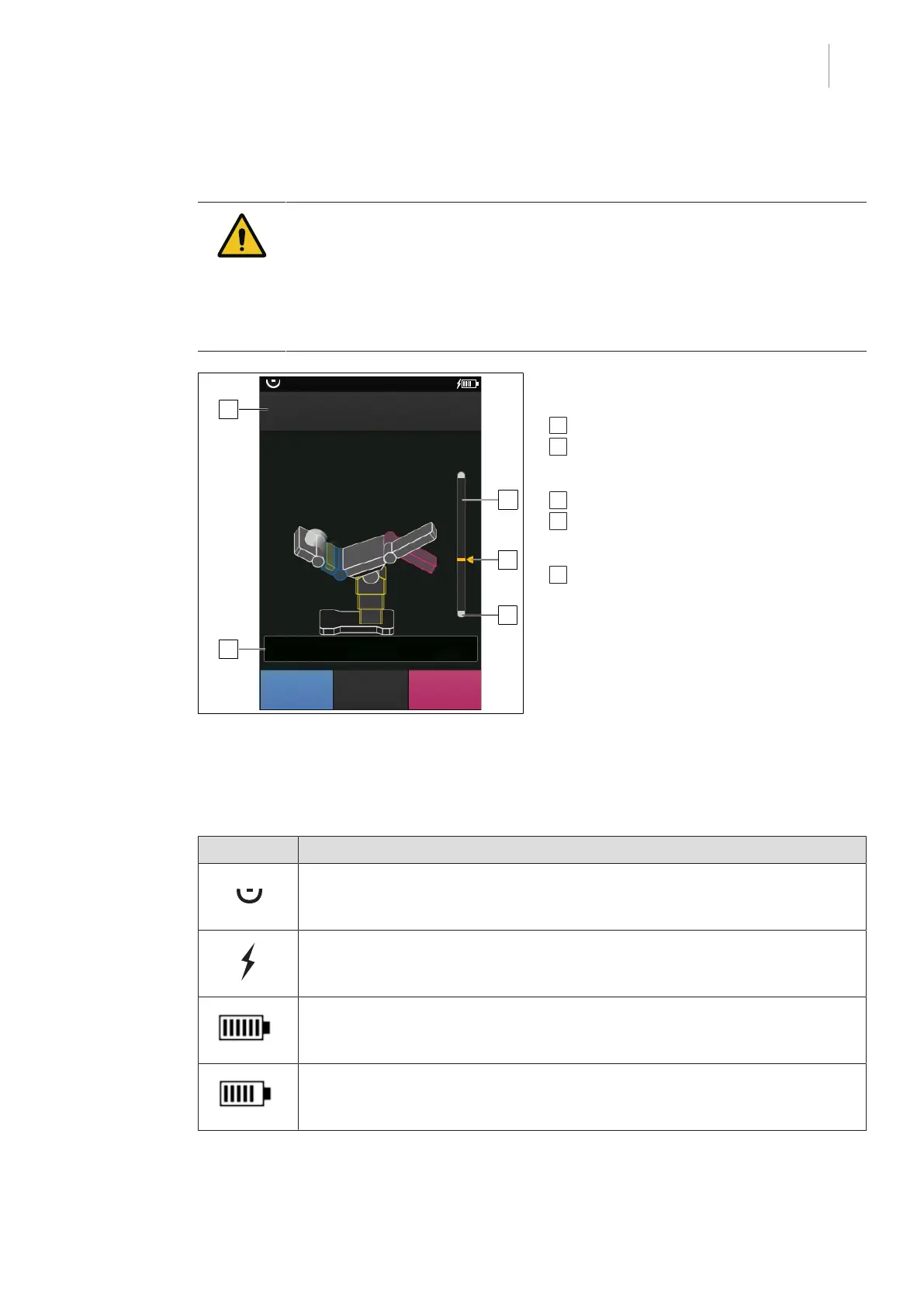
Fig.16: Overview of adjustment procedure dis-
play
Additional information is displayed on the
touchscreen during the adjustment process:
1 SPEED UP button [8Page43]
2 Restricted adjustment range:
Adjustment range in which there is no risk of
collision with other accessories and objects.
3 Current adjustment position
4 Maximum possible adjustment range:
This is restricted as soon as there is a risk of
collision with other accessories and objects.
5 Adjustment angle display of the accessories
used and the table top
5.2 Symbols for status bar
Symbol Meaning
control device receives signal from the operating table.
Control device is connected to external power supply (charger or cable).
Battery of the control device is fully charged.
The battery charge level of the control unit is in the range of approx. 83 %. The
battery charge capacity is sufficient.
Tab.7: Symbols for status bar



 To Next Page