5
Operating menu
[OR table positions] menu
56 / 92
1009.25B0
IFU 1009.25 EN 01
OR01-14
BACK
EDIT INDIVIDUAL POSITION
Dr. Kruger_02
DELETE
POSITION
Dr. Kruger_03
RENAME
POSITION
Select user-defined position
Dr. Kruger
1
2
Dr. Schmidt
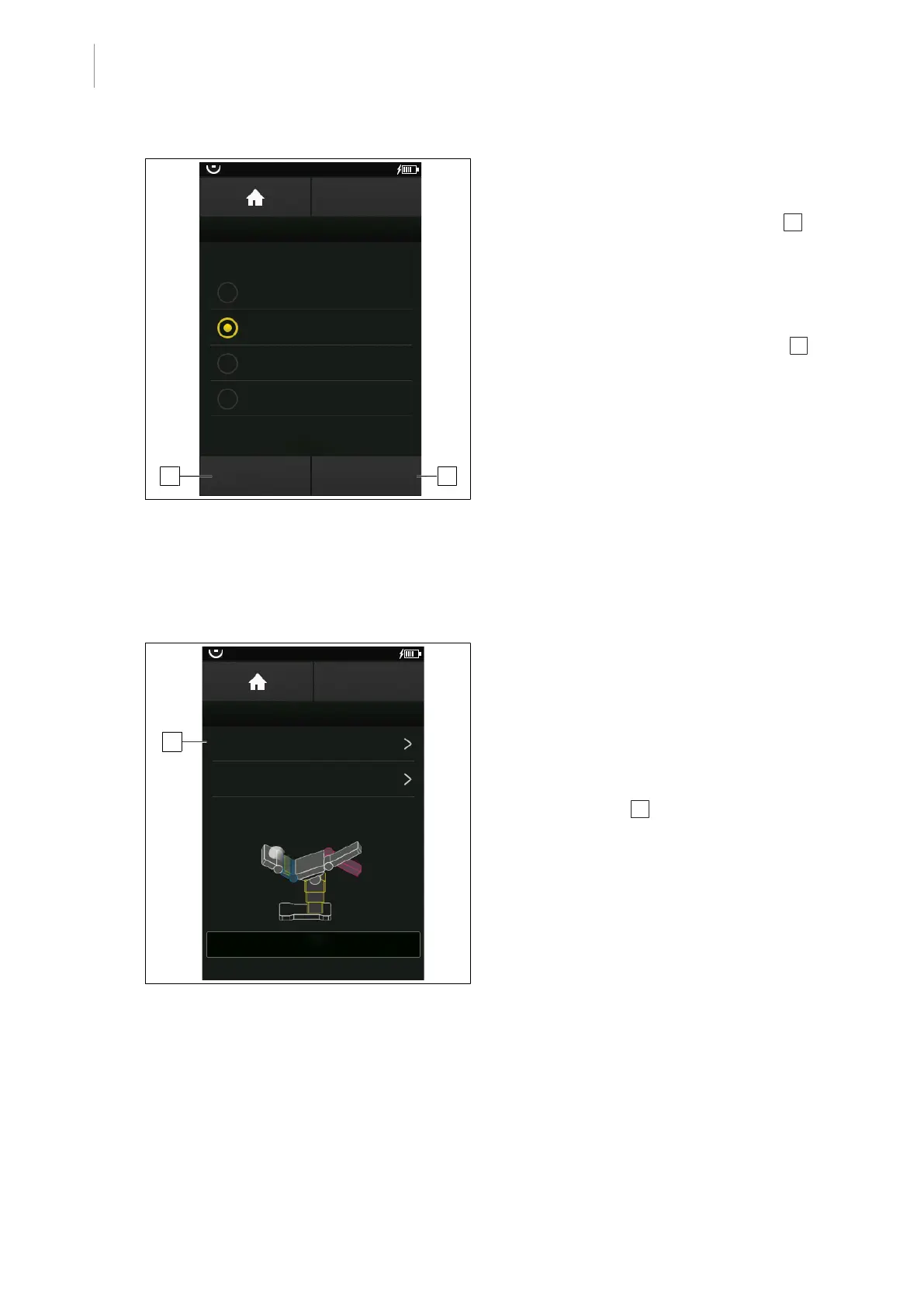
Fig.58: Editing a user-defined OR table position
Deleting a position
1. Select the desired position from the list.
2. Touch the DELETE POSITION button 1 .
Ø The position is deleted.
Renaming a position
1. Select the desired position from the list.
2. Touch the RENAME POSITION button 2 .
Ø A window to rename the position
opens.
3. Enter the new name of the position.
4. Touch the OK button.
Ø The position is saved and displayed
with a new name.
5.5.2.5 Quick saving a user-defined OR table position
An OR table position can be save without a name in the quick-save memory. When another OR
table position is saved in the quick-save memory, the previously stored position is overwritten.
OR01-14
BACK
QUICK MEMORY
Store current OR table position
Move to quick memory position
30°
TREND: -20°
TILT: 0°
L: 30°
R: -30°
1
Fig.59: Quick-saving a position
Prerequisites:
• The OR TABLE POSITIONS menu is
open.
1. Touch the QUICK MEMORY button.
Ø The menu QUICK MEMORY is shown.
2. Touch the Store current OR table
position button 1 .
Ø Query Store current OR table
position? is displayed.



 To Next Page