Operating menu
Main menu [Menu]
5
1009.25B0
IFU 1009.25 EN 01
31 / 92
5.3.1 Menu [OR table connection]
The control device can be connected to an operating table in several ways:
• Direct connection with a cable to the operating table. The operating table is automatically
connected to the control device as soon as a button on the control device is pressed.
• Connection to the operating table via an IR code. The connection with an IR code can be es-
tablished via the OR Table Connection menu.
1
2
3
4
OR01-14
BACK
OR TABLE CONNECTION
Connect to OR table
Disconnect from OR table
Rename OR table
View IR code
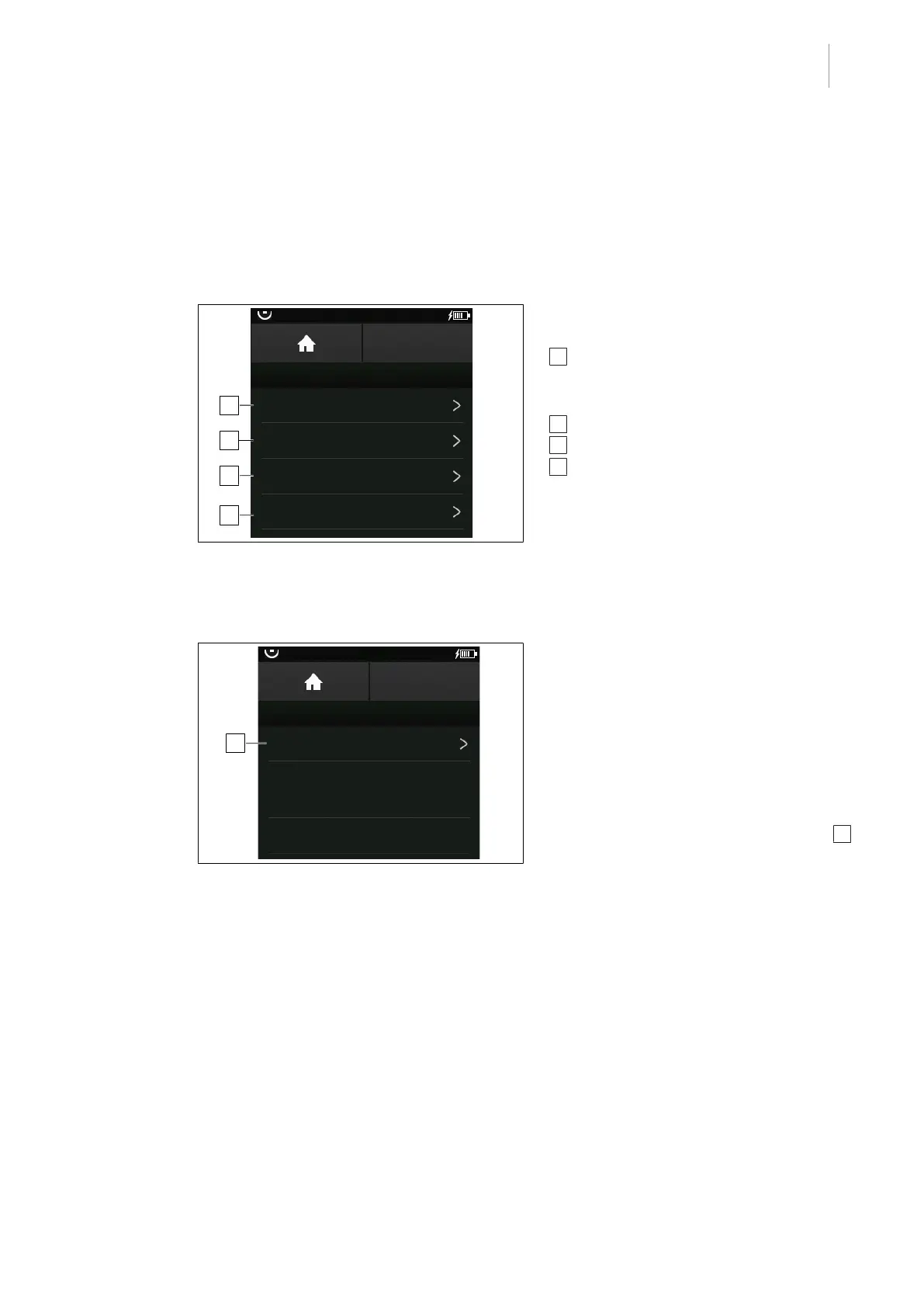
Fig.18: OR Table Connection
The following functions and settings can be
selected in the OR Table Connection menu:
1 Connect to OR table menu option
▪ Connect to new OR table
▪ Last connections
2 Disconnect from OR table menu option
3 Rename OR table menu option
4 View IR code menu option
5.3.1.1 Connecting a new OR table
OR01-14
BACK
OR TABLE CONNECTION
Connect to new OR table
Last connections
14 - OR-01
15 - OR-02
1
Fig.19: Connect a new OR table
Connect the operating table
Prerequisites:
• The OR Table Connection menu is open.
1. Touch the Connect to OR table button.
Ø Known operating tables are listed and
the menu item Connect to new OR
table is displayed.
2. Touch the Connect to new OR table 1
button.
Ø The window for entering the IR code
appears.



 To Next Page