Operating menu
Adjustment functions
5
1009.25B0
IFU 1009.25 EN 01
65 / 92
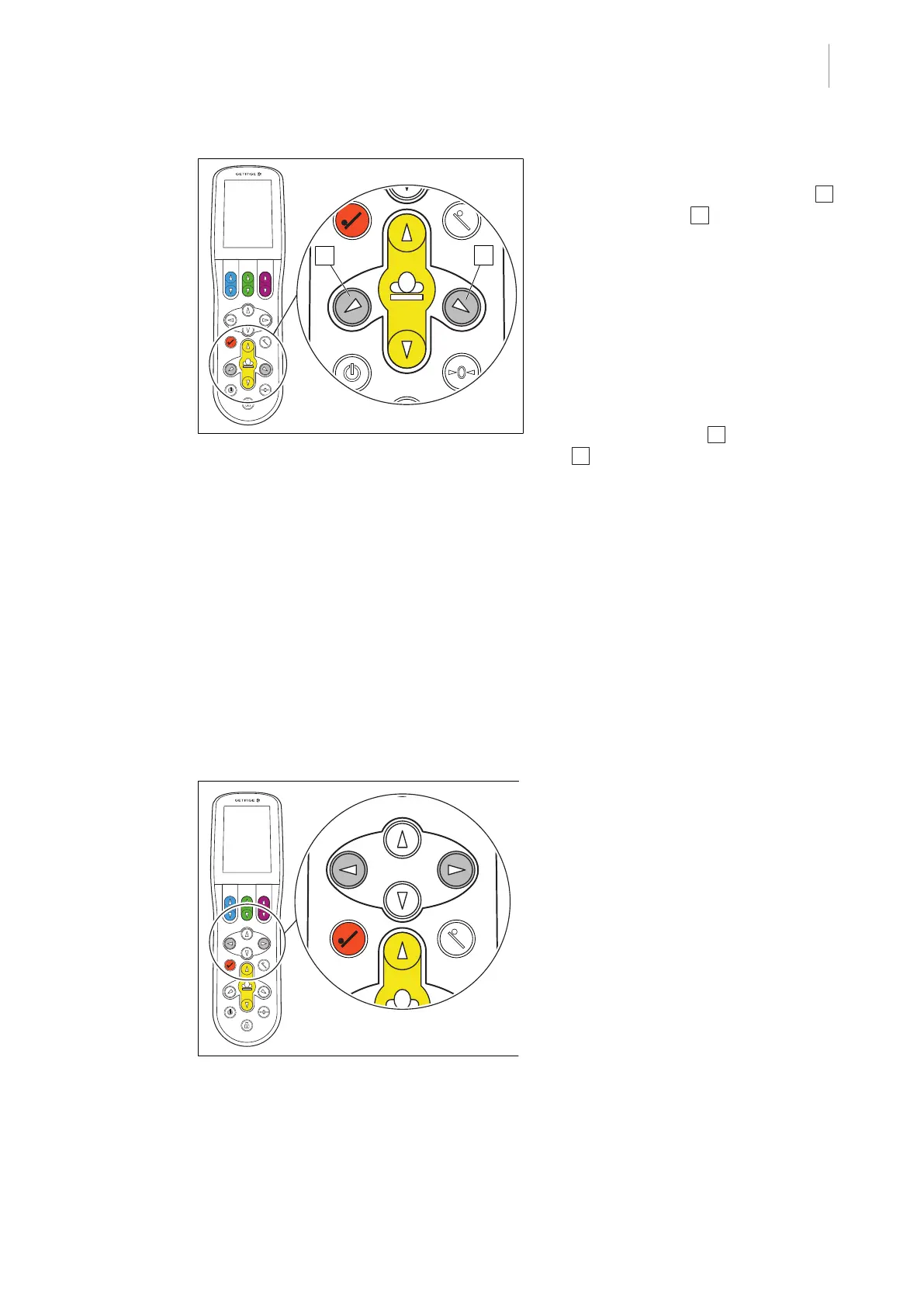
Fig.67: Tilting the table top laterally
Lateral tilt, left / right
1. Press and hold the [Lateral tilt, left] 1 or
[Lateral tilt, right] 2 button.
Ø The table top moves accordingly about
the head-foot axis to the right or left .
Ø The current adjustment angle is shown
on the touchscreen.
Ø Depending on the connected OR table,
the message "Extreme lateral tilt" is dis-
played on the touchscreen.
2. To achieve a greater angle of tilt: Press
the [Lateral tilt, left] 1 or [Lateral tilt, right]
2 button again.
Ø The patient will be tilted.
Ø The current adjustment angle is shown
on the touchscreen.
Ø An acoustic signal sounds on the con-
trol device during the adjustment phase
[8Page25].
Ø When the end position is reached, this
is indicated on the display and an
acoustic signal is sounded on the
column.
5.8.4 Moving the table top longitudinally
Fig.68: Moving the table top longitudinally
Moving the table top longitudinally
1. Depending on the desired direction, press
and hold one of the two buttons for longit-
udinal shift.
Ø The table top moves in the selected dir-
ection.
Ø When the end position is reached, this
is indicated on the display and a signal
is sounded.



 To Next Page