5
Operating menu
Main menu [Menu]
42 / 92
1009.25B0
IFU 1009.25 EN 01
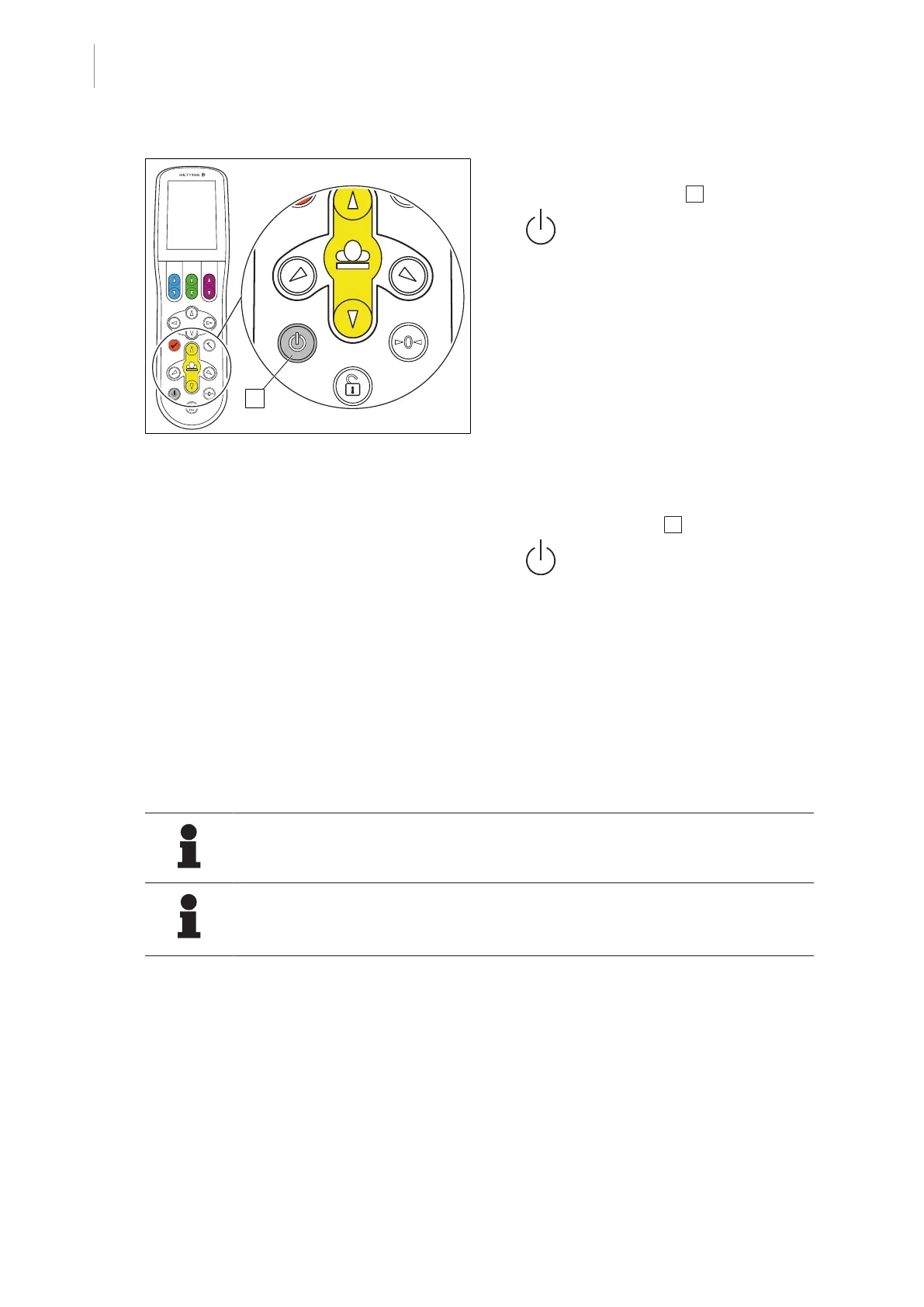
Fig.38: Deactivating sleep mode
Deactivating sleep mode
1. Press button [Stand-by] 1 >5 seconds.
Ø Operating buttons and touchscreen
light up.
Ø Control device is activated.
Ø Sleep mode is deactivated.
- or -
1. Place the control device in the charging
cradle [8Page20].
- or -
1. Connect the control device to the table via
cable. [8Page21].
2. Press the [Stand-by] 1 button.
Ø Operating buttons and touchscreen
light up.
Ø Control device is activated.
Ø Sleep mode is deactivated.
5.3.4 Menu [Adjustment speed]
5.3.4.1 Set adjustment speed
NOTE
All speeds can be increased or decreased simultaneously with the Master slider.
NOTE
To avoid unwanted adjustments, it is recommended to scroll up and down on the
left side of the touch screen.
The speed of the various adjustment functions can be increased or decreased via the
Adjustment Speed menu.



 To Next Page