Operating menu
Displacing / locking the OR table
5
1009.25B0
IFU 1009.25 EN 01
69 / 92
5.9.1 Status display [LOCK] / [UNLOCK]
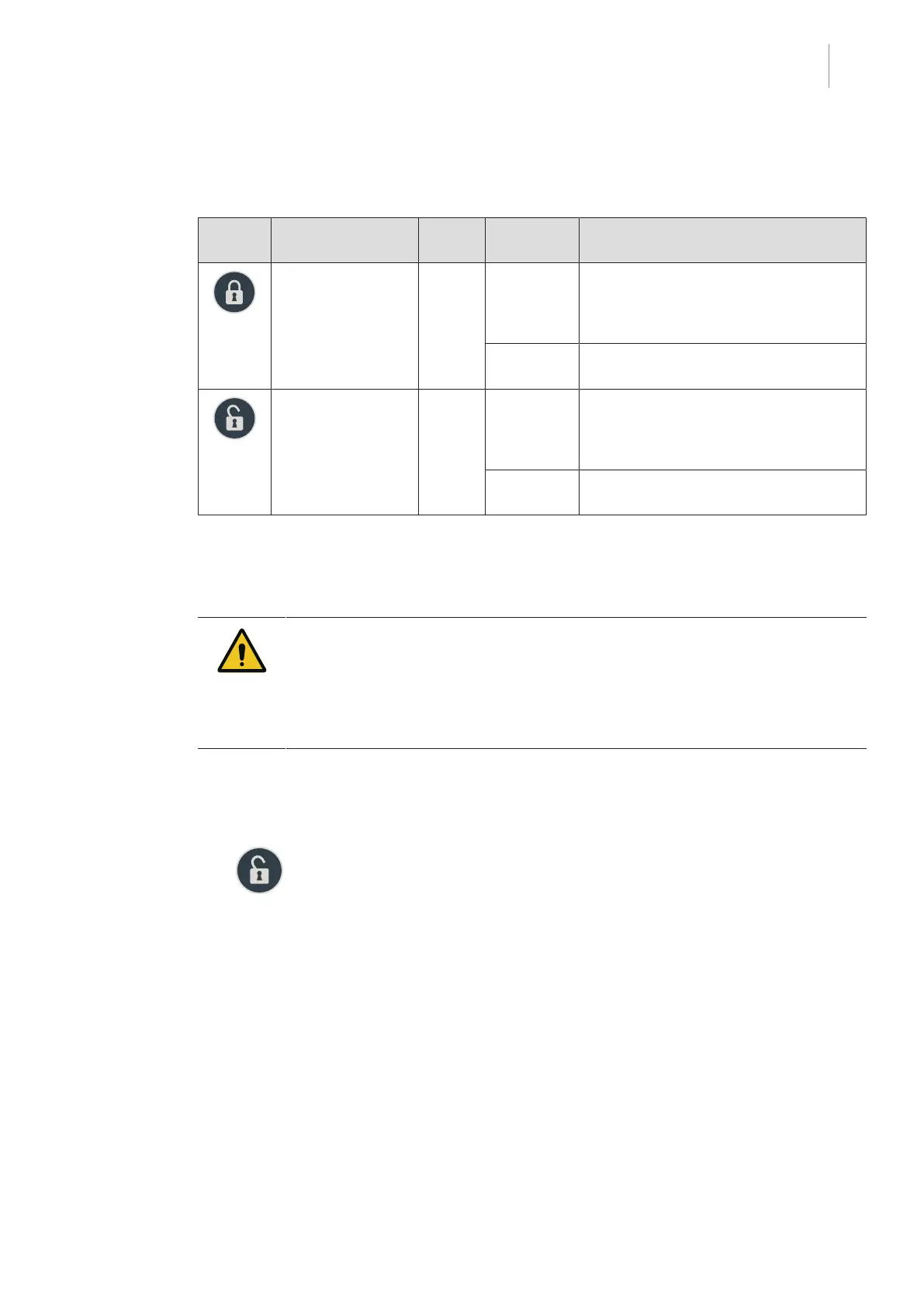
The status display is located on the override control panel .
Symbol Meaning LED
colour
Condition Status
LOCK Green Flashing
light (altern-
ates with
UNLOCK)
OR table switches status LOCK / UN-
LOCK.
Continuous
light
OR table is locked
UNLOCK Orange Flashing
light (altern-
ates with
LOCK)
OR table switches status LOCK / UN-
LOCK.
Continuous
light
OR table is on castors.
Tab.8: Status display LOCK / UNLOCK
5.9.2 Moving the OR table without autodrive [UNLOCK]
CAUTI ON!
Property damage!
When moving the mobile operating table, there is a risk of collision with the
environment.
In order to avoid collisions when moving the mobile operating table, two people
should guide the OR table.
1. Unplug the mains cable and equipotential bonding cable from the OR table.
2. Press the [UNLOCK] button until the swivel castors are extended.
Ø The Lock OR table menu will open on the control device.
Ø The swivel castors extend automatically.
Ø The LED below the [UNLOCK] button on the override control panel will light up.
Ø The OR table can be moved.
3. Use two people to guide the OR table.



 To Next Page