Operating menu
[OR table positions] menu
5
1009.25B0
IFU 1009.25 EN 01
51 / 92
5.5.2 User-defined operating table position
NOTIC E
If the control device is still synchronising with the operating table, when the menu is
started an informational message is displayed indicating that a data transfer is on-
going. A progress bar is also displayed. The menu will be displayed after the syn-
chronisation is complete.
If the OR table is set to a certain position, this position can be saved using the USER-DEF.
POSITION menu.
5.5.2.1 Creating, editing, and deleting folders for user-defined sequences
OR01-14
QUICK
MEMORY
OR TABLE
POSITIONS
Standard positions
BEACH CHAIR FLEX REFLEX
BACK
HORIZONTAL
EXAMINATION
USER-DEF.
POSITION
USER-DEF.
SEQUENCE
Individual positions
1
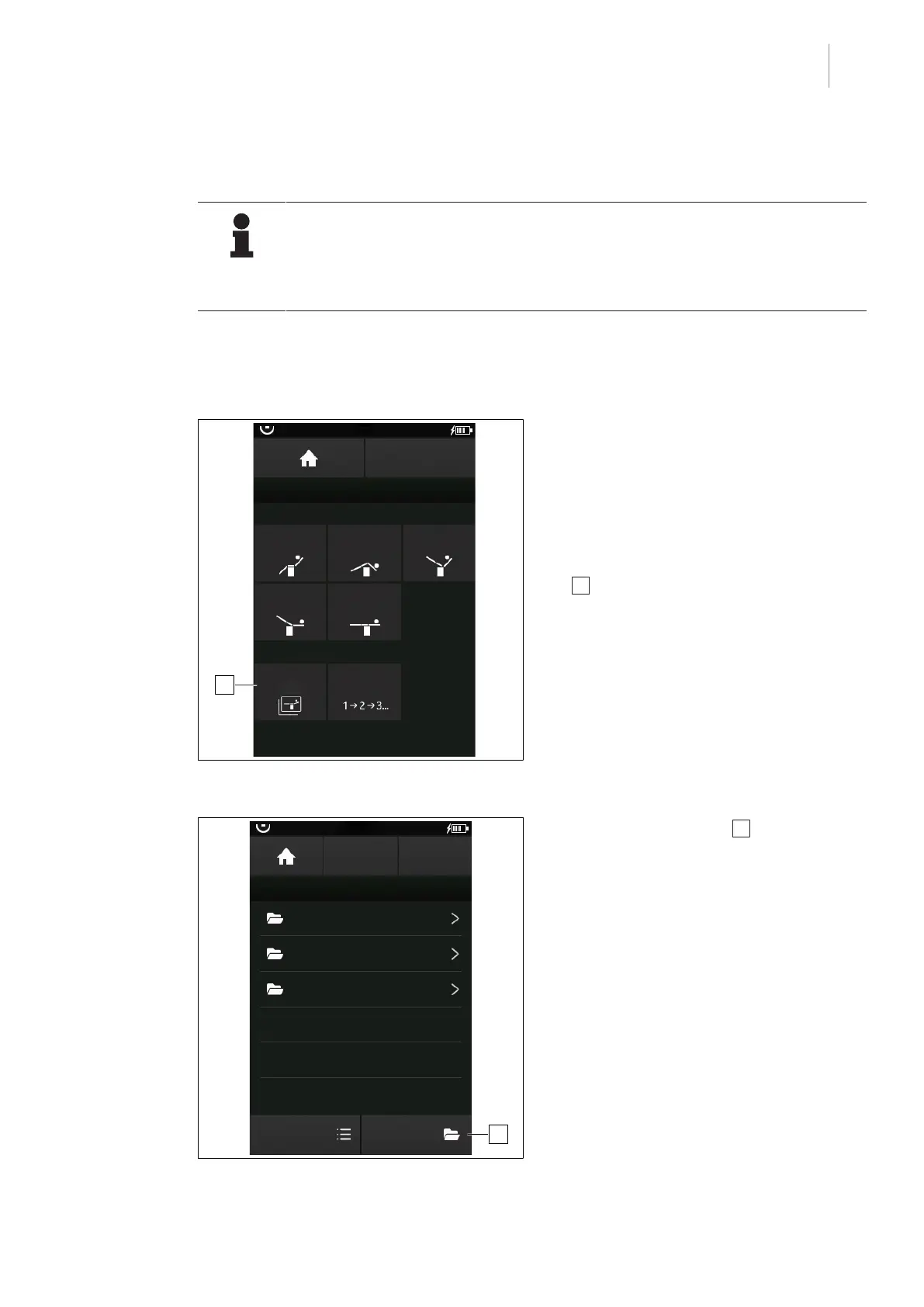
Fig.50: Open menu USER-DEF. POSITION
Prerequisites:
• Start screen is open.
1. Touch the OR TABLE POSITIONS button.
Ø The menu OR TABLE POSITIONS is
shown.
2. Touch the USER-DEF. POSITION button
1 .
Ø The menu USER-DEF. POSITION is
shown.
OR01-14
STORE
POSITION
USER-DEFINED POSITIONS
Folder 01
EDIT
Folder 02
BACK
1
Folder 03
EDIT
Dr. Kruger
Dr. Kruger_02
Fig.51: menu USER-DEF. POSITION
3. Touch the EDIT button 1 .
Ø The list with the previously saved
folders is displayed.



 To Next Page