Operating menu
Main menu [Menu]
5
1009.25B0
IFU 1009.25 EN 01
43 / 92
OR01-14
CANCEL OK
ADJUSTMENT SPEED
Set adjustment speed
Master 1
Height 1
Trend 1
Lateral Tilt 1
Back 1
Legs 1
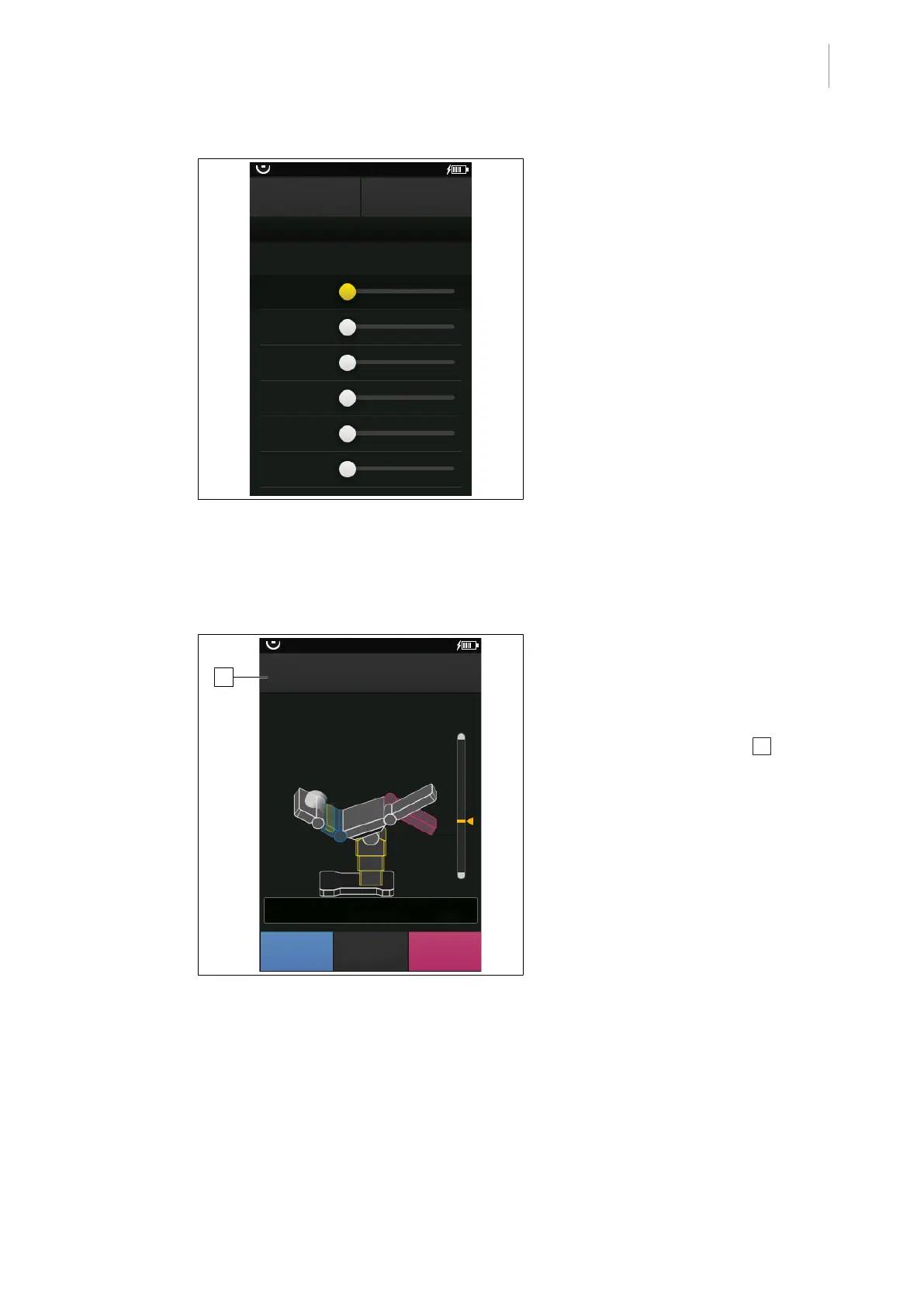
Fig.39: Adjustment Speed
Prerequisites:
• The Adjustment Speed menu is open.
Increasing the adjustment speed
1. Move the slider for the desired adjustment
to the right.
Ø Adjustment speed is increased.
2. Touch the OK button to confirm.
Decrease adjustment speed
1. Move the slider for the desired adjustment
to the left.
Ø Adjustment speed is decreased.
2. Touch the OK button.
Ø The set speed is applied.
5.3.4.2 Use maximum adjustment speed for a short period of time
During an adjustment process, the adjustment speed can be increased briefly to maximum
speed.
1
SPEED UP
30°
TREND: -20°
TILT: 0°
L: 30°
R: -30°
PATIENT
ORIENTATION
SELECT
OR01-14
Fig.40: Use maximum speed
Prerequisites:
• The adjustment procedure is carried out
via the operating buttons.
1. Carry out the desired adjustment process.
Ø The SPEED UP button 1 appears in
the navigation bar on the start screen.
2. Touch and hold the SPEED UP button.
Ø As long as the button is touched, the
adjustment takes place at the maximum
adjustment speed.



 To Next Page