3
Initial operation
Charge the control device
22 / 92
1009.25B0
IFU 1009.25 EN 01
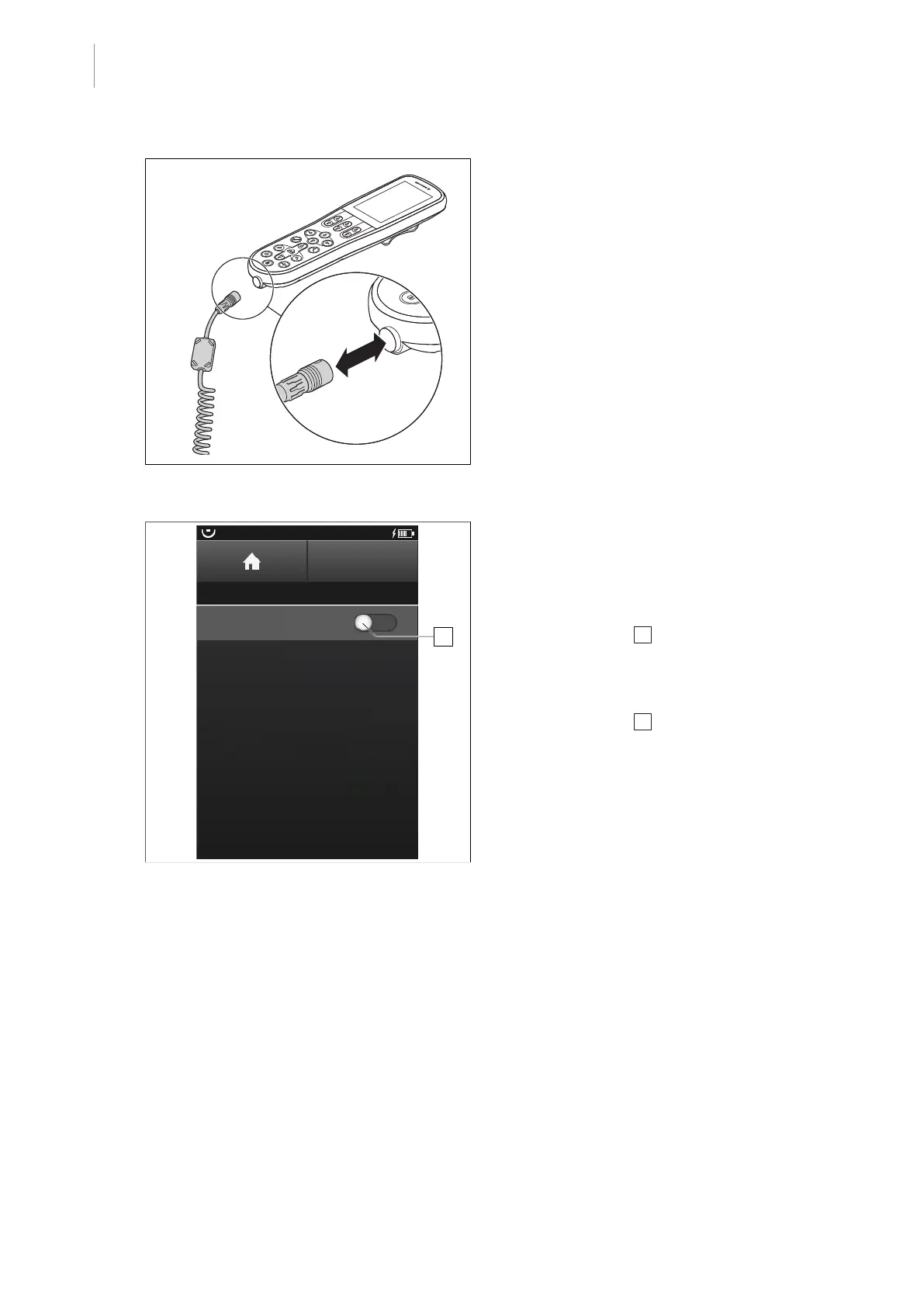
Fig.9: Connecting cables
Connecting cables
1. Remove the locking plug from the socket
connection [8Page23].
2. Insert the end of the cable with the arrow
facing up into the connector socket of the
control device.
3. Connect the other end of the cable to the
OR table.
BACK
ACTIVE CABLE CHARGING
Active Cable Charging
OR01-14
Please note that charging is only
allowed when a surgery is not
currently in progress, and will be
disabled if a movement of the OR table
is detected.
Charging can always be re-enabled
by activating "Active Cable Charging"
in this menu.
1
Fig.10: Active Cable Charging
Activating charging via cable
Prerequisites:
• The Active Cable Charging menu is
open.
1. Touch the slider 1 .
Ø Charging via cable is activated.
Deactivating charging via cable
1. Touch the slider 1 .
Ø Charging via cable is deactivated.



 To Next Page