27Software
HBMQuantumX
If the firmware version number of your module is lower than the actual number on the
Internet, an update is necessary:
• Download the actual firmware from the HBM website and save it in the download
directory of the firmware updater (in most cases: C:\Programs\HBM\QuantumX Firmware
Update\Download)
• Download the actual software package from the HBM website
• Close all open HBM software, install the new software and start the QuantumX Firmware
Update
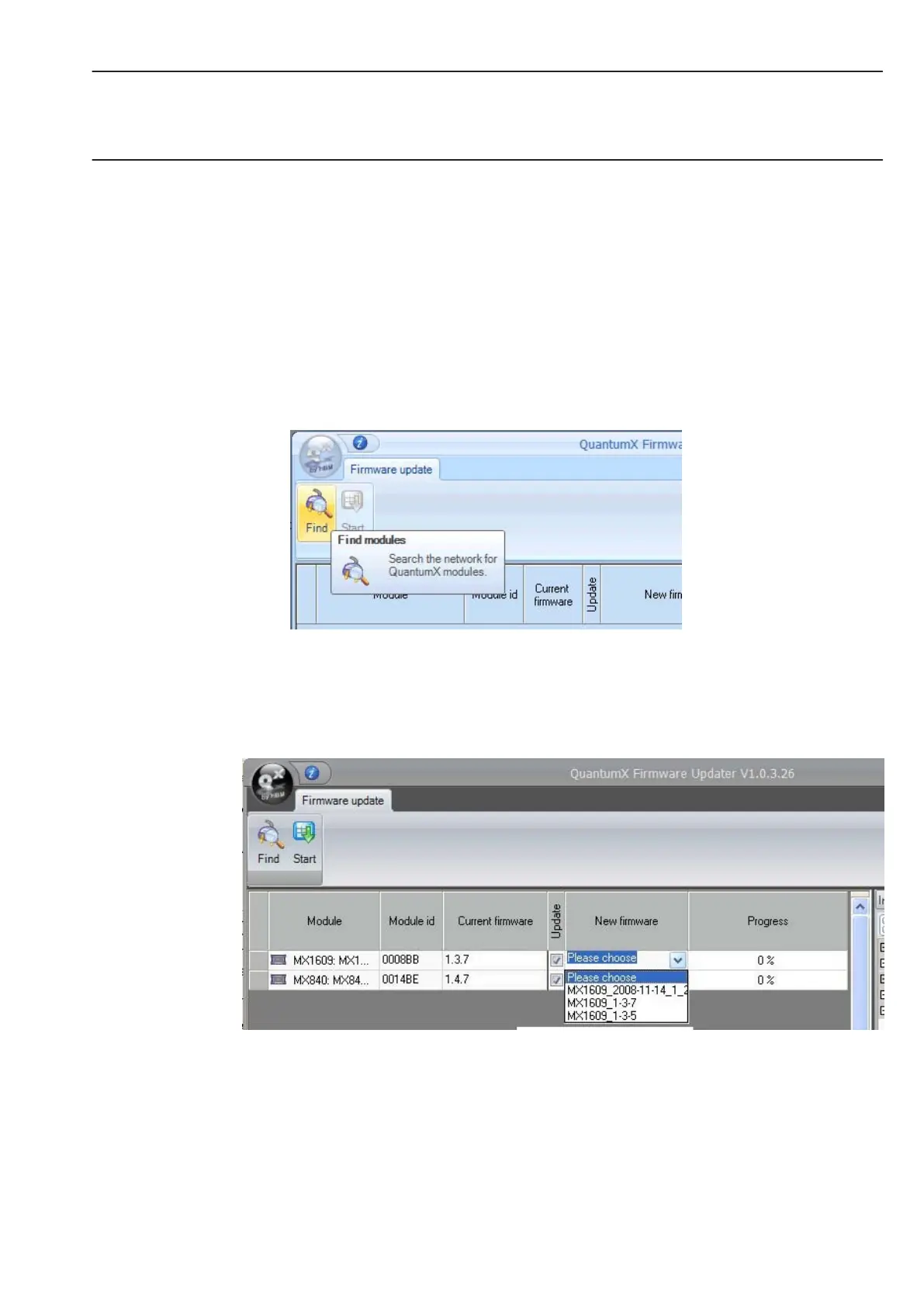
• Click on the ”Find modules” symbol or press the function key F4.
• Select the module
• Select the required version in the drop down menu ”New firmware”
• Activate the modules whose firmware you want to update by checking the boxes in the
column ”Update” and then click on the ”OK” button.
• Press the ”Start” button and wait until the update is complete (do not interrupt the
process/do not switch off the modules/do not interrupt the connection)



 To Next Page