86 Connection
HBM QuantumX
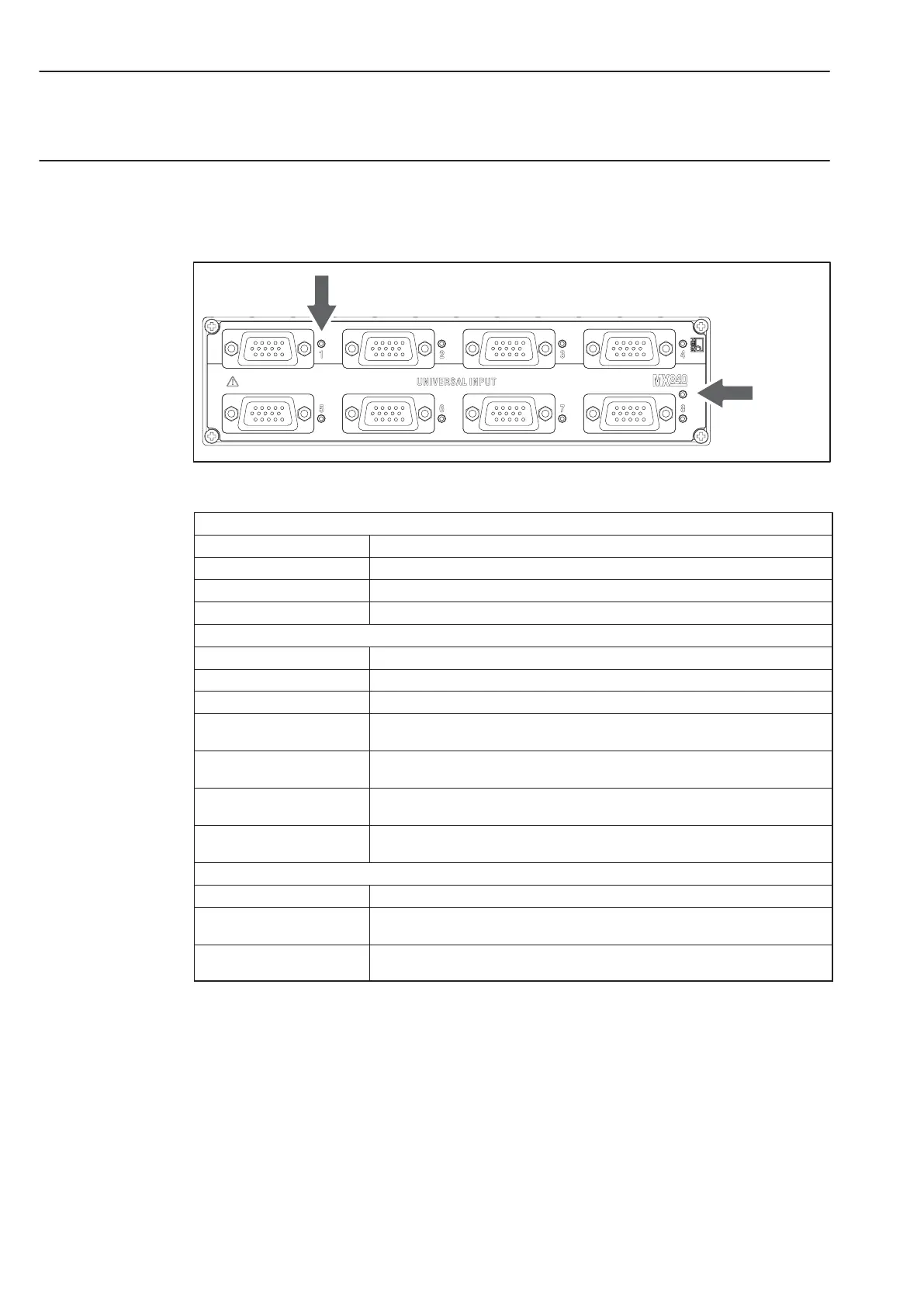
6.2.2 MX840 status display
The front panel of the universal amplifier has a system LED and 8 connection LEDs. The
system LED indicates the status of the device, the connection LEDS the states of the
individual connections.
System LED
Connection LED
Fig.6.3: MX840 front view
System LED
Green Error-free operation
Orange System is not ready, boot procedure running
Flashing orange Download active, system is not ready
Red Error
Connection LEDs
All LEDs are orange Boot procedure running (system is not ready)
All LEDs are flashing orange Firmware download active (system is not ready)
Orange Connection newly assigned, transducer identification running (calibration)
Green Error-free operation (”Ignore TEDS” or ”if available” set,
channel is manually configured)
Flashing green (5s), then
green
Reading TEDS data
Flashing orange (5s), then
green
Manual configuration running (ignore TEDS)
Red No sensor connected
Channel error (incorrectly parameterized, connection error, invalid TEDS data)
CAN LEDs
Green CAN bus activated, CAN data can be received
Orange CAN bus in ”WARNING” state, CAN data received but bus is occasionally
disturbed; buffer overflow, individual data lost
Red CAN bus in ”ERROR” or ”BUS-OFF” state, CAN data cannot be received or
processed
General rule: Brief flashing → TEDS identified (green: is used, orange: is not used).



 To Next Page