5 June 2020 CasTemp Wireless including CasTemp Superheat Page 49
6.2.3 Serial port RS232
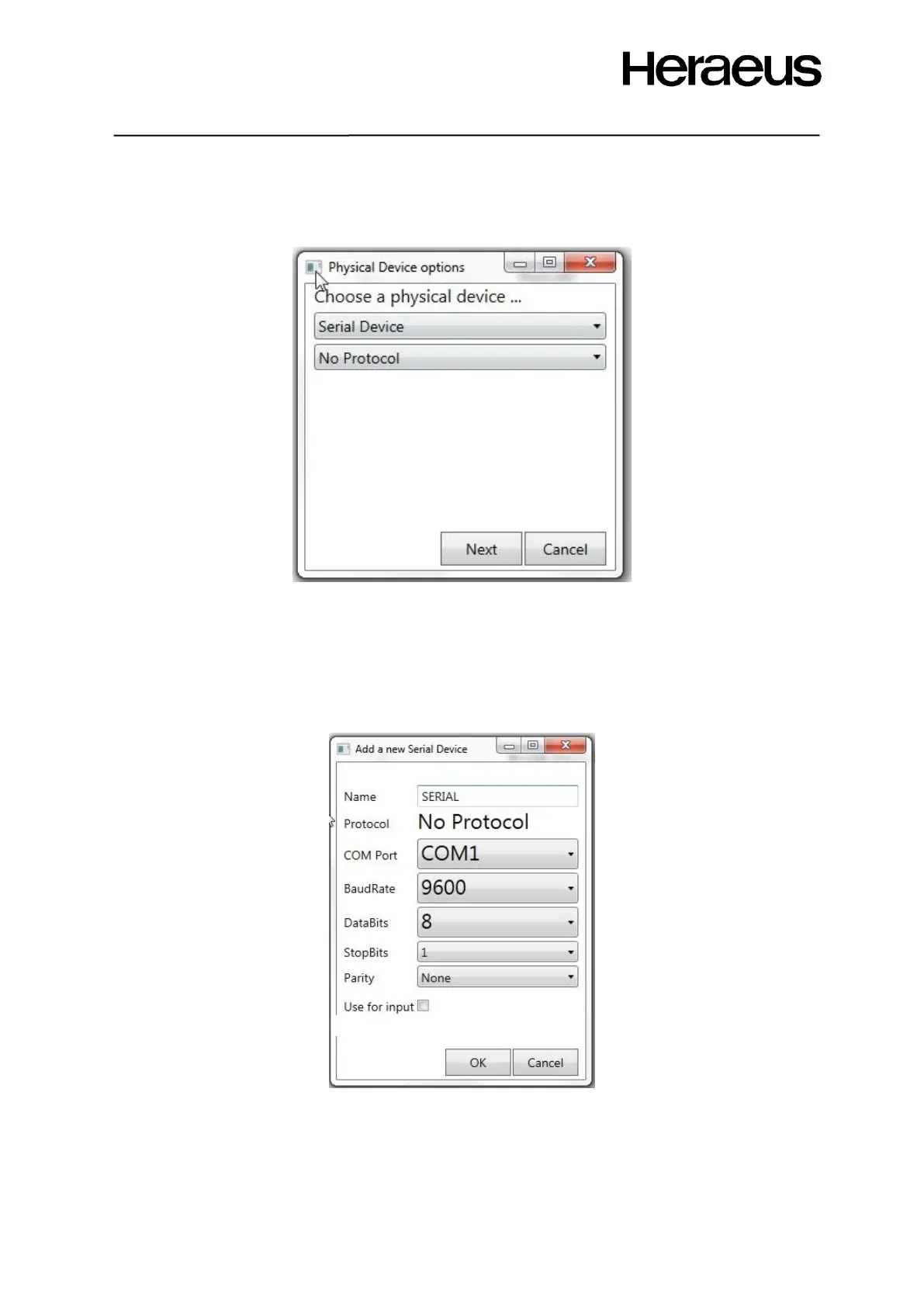
The CasTemp Wireless instrument can also be configured as a serial device. When the serial device
is selected from the physical device options’ menu (Figure 50), Figure 54 appears.
Figure 54: Serial port configuration window
Set the configuration variables to the correct value, as shown in Figure 55
Following settings are user configurable:
• COM port for the serial port: should always be COM1.
• BaudRate: speed of the interface, should be the same as the device who receives the data.
• DataBits, StopBits and Parity: should be the same on the receiving side.
Figure 55: Serial port configuration settings







 To Next Page