5 June 2020 CasTemp Wireless including CasTemp Superheat Page 51
6.2.6 Implemented Protocols as Physical Devices List
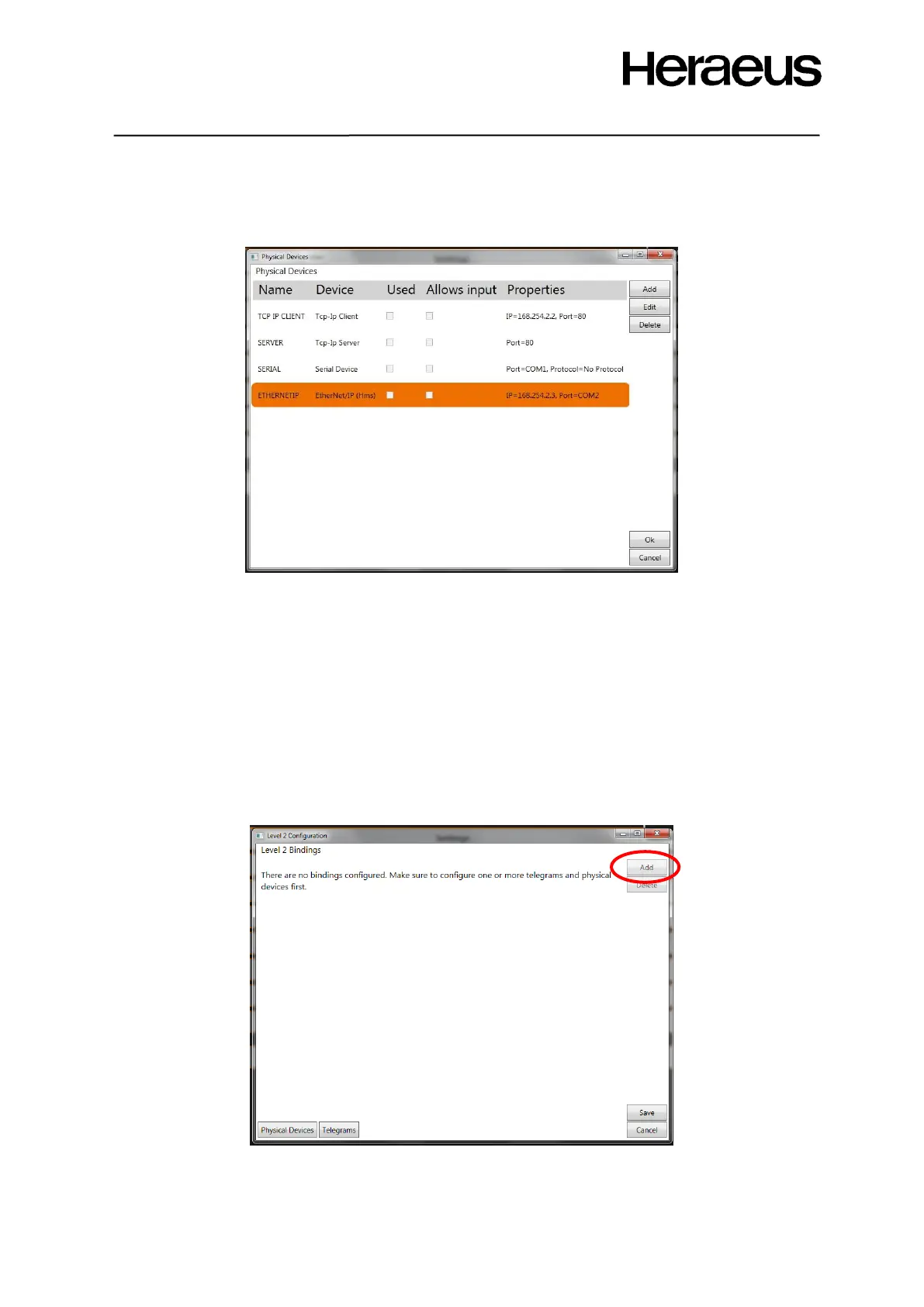
Click the OK button to accept the new interface and return to the Physical device window it should
look like Figure 58:
Figure 58: Physical device window after configuring a number of interfaces
Note: It is possible to configure different protocols in parallel sending data telegrams at the same time.
6.2.7 Non standard Protocols
See your HEN representative for details on whether this is possible.eg Profinet
6.3 Bindings between the protocols and the telegrams
To enable communication, the data telegrams must be bound to the physical devices.
As soon as the link is made between the physical interface and the data telegram, the link is active
and will start sending data.
To create a link, perform following steps:
Click the ‘add’ button in the level 2 configuration window as shown in Figure 59:
Figure 59: Level 2 configuration window







 To Next Page