5 June 2020 CasTemp Wireless including CasTemp Superheat Page 2
7.1.1 Exporting an Instrument settings
The process of export of an instruments settings is:
• Gain access to the menu via the “24816” menu when unpaired and click the “Transfer” option
on the menu
• Name the file, set the location path to the relevant location (usually USB memory stick) and
click Export
7.1.2 Importing an Instrument settings
The process of importing instruments settings is:
• Gain access to the menu via the “24816” menu when unpaired and click the “Transfer” option
on the menu
• Click “Browse” and find the *.cws file you would like to import, click “Import” and wait for the
operation to complete.
7.2 Operating System
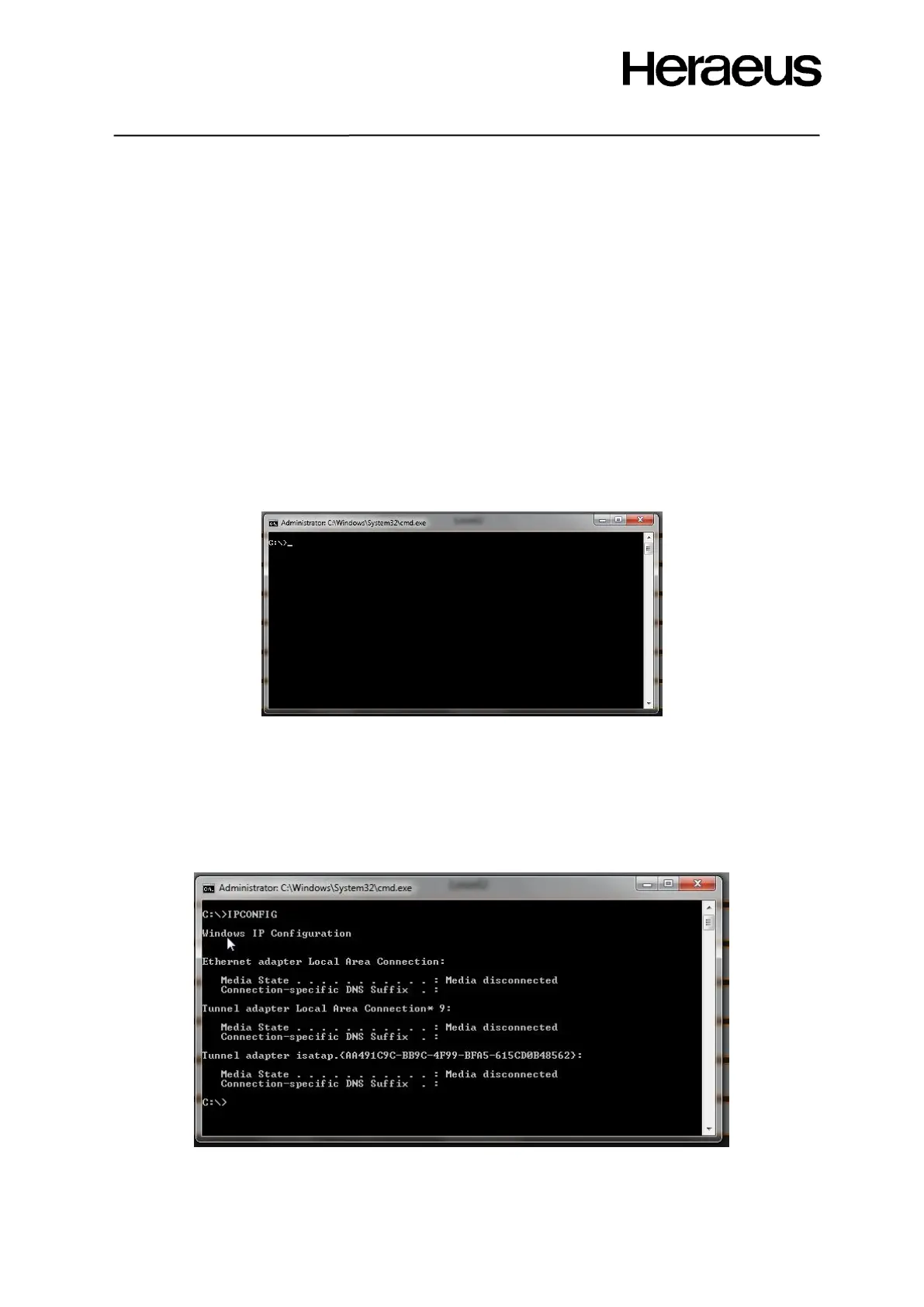
Click the Operating System button to access the instrument operating system. The screen of Figure
64 pops up:
Figure 64: Operating System window
This allows access to the instrument operating system Command prompt.
Command prompt can be used to test the following:
• Instrument IP address
• Connection to other instruments/systems
• Access to file explorer
• Access to control panel
Obtain the local instruments IP address by typing “ipconfig” and pressing enter
Figure 65: Operating system ipconfig







 To Next Page