5 June 2020 CasTemp Wireless including CasTemp Superheat Page 2
3. Appendix 5: CasTemp approval form
4. Gain access to “24816” menu when unpaired and select license.
5. Change the serial number to that of the instrument (found on the bottom of the instrument
i.e. 150100)
6. The hardware ID will be shown on screen. Click “Copy to file” to store this hardware ID in
a text file. A window will appear – rename the file to match the serial number of the
instrument and save to memory stick.
7. Next email this txt file and CasTemp approval form to the License authoriser, they will
send back a .lic file with the same file name
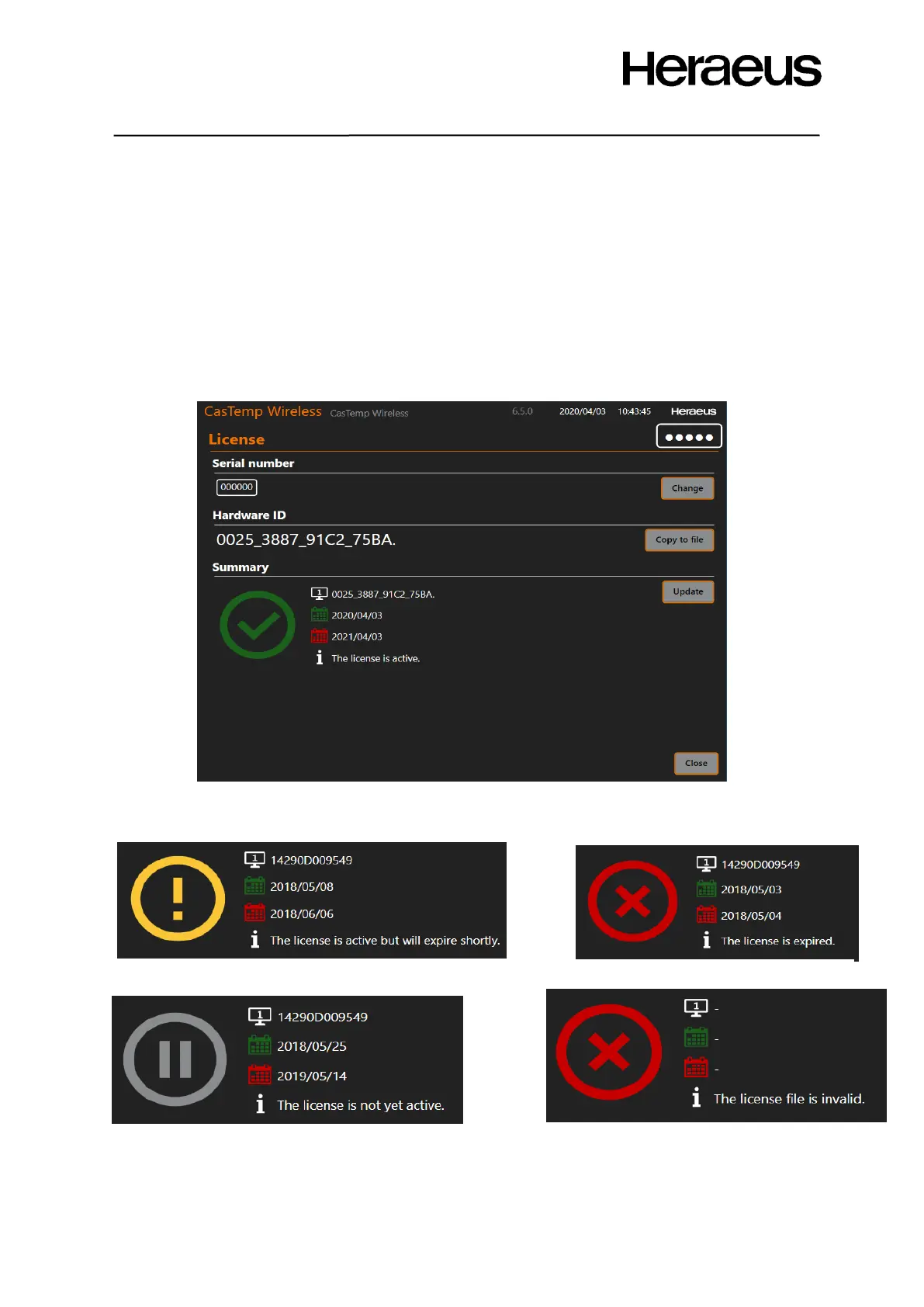
8. In the license menu click “update” and locate this file and press ok. The screen of figure
77 shows a successful license installation
Figure 77: License Screen
The following messages will appear if the license is not installed correctly:







 To Next Page