5 June 2020 CasTemp Wireless including CasTemp Superheat Page 50
6.2.4 Profibus
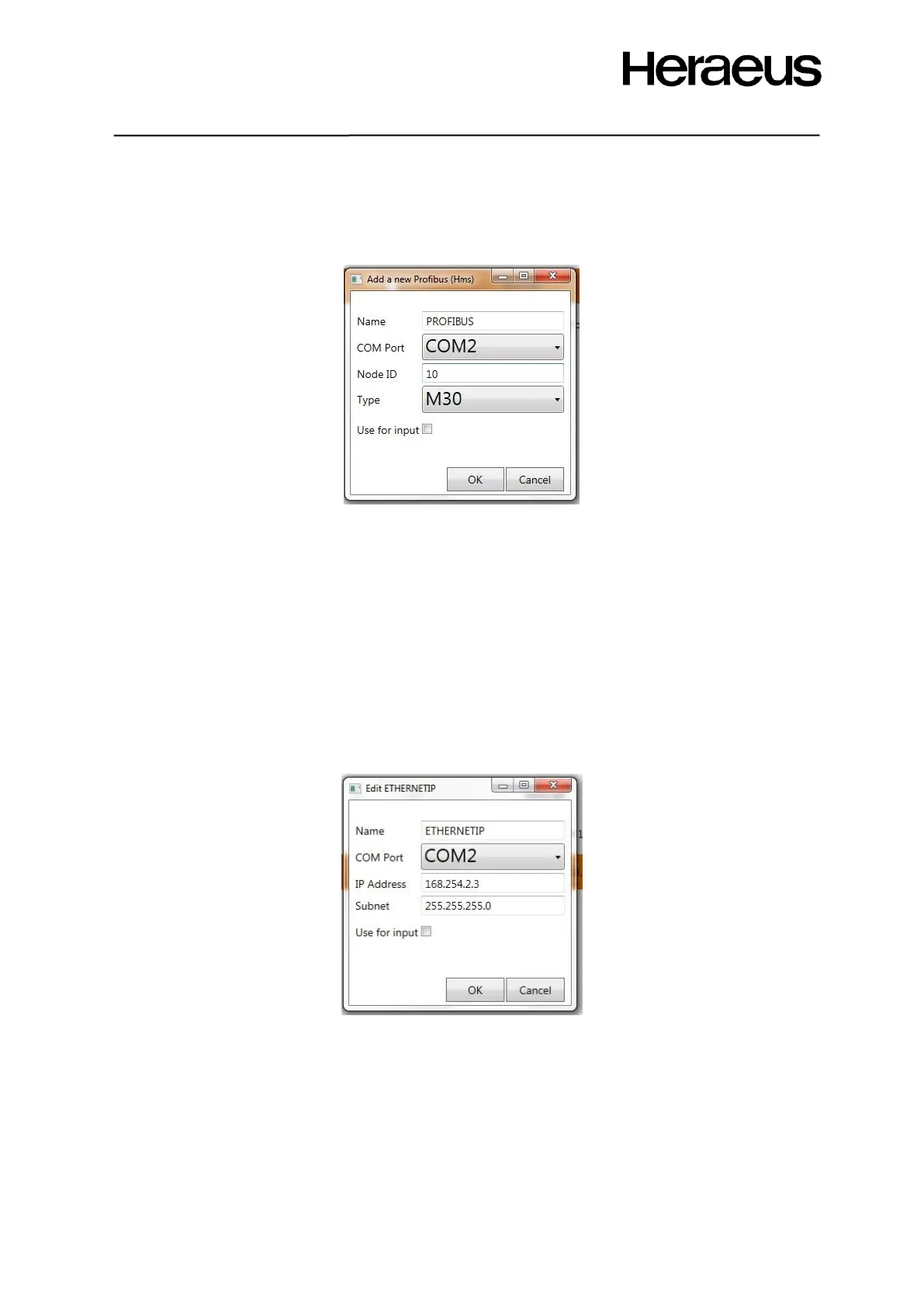
The CasTemp Wireless instrument is also able to communicate using the Profibus interface. To add a
Profibus interface, select the Profibus (HMS) interface from the drop down shown in the physical
device options’ menu (Figure 50), Figure 56 appears.
Figure 56: Profibus configuration window
Following settings are user configurable:
• Name: only used for internal instrument reasons
• COM Port: should always be COM2
• Node ID: PLC has to know the node ID. Each node ID has to be unique for the PLC.
• Type. Refer to Anybus module card,
• Use for input – required for Superheat see section 9.4
Note: Heraeus Electro-Nite personnel will provide a GSD file for the PLC to configure the Profibus
successfully.
6.2.5 EtherNet IP
The CasTemp Wireless instrument is also able to communicate using the EtherNet IP interface. To
add an EtherNet IP interface, select the EtherNet IP (HMS) interface from the drop down shown in the
physical device options’ menu (Figure 50), Figure 57 appears.
Figure 57: EtherNet IP Configuration window
Following settings are user configurable:
• Name: only used for internal instrument reasons
• COM Port: should always be COM2
• IP Address: PLC IP Address
• Subnet: PLC subnet
• Use for input – required for Superheat see section 9.4
An EDS file for the PLC is required to connect and to configure successfully.







 To Next Page