5 June 2020 CasTemp Wireless including CasTemp Superheat Page 6
9.7.1 How to set the IP address of the CasTemp Wireless instrument
The IP address of the CasTemp Wireless instrument will only be set once a physical connection has
been established. To set the IP address the following steps should be taken:
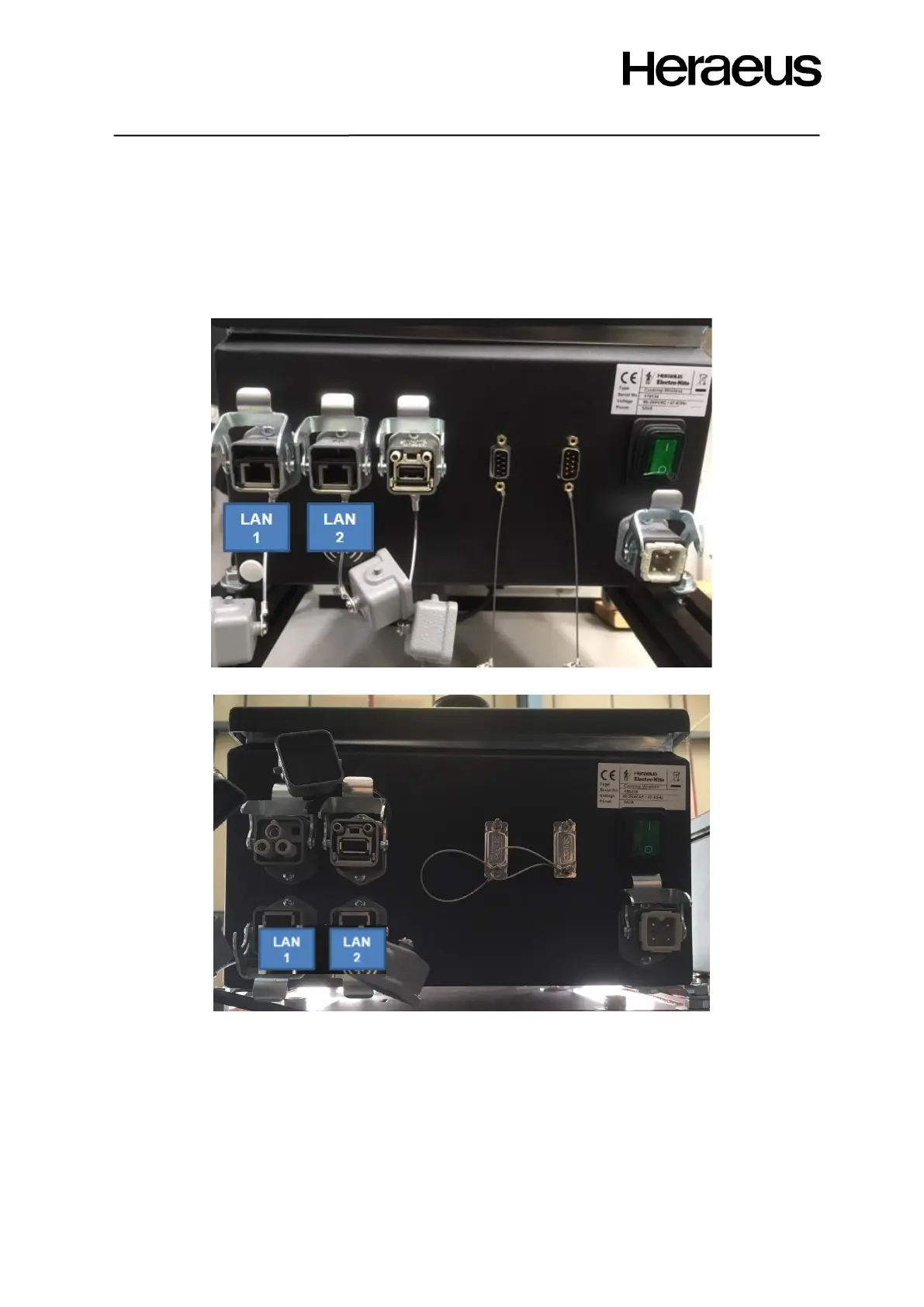
1. Identify which LAN port the connection has been made through.
a. LAN port 1 is the recommendation as LAN port 2 may be disconnected or connected
to Ethernet IP. If using LAN port 2 ensure connection is to the CPU inside the
instrument.
Figure 84: 1st edition model CasTemp Wireless Instrument
Figure 85: 2nd edition model CasTemp Wireless Instrument
2. Once the LAN port is established on both instruments and they are connected together, the IP
addresses of each instrument can be set.
3. Access the CasTemp Wireless instrument menu screen (when not paired to a CasTemp)
using the “24816” password.
4. Then click the “settings” on the menu and the “LAN 1” or “LAN 2” depending on which port
connection is made to. This will give the following options:







 To Next Page