5 June 2020 CasTemp Wireless including CasTemp Superheat Page 52
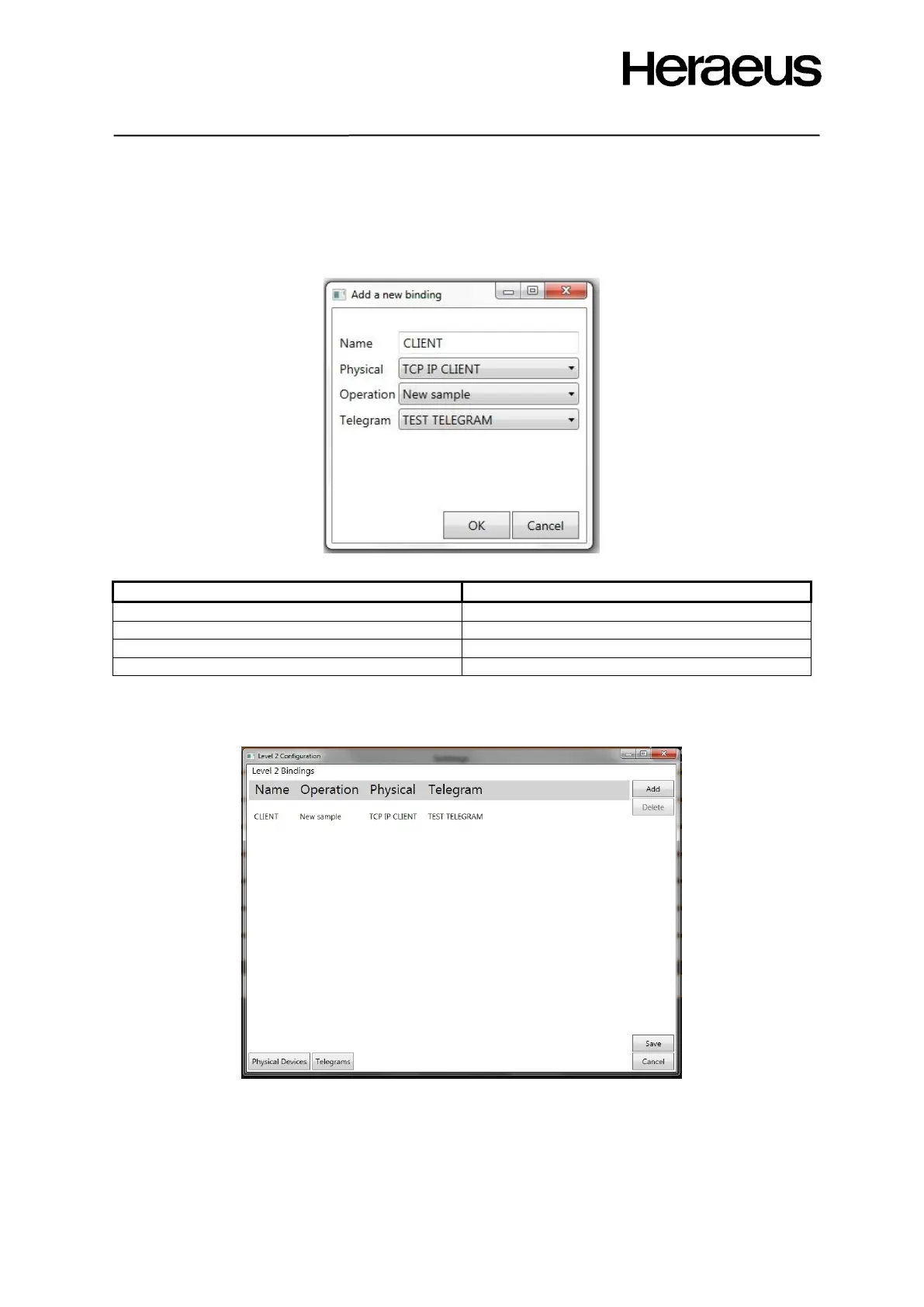
Give a name to the binding and select the physical interface that has to communicate with the plant
level 2 system.
Select the data telegram that contains the data that the physical interface has to send.
Accept the default values in the “Operation” drop down box. Figure 60
Figure 60: operation window
Select the Telegram from the drop down list as shown in Figure 48 and 49
The newly created binding will now appear in the level 2 configuration window as shown in Figure 61:
Figure 61: Level 2 configuration window after configuring the telegram and protocol
• Save the settings to ensure data communication.
• Reboot the CasTemp Wireless instrument once save is complete.
• If there are editing or changes to the telegram or physical device then delete the bindings and
restart the process.







 To Next Page