Replacing a cache backup battery 5–7
Hitachi Unified Storage Hardware Service Guide
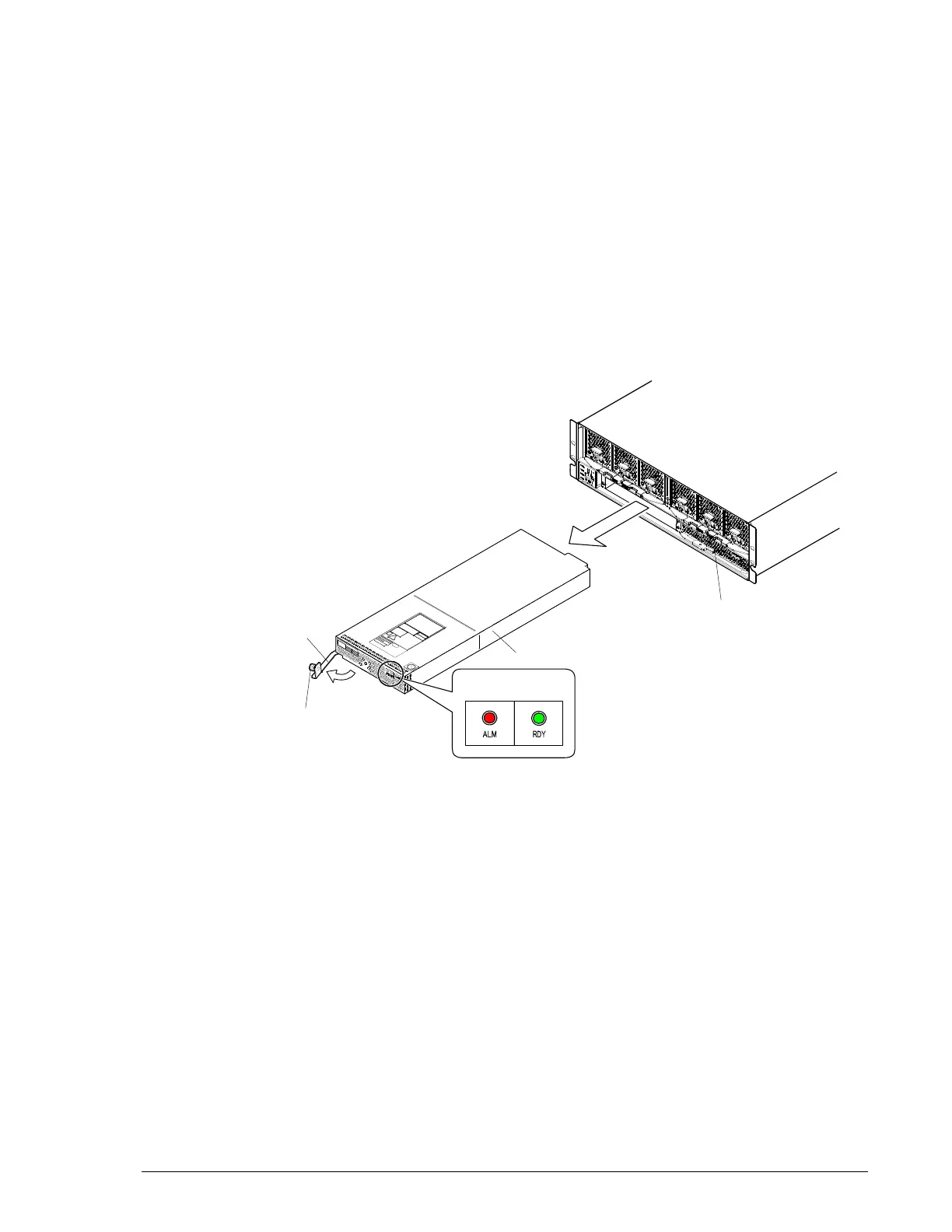
5. Confirm the status of the following LEDs:
- Green RDY LED on the cache backup battery is ON.
- Green READY LED on the front of the Controller Box is ON. This
LED might blink quickly for 40-to-60 minutes or 80-to-180 minutes
if the DBW is connected to the CBL.
- Red ALARM LED and orange WARNING LED on the front of the
Controller Box are OFF. If the LED in Figure 5-2 is blinking slowly,
visit the HDS Support Portal at portal.hds.com.
6. In Storage Navigator Modular 2, check the recovery after replacing
components (see Checking recovery after replacing components on
page 3-14).
7. Attach the front bezel.
8. Recycle the old cache backup battery.
Figure 5-2: Replacing a cache backup battery on a CBL
Cache Backup Battery #1
Lever
Cache Backup Battery #0
Screw (blue)
LED Name



 To Next Page