Hardware description 2–29
Hitachi Unified Storage Hardware Service Guide
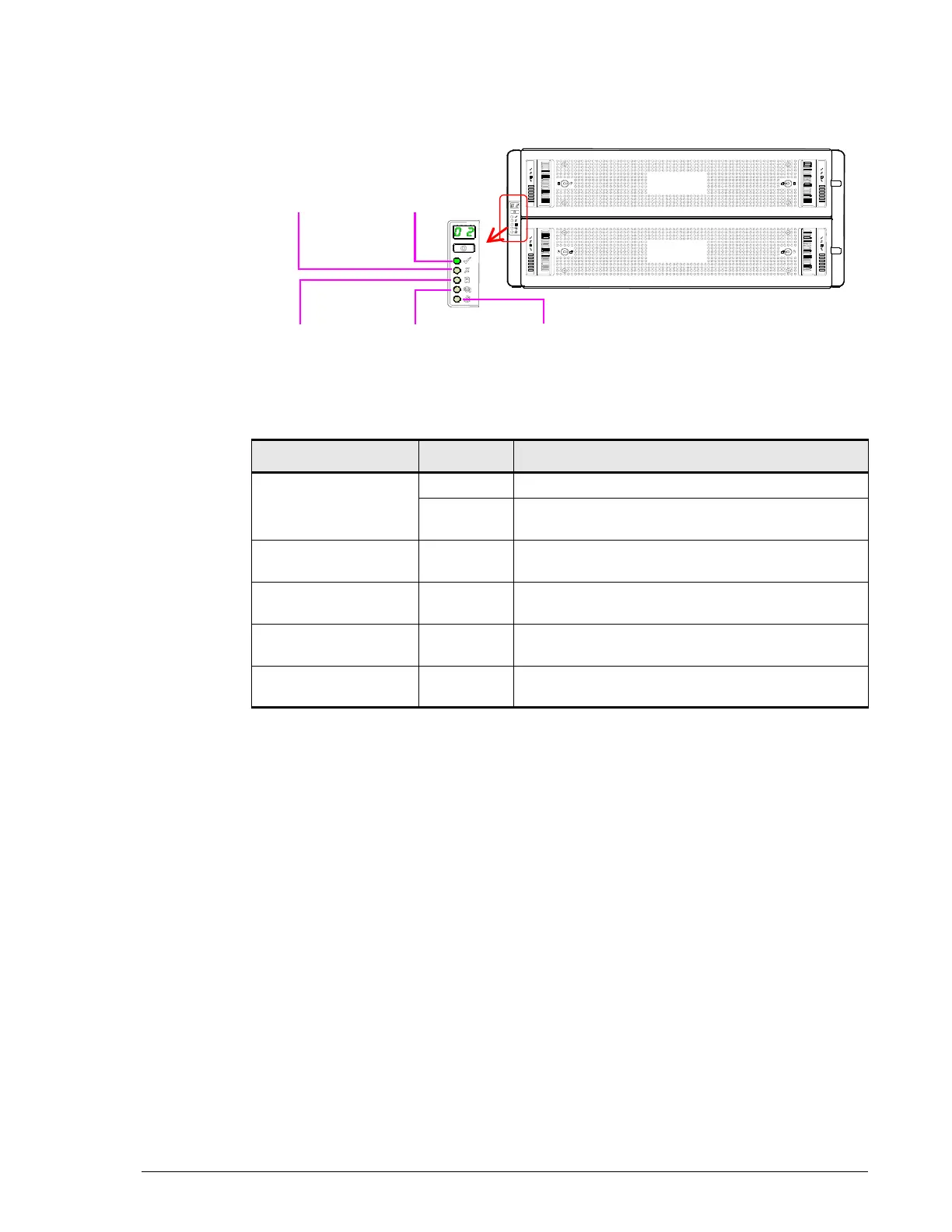
DBW Drive Box
Table 2-5: Front panel LEDs (DBW Drive Box)
LED Color Description
Power On/ Standby Green ON = normal Drive Box status.
Orange ON = abnormal Drive Box status. Visit the HDS
Support Portal at portal.hds.com.
Module WNG Orange ON = abnormal Drive Box condition. Visit the
HDS Support Portal at portal.hds.com.
Logical ALM Orange ON = logical fault has been detected. Visit the
HDS Support Portal at portal.hds.com.
Drawer 1 ALM Orange ON = abnormal top drawer condition. Visit the
HDS Support Portal at portal.hds.com.
Drawer 2 ALM Orange ON = abnormal bottom drawer condition. Visit
the HDS Support Portal at portal.hds.com.
Power On/
Standby
Module
WNG
Logical
ALM
Drawer 1
ALM
Drawer 2
ALM



 To Next Page