4-82
Assembly
Access
Display Motherboard
1.
Remove top cover.
WARNING
WAIT AT LEAST 5 MINUTES FOR CAPACITOR DISCHARGE AF-
TER
REMOVING POWER CORD.
2.
Loosen four 1I4-turn # 1 Pozidriv captive screws
and
remove top
lid
from display (Figure
4-79).
3. Remove display power supply board
and
sweep board as previously described.
4.
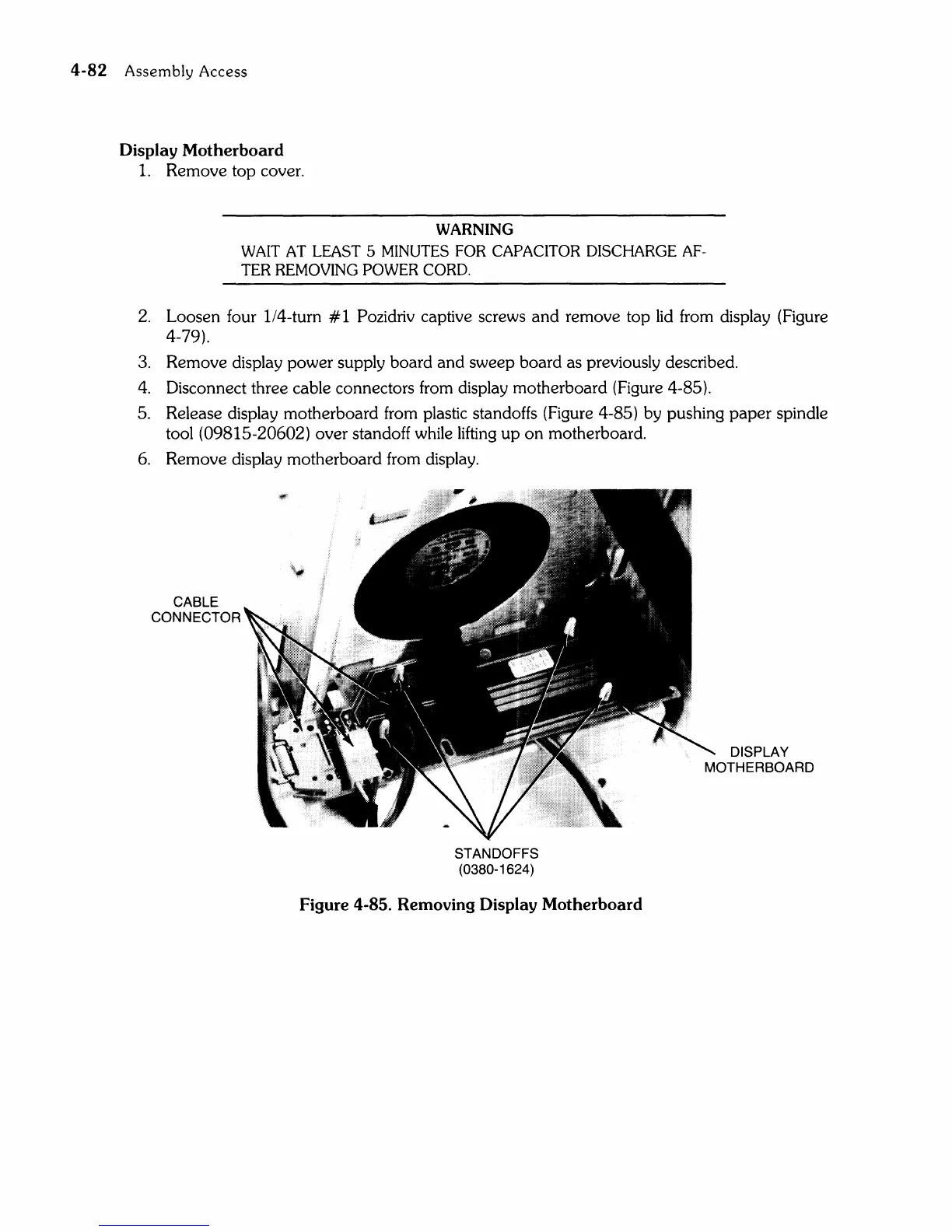
Disconnect three cable connectors from display motherboard (Figure 4-85).
5. Release display motherboard from plastic standoffs (Figure 4-85) by pushing
paper
spindle
tool
(09815-20602) over standoff while
lifting
up
on
motherboard.
6.
Remove display motherboard from display.
CABLE
CONNECTOR
STANDOFFS
(0380-1624 )
Figure 4-85. Removing Display Motherboard
DISPLAY
MOTHERBOARD



 To Next Page