CHAPTER 5
5-12 IEN HARDWARE REFERENCE 940043-002
IEN 5000 CONFIGURATION
This section describes the configuration procedures for the IEN 5000 chassis. Defining the
IEN 5000 chassis to IENView is similar to defining an IEN 1000, IEN 2000, IEN 3000 or
IEN 4000 chassis in that, each port is represented by a unique bus address.
Bus Clock Settings
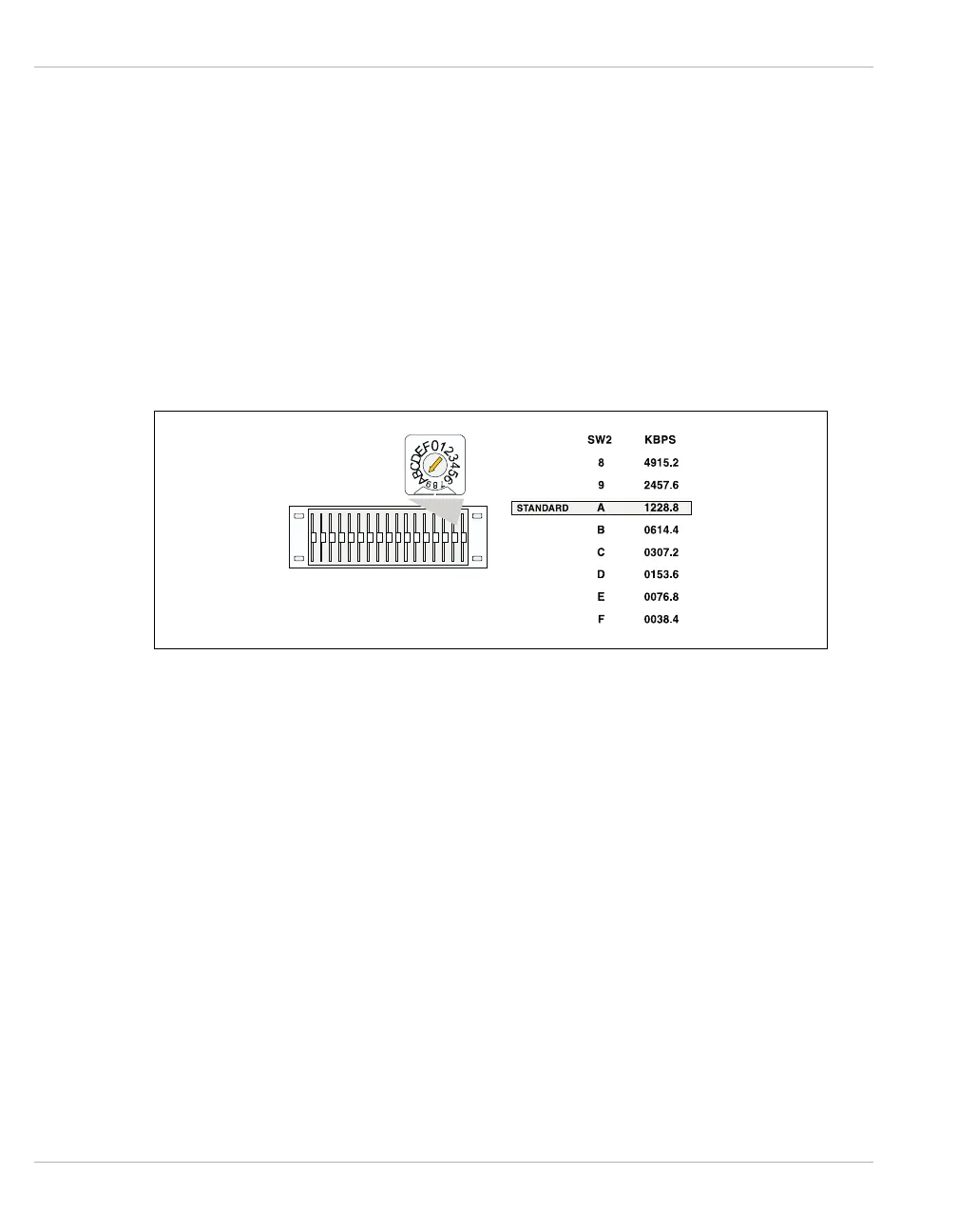
The standard bus clock is generated within the IEN 5000 chassis backplane. Therefore,
when bus extending IEN 5000 chassis, it is necessary to adhere to following the bus setting.
Figure 5-8 illustrates the bus clock settings for the IEN 5000.
Figure 5-8 IEN 5000 Bus Clock Settings
Note: The standard bus speed must be set to A (factory default) when using a standard bus
extension. If 32 Bit port processors are in use (CID61, LET61, LTR61 or CID63), the use of
Token Ring or Ethernet bus extension is recommended to optimize performance.



 To Next Page