EN
9 - PART REPLACEMENT SMART320
9 - Pag. 4 / 6
9.3 PLC BATTERY – REPLACEMENT
Replace the battery every year, or when the following
message appears on the display: "PLC battery
exhausted"
INFORMATION:
when this message is displayed, the battery
should be replaced within one day, otherwise,
the "PLC/NC Software" data will be deleted.
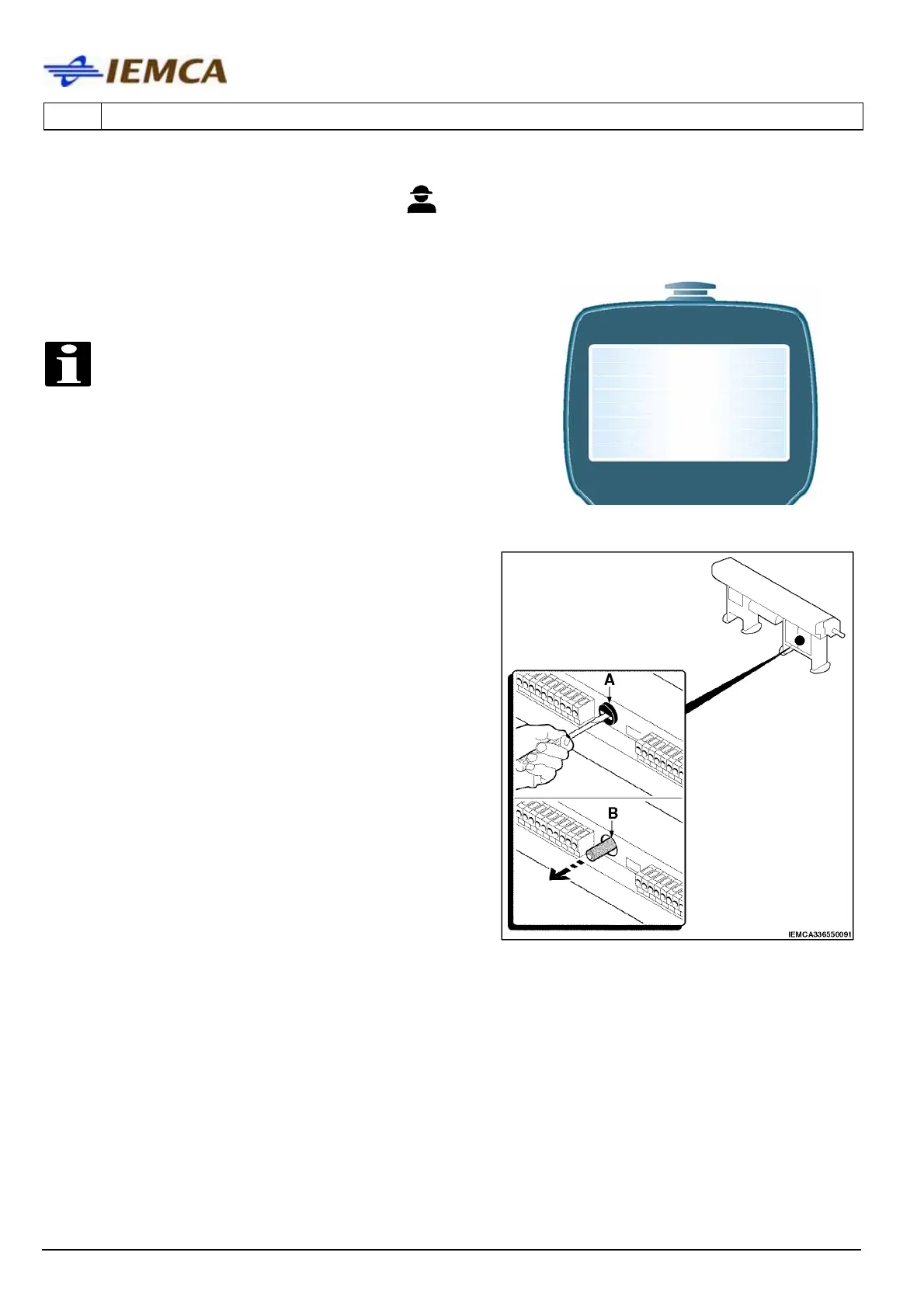
• unscrew plug (A) and remove battery (B);
• insert a new battery (3.6 volts lithium AA
battery) and make sure that it is introduced
correctly, then tighten the plug (A).
PLC BATTERY EXHAUSTED





 To Next Page