Chapter 3 Program Tools 54
◎ FUNCTION BLOCK program input
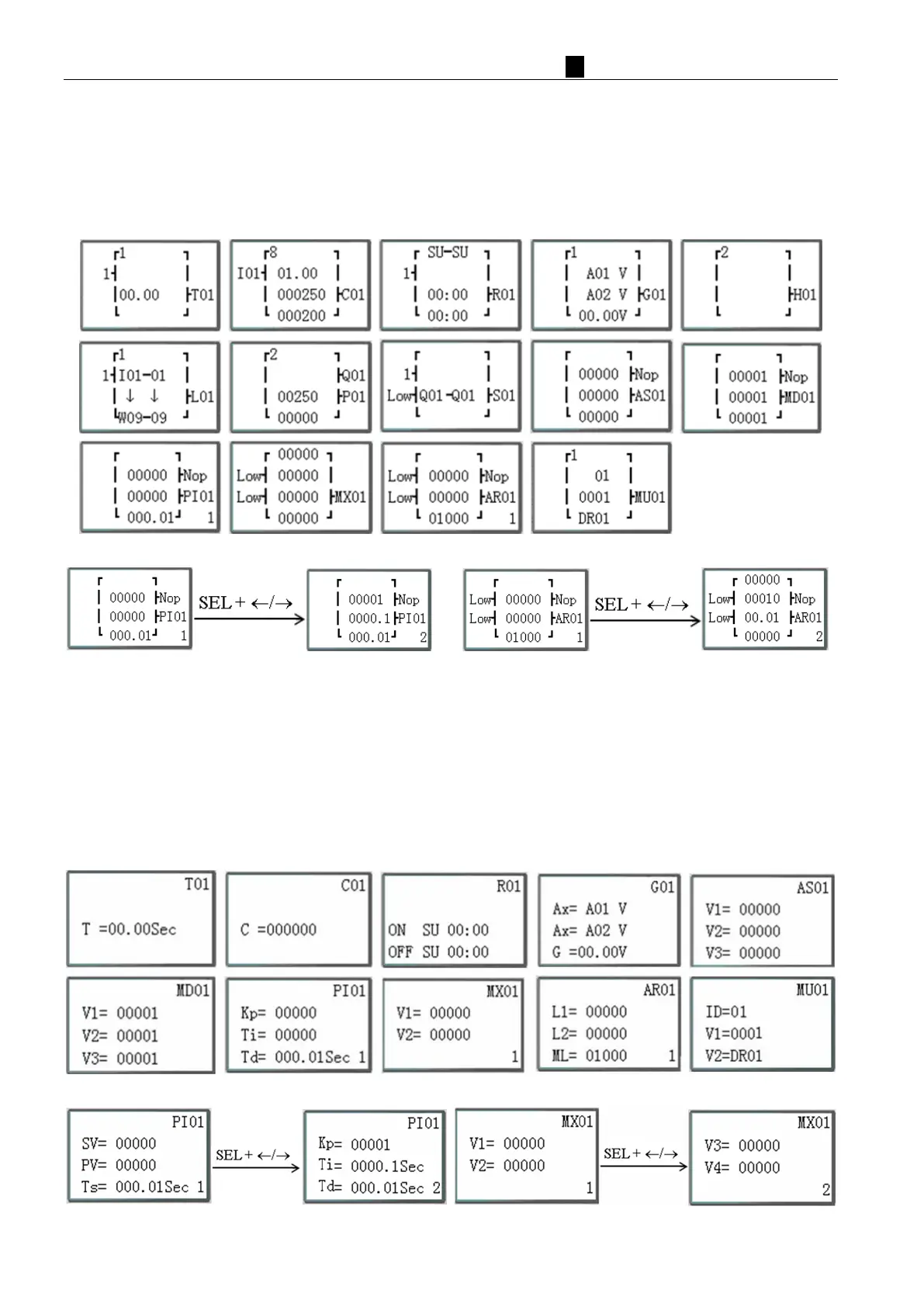
After into FUNCTION BLOCK, cursor flicker on “T”, press “SEL” key, cursor will into edit mode.
This time if press “SEL” key continuously. Ladder function block display in sequence:
T→C→R→G→H→L→P→S→F→AS→MD→PI→MX→AR→MU→T…
This time if cursor flicker on “T”, press “↑ /↓”. Ladder function block display in sequence:
T↔C↔R↔G↔H↔L↔P↔S→F ↔AS↔MD↔PI↔MX↔AR↔MU↔T…
Func
tion PI and AR, more key display:
Operation Sample: more detailed to see Appendix B: Keypad programming in Ladder FUNCTION BLOCK.
◎P
ARAMETER
Under Ladder mode into PARAMETER, press “SEL” key, cursor will into edit mode.
This time if press “SEL” key continuously. Function blocks display in sequence:
T→C→R→G→AS→MD→PI→MX→AR→MU→T…
This time if cursor flicker on “T”, press “↑ /↓”. Function blocks display in sequence:
T↔C↔R↔G↔AS↔MD↔PI↔MX↔AR↔MU↔T…
Func
tion PI and AR, more key display:
Unde
r FBD mode, Press “SEL” key, Block which used in program displays in sequence.



 To Next Page