37
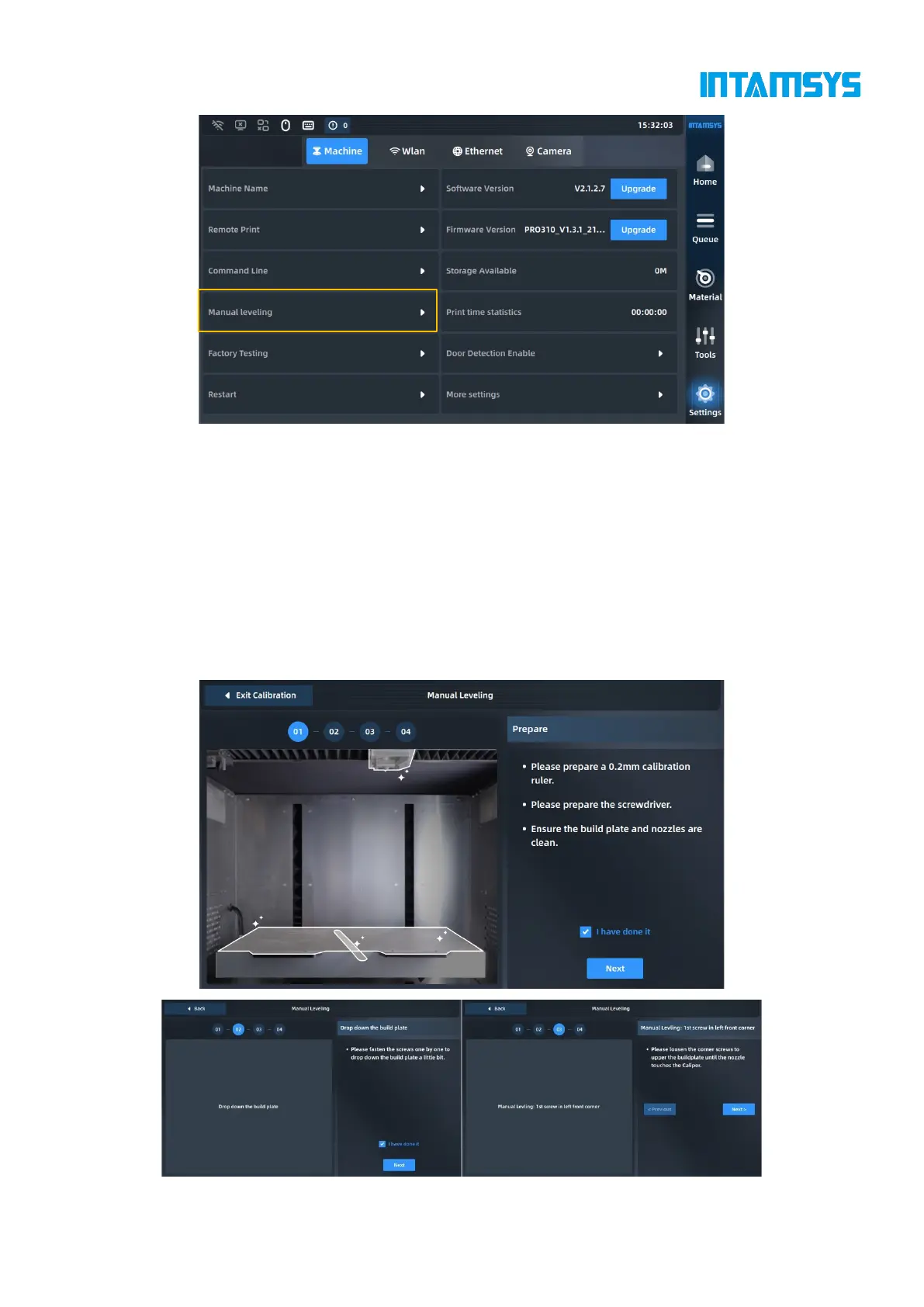
2. First tighten the screws counterclockwise one by one to slightly lower the hot bed.
3. Adjust the first screw in the left front corner, measure the distance between the nozzle and
the printing platform with a feeler gauge (thickness: 0.2 mm), pull the feeler gauge back
and forth until it just passes through, and then click the "Next" button;
4. After adjusting the 4 points on the platform for the first time in the same way, check "I
have done it", and then click "Next" to repeat the leveling;
5. After the second manual leveling, a Complete button pops up on the screen. Click it to
lower the platform to the bottom of Z-axis, and then return. Manual leveling ends.



 To Next Page