Chapter 7 — Commands
ESim for the PC4 and PF8 Printer Programmer’s Reference Manual 105
For narrow labels, the R command could be substituted by q and
r commands, which have the benefit of making better use of a
limited image buffer. Any R command after a q command resets
the width to the maximum print width, as a q832 command.
The values for the latest R command (or r, whichever was last
executed) are printed on the test label.
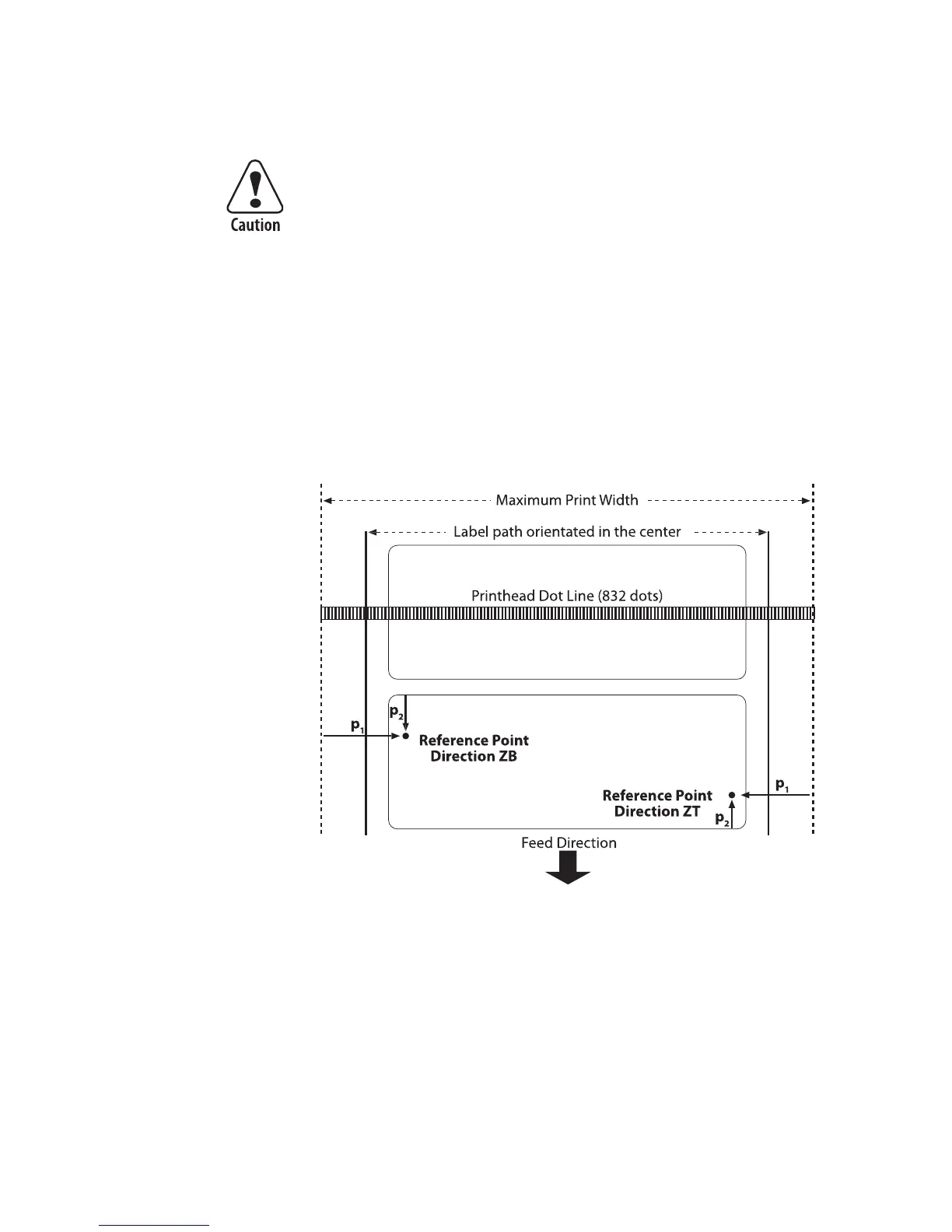
The print direction commands ZB, and ZT affect the location of
the reference point, as illustrated below.
Example:
This example shows creates a 50 dot left margin on a label, see
command below:
R50,100
Repeated printing outside the edge of the media can cause
excessive printhead wear.














 To Next Page