Radar Field Analyser - RFA641 Edition Date: 28-Feb-18
2.2.3. External Tx Calibration Method
When you select the Log RF Unit, immediately the program will ask you to select the LRU499 serial number.
Please make sure to enter the correct serial number, otherwise the power measurements will be incorrect,
and as a result the RFA Transmitter calibration will be invalid.
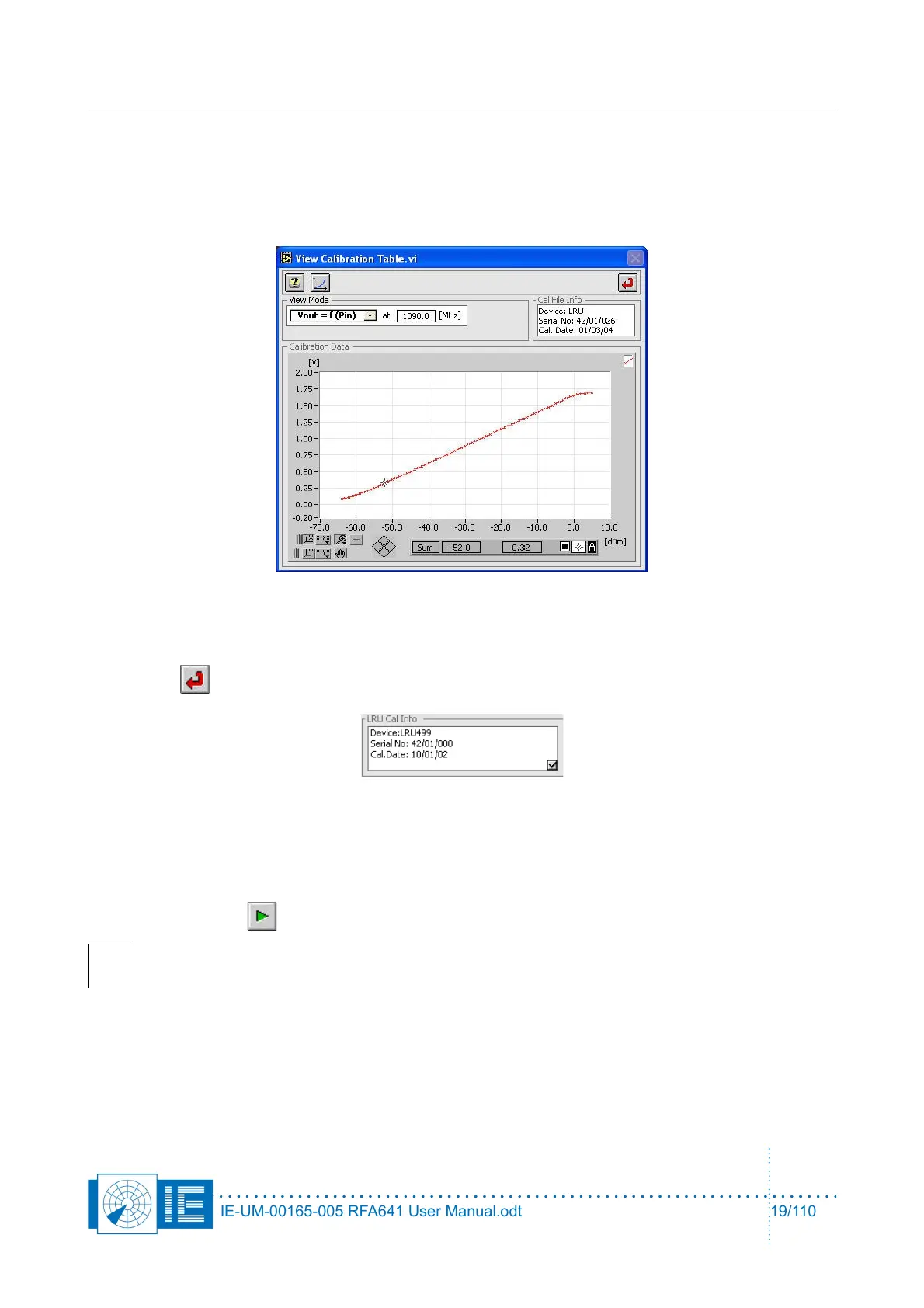
Click OK to select the LRU499. The dialog will close and the View Calibration Table.vi will appear. It allows
browsing the loaded LRU499 cal table.
Click Return to return to the RFA Selftest.
The cal info of the selected LRU499 is indicated on the RFA Selftest front panel.
When the external Tx Calibration method is used, the linear receiver will be used to perform the cable
measurements and the log RF unit will be used to perform the power measurements.
1. Click the Start button to start the test sequence.
Note: The program will guide you through the successive steps and required connections
to perform the selftest.
2. In this section we will omit the explanation of the cable test since the related issues are already
explained in section 2.2.2. above. The program will guide you through the successive steps and
required connections to perform the selftest. The program first asks you to properly connect the log
RF Unit.
The video connections required at the back of the RFA641 are simplified in the dialog box drawing.
The video connector (green breakout box) needs to be connected to the digital input connector. It
IE-UM-00165-005 RFA641 User Manual.odt 19/110



 To Next Page