Radar Field Analyser - RFA641 Edition Date: 28-Feb-18
Caution: Please beware that in the case you are loading a large number of sectors, it might
take several seconds to load the data.
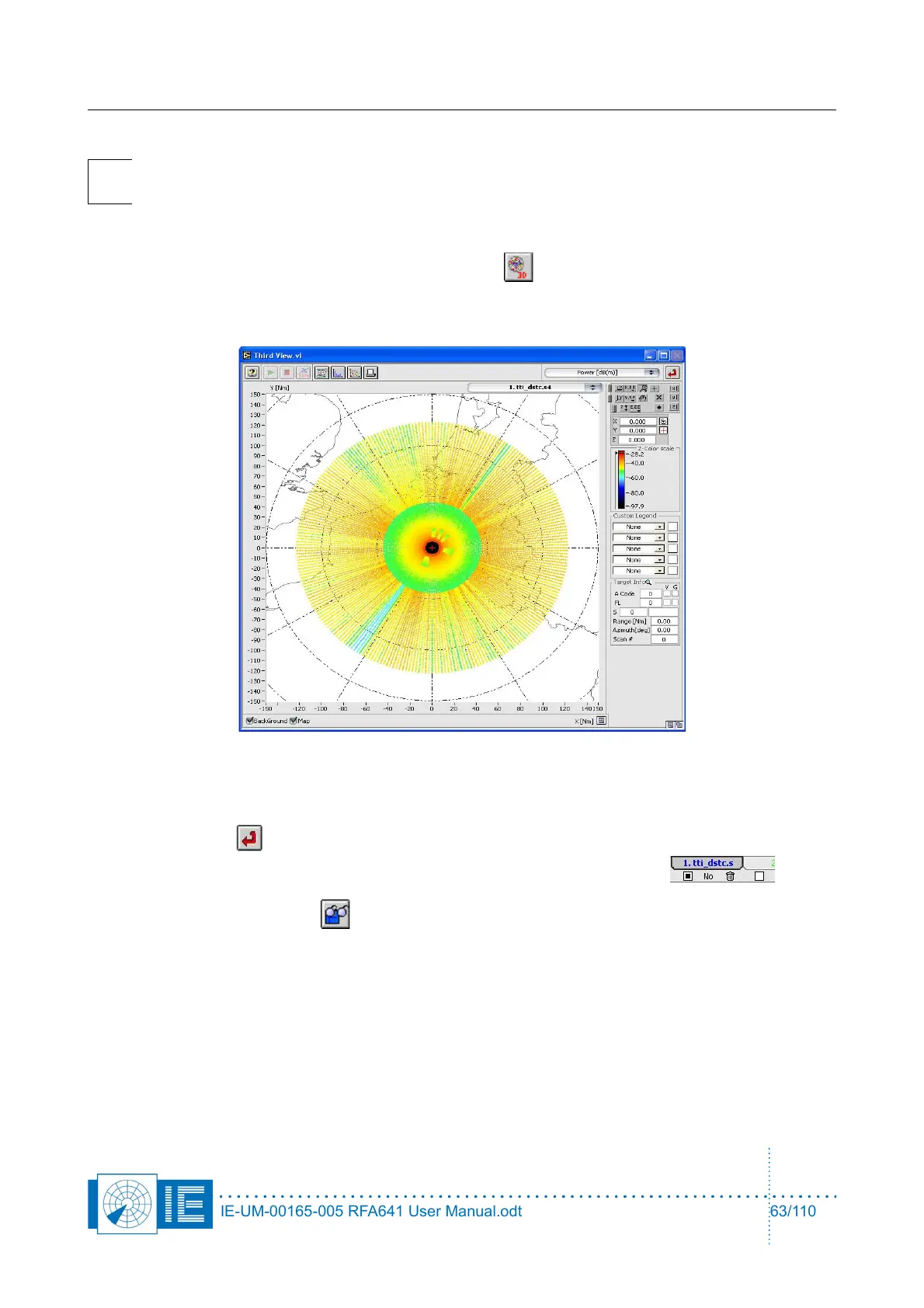
2. The positions of the measurement data are all shown without the power level data. When you want
to view the sectorial (D)STC map, click the 3D View button.
3. Select Power [dBm] as Z-axis. This allows you to view the (D)STC map in the same way the
recording tool displays it.
For a more detailed explanation of the inventory and the related functions, consult the manual on
data analysis.
4. Click Return to return to the Inventory button and clear the layer to remove the data. This can
be done by clicking the Empty button at the bottom of the inventory window.
5. Again click the Load File button. In the LoadNewRassDataFile.vi we will now select the Edit
Filter button.
The Search Editor will pop up. The following example shows what will happen when you select the
following search criteria:
IE-UM-00165-005 RFA641 User Manual.odt 63/110



 To Next Page