Radar Field Analyser - RFA641 Edition Date: 28-Feb-18
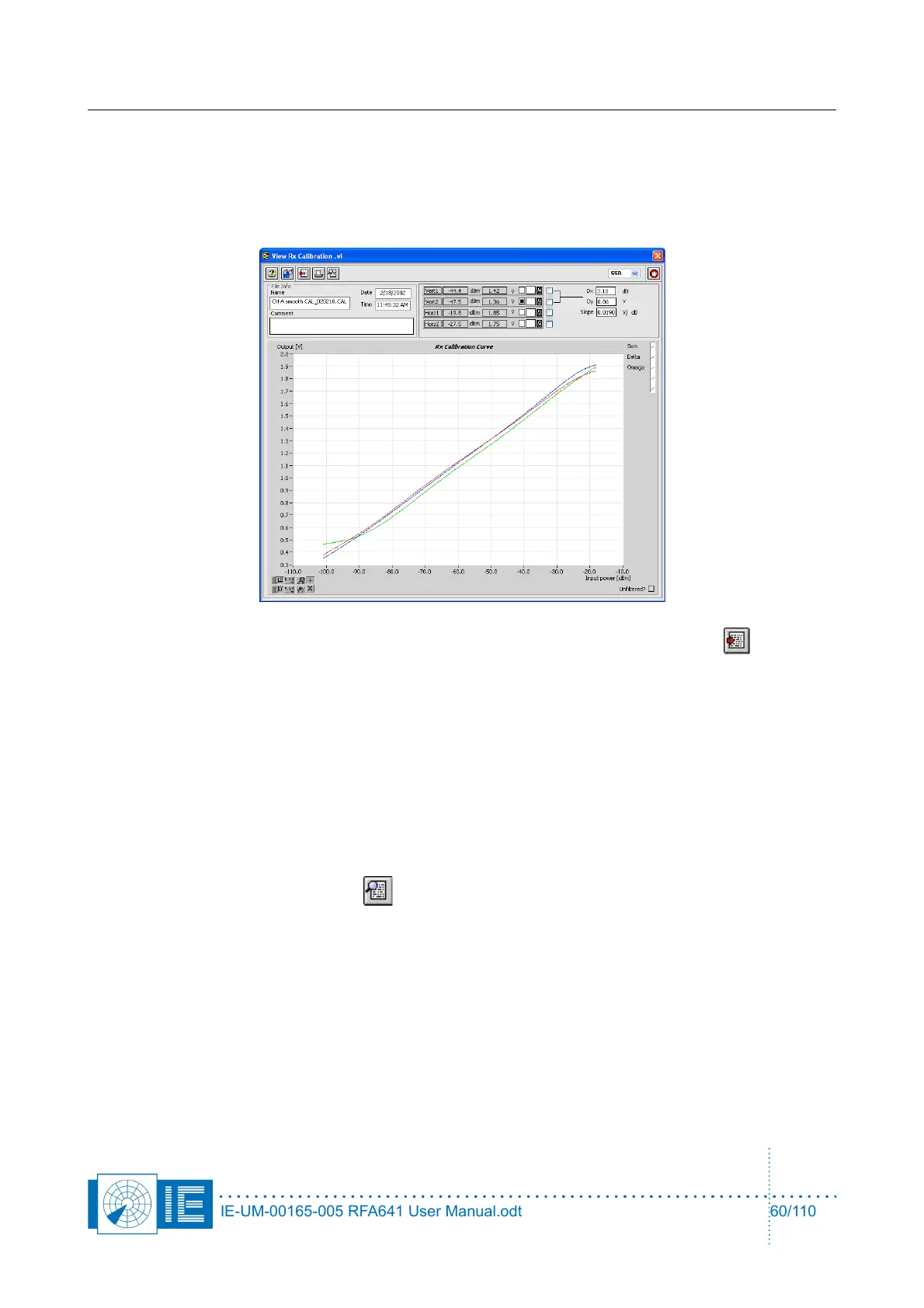
In the example of Figure 62 we selected an (M)SSR Radar Rx Calibration file. The calibration data is
displayed in the data graph. File name, date and time are default shown.
Four cursors are foreseen to readout specific measurement data if desired. These cursors can be
switched on or off with the check mark at the right of the cursor readout. Two vertical and two
horizontal cursors are available.
2. The data can be exported to a spreadsheet formatted text file by clicking the Export button.
3. A file dialog appears to select destination and file name. The dialog default points to the EXPORT
directory of the active campaign folder.
Select the destination and file name and click OK.
The table saved to the text file is TAB separated and can be imported by any spreadsheet program.
The numerical data is put to a string format with a 3-digit precision. The file consists of four columns:
◦ For Rx Calibration: Power[dBm]; Sum Voltage[V]; Delta Voltage[V]; SLS Voltage[V].
◦ For Rx Bandwidth: Frequency[MHz]; Sum Amplitude[dB]; Delta Amplitude[dB]; SLS
Amplitude[dB].
◦ For STX/DSTC: Time[µs]; Sum Amplitude[dB]; Delta Amplitude[dB]; SLS Amplitude[dB].
4. By clicking the View Attributes button, the View Attributes window will open:
IE-UM-00165-005 RFA641 User Manual.odt 60/110



 To Next Page