Radar Field Analyser - RFA641 Edition Date: 28-Feb-18
Whenever the Radar Field Analyser program is started, it will default to its internal RF circuitry.
Therefore the External Video checkbox is unchecked.
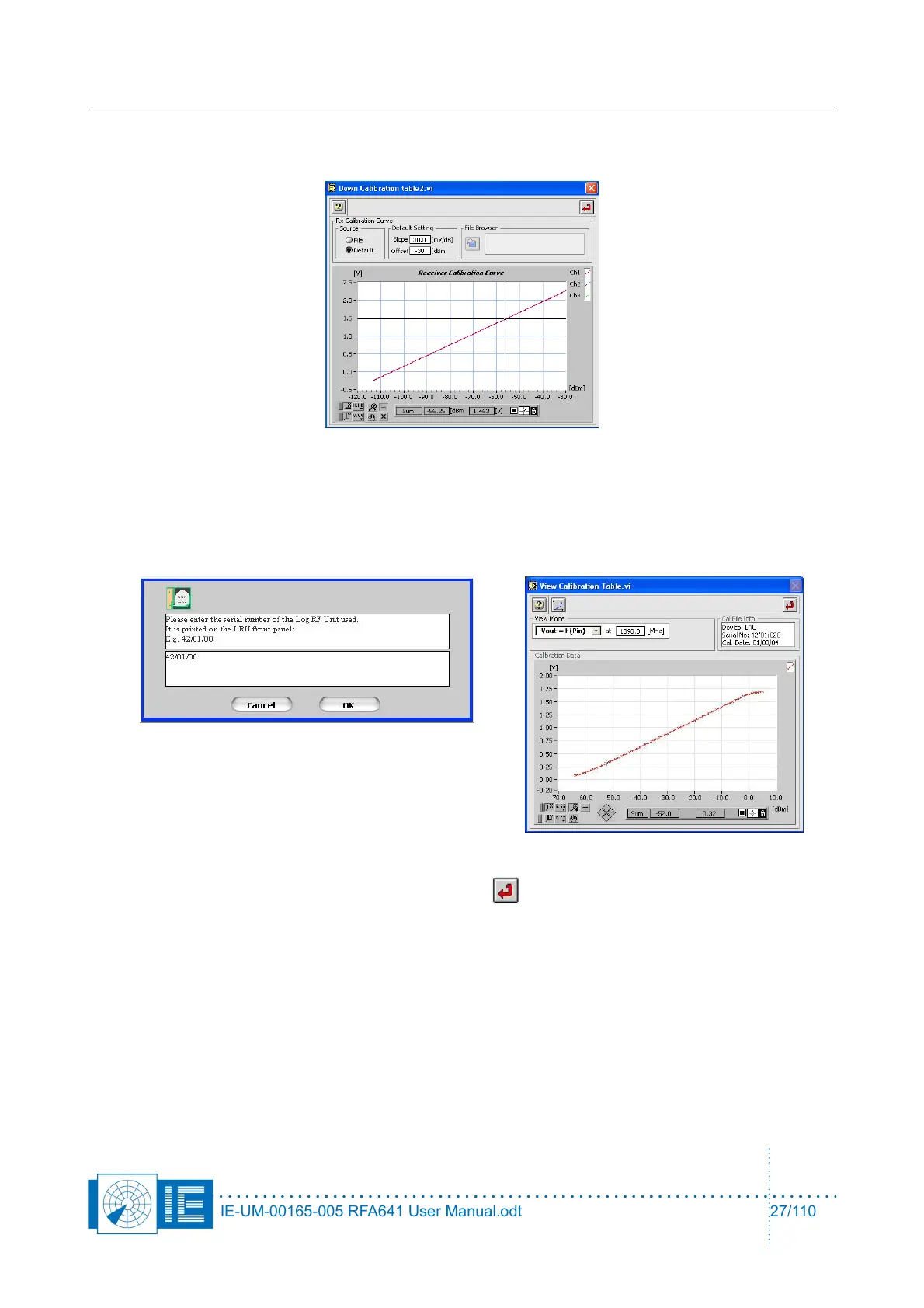
• To switch to external video, select the External Video button. The program will prompt you to select
a calibration table for the external receiver used. Select the receiver table and click OK or cancel the
file dialog in case you want to define the receiver using a Slope and Offset parameter.To use an
LRU499 connected to the external video input, select the LRU button. The program will prompt you
to select the LRU calibration file. Enter the serial number and click the OK button to proceed.
Once the calibration file is selected, hit the Return button to return to the HPD Preferences
window. Click OK to return to the Radar Field Analyser.vi.
3. The Radar Field Analyser is now switched to the external video input. This is indicated in the receiver
control section: External Video replaces Receiver. The Rx frequency can now be set out of the RFA
frequency range since it will be ignored by the RFA641.
It is advised to set the Rx frequency according to the frequency of the external receiver since it is
(together with all other parameters) saved as an attribute to the measurement data file.
The Y-axis limits as well as the trigger level limits are set according to minimum and maximum of the
selected calibration file.
Both pulse and scope recording functions work in the same way as when using the internal RFA
IE-UM-00165-005 RFA641 User Manual.odt 27/110



 To Next Page