Radar Field Analyser - RFA641 Edition Date: 28-Feb-18
the correct vertical refraction. You can save these parameters to the site file for later use using the Save
button. Click OK once the parameters are set.
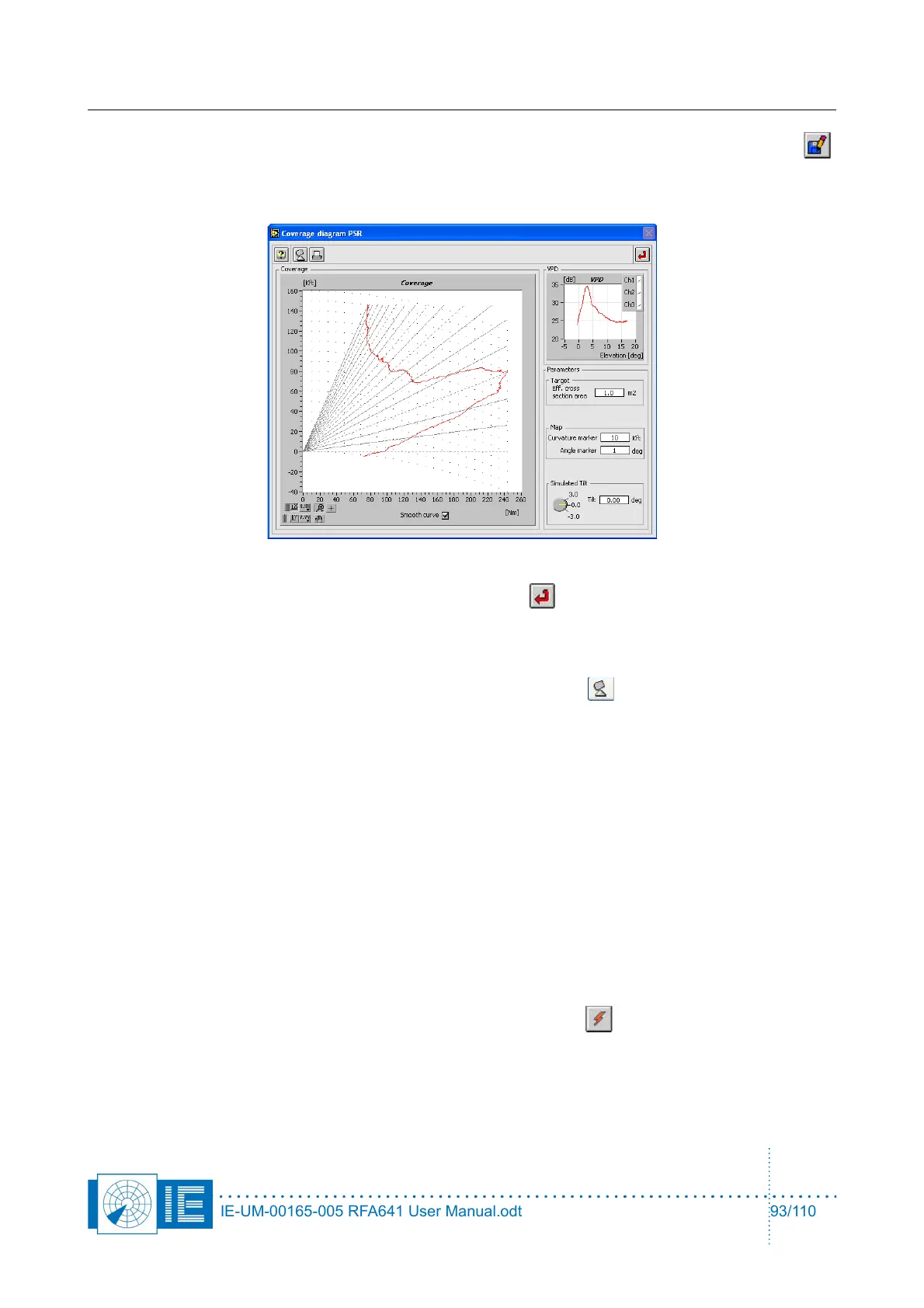
Now the selected vertical diagram is shown:
The tilt of the VPD can be modified (electrical tilt) by turning the Simulated tilt knob on the coverage
diagram PSR window. Close this window by clicking the Return button.
10.3.4. Parameter Setup
Now enter the other parameters for the simulation: IF Tx power, Gain, Frequency or k factor still need
modification, you can evoke the site file once more by using the Site file button. Other parameters
should be entered in the main window of the RFA PSR Target Generator.vi:
• Tx Power [dBW] : the transmit power send by the radar
• Gain Ch1: The absolute maximum gain of the PSR radar antenna. This value is used along with the
vertical diagram (VPD) to calculate the radar gain versus elevation.
• Tx Frequency [Ghz]: The frequency of the radar pulse (and receiver); this value is used for the
generation of the return signal.
• Coverage Model: A menu selecting the earth model used to determine the earth curvature. The
user can select between 4/3 earth, 5/4 earth, 1/1 earth and a custom k factor. The latter can be
entered just beneath. The modified earth radius is used to recalculate the target elevation.
• 3dB Beamwidth: The beamwidth of the horizontal antenna diagram used for generation of the target
return. The tool generates a parabolic curve (in a dB scale) with a 3dB beam as specified.
• IPR: Interrogations per revolutions: The number of interrogations per revolutions for this radar speed.
The value can be automatically determined by clicking the Boot button of the tool. In that case
the dial will start rotating and the IPR is measured and entered in the parameter set-up. Once
booted, this value can not be manually overwritten!
• RCS: Radar Cross Section: The average radar cross section used for the calculation in the radar
equation. In case of Fixed RCS, the return power will be stable. If the user selects a Swirling case,
IE-UM-00165-005 RFA641 User Manual.odt 93/110



 To Next Page