Radar Field Analyser - RFA641 Edition Date: 28-Feb-18
9.3. Software
9.3.1. Trajectory Scenario Generator
More information regarding the Trajectory Scenario Generator can be found in the RES user manual (section
9.10.4).
9.3.2. Running the Compiled Software
The RFA set-up is shown in Annex 11: RFA for ADS-B Connection Diagram.
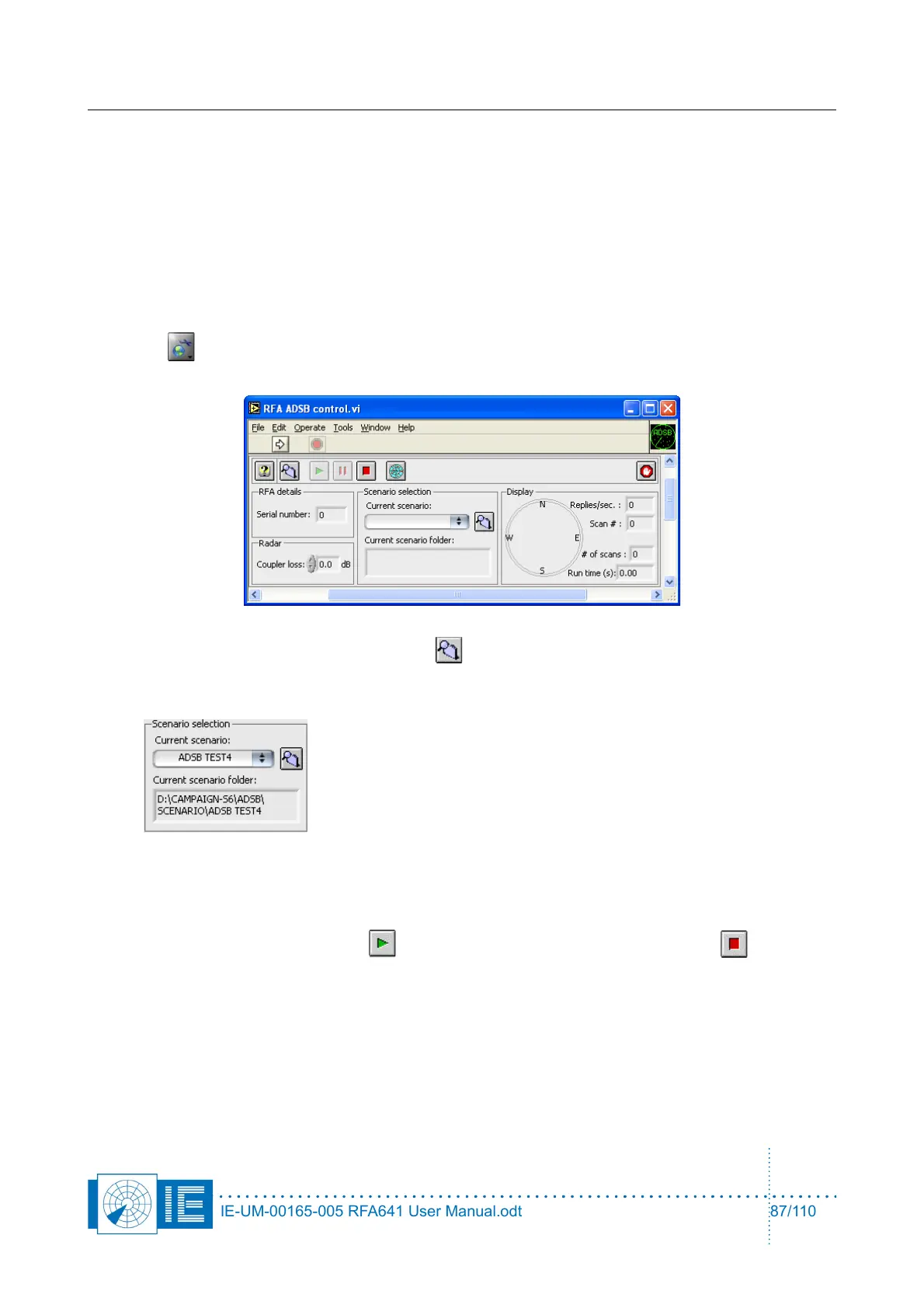
1. To run a compiled ADS-B scenario, you have to load the RFA ADSB control tool from the ADS-B
Rx button of the RASS-S toolbox: make sure the RFA641 is connected to the computer and
detected in the RASS-S toolbox!
2. Load a scenario using the Load scenario button .
3. Once the scenario is loaded the scenario name is displayed in Current scenario and the scenario
path under Current scenario folder:
4. Next enter the correct attenuation between the RFA Tx output and the ADSB Rx or radar input in
Coupler loss: typically this will be 40 dB.
5. Select if you want to display the targets in the inventory tool (or not) while running the scenario by
selecting (deselecting) the PPI button (can’t be changed while running).
6. Run the scenario using the Play button and stop the generation using the Stop button or
pause it using the Pause button .
7. To select another scenario one can use the Load scenario button again or select a previous used
scenario by clicking on Current scenario.
IE-UM-00165-005 RFA641 User Manual.odt 87/110



 To Next Page