Radar Field Analyser - RFA641 Edition Date: 28-Feb-18
Note: For systems containing mode 1 and mode 2 interrogations, the P3 pulse will not be
extracted by the current HPD extraction mechanism. Since for mode 1 interrogations P3
might be masked by P2 it is not advisable to use it for the extraction of the Sum diagram. In
this case P1 must be used to create the antenna diagram for the Sum channel, P2 is of
course used for the extraction of the SLS.
11. If you want to examine each pulse in the HPD graph in detail, the View HPD program contains the
feature to reconstruct the pulses in detail in the time domain. This function can be enabled with the
Scope check box of the HPD graph. If this button is checked, the pulses can be selected on the
graph by using the cursor and can be examined in detail in the scope graph in the lower left corner.
All pulses within 50µs before and after the selection are redrawn in this scope graph. This allows you
to examine particular cases of a reflection or strange swapping of the pulse modes.
12. Some simple editing functions for the HPD curve are also available. If, for any reason, the curve still
contains erroneous points (due to interference from TCAS, other radars, DME, etc), the user can
manually remove any unwanted points. This is done by positioning the cursor on that point and
clicking the Clear button. The unwanted point will disappear from the curve. Make sure the
scope function (see above) is disabled in order to remove the points.
13. If the radar uses a large stagger, the points in the graph are not always equidistant in time. If it is
required to resample the graph towards equidistant points, which could give you an improvement for
OTD calculations and logging of the graph, click the Spline button. In that case, the HPD graph
will be splined using a cubic-spline routine.
14. All editing can be undone. By moving the index slider back and forth, the original HPD will reappear
in the graph.
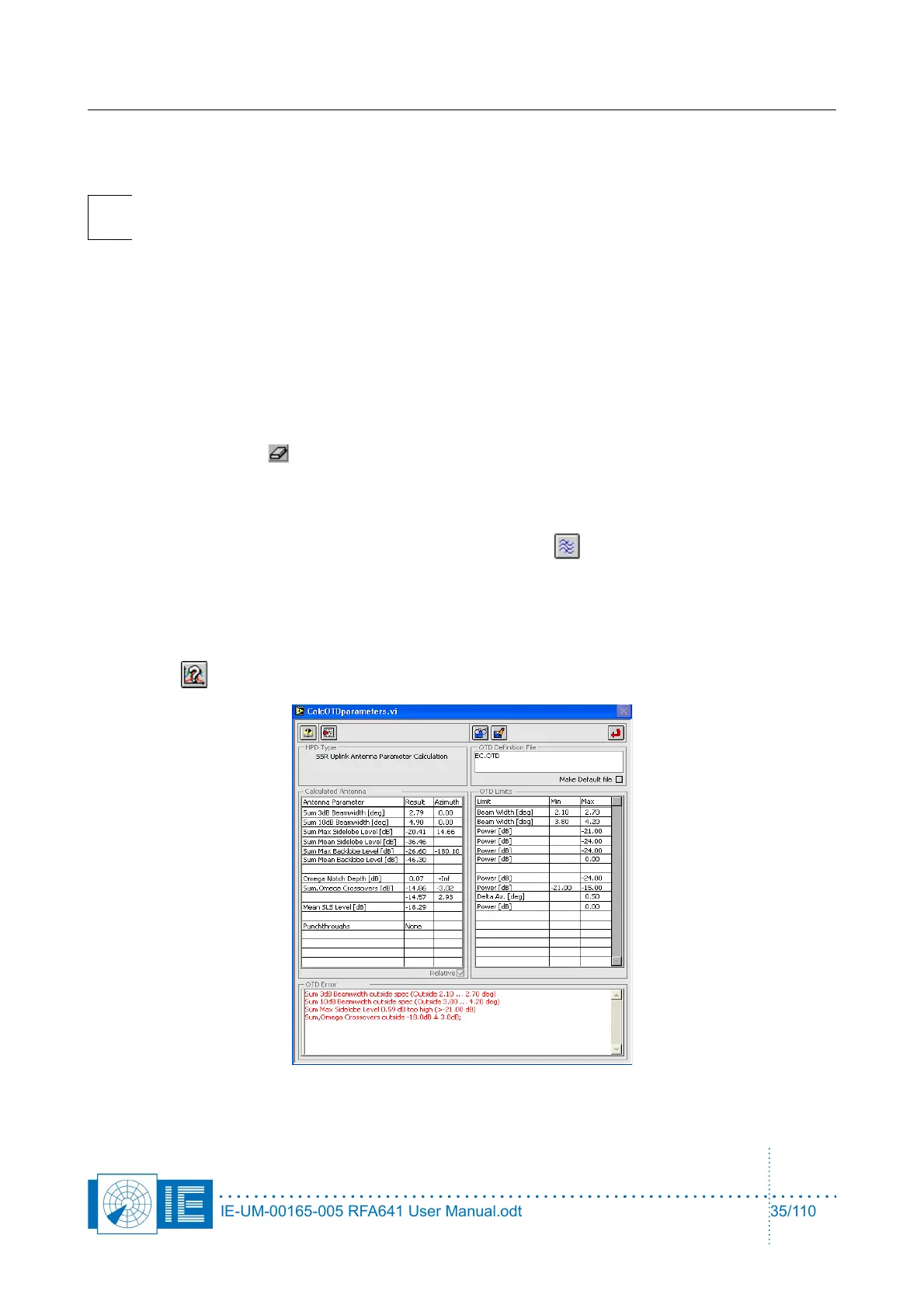
15. The HPD curve will now require a detailed evaluation. This can be done automatically using the
OTD button, which will invoke the following window:
IE-UM-00165-005 RFA641 User Manual.odt 35/110



 To Next Page