Radar Field Analyser - RFA641 Edition Date: 28-Feb-18
4.2.3. Software
The software will ask to load the correct receiver calibration file. This is necessary to be able to calculate the
exact power level corresponding to the measured pulse amplitudes. This can also be done using the Load
Rx Calibration button. The selected calibration file is then displayed. By clicking Cancel in the file
dialog it is possible to select a default table, in case no receiver calibration file is available. Use Slope and
Offset to change the default table to your needs.
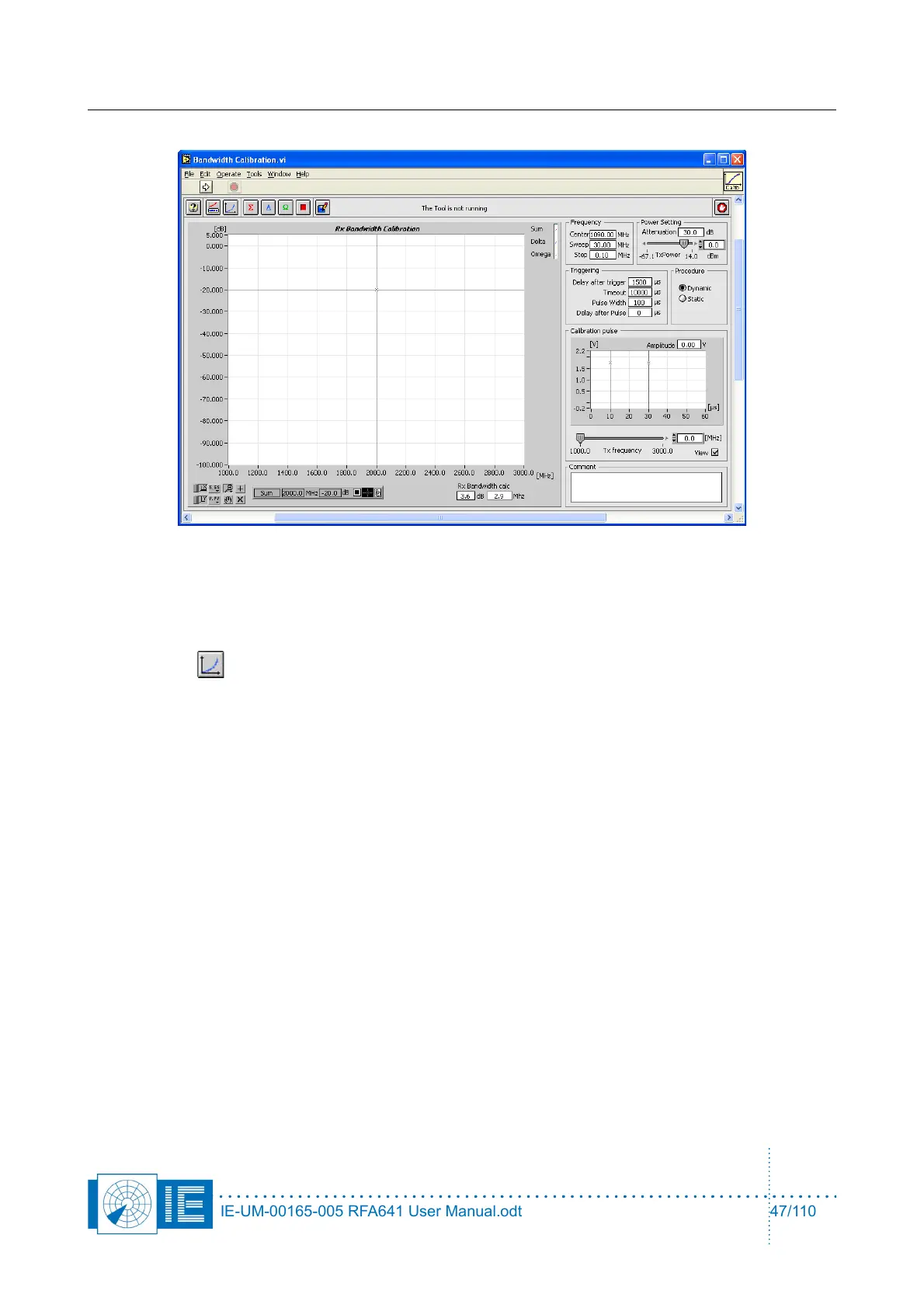
1. First decide to make a static or dynamic measurement by selecting the corresponding procedure
selector.
When the dynamic setting is chosen, the pulse amplitude is automatically varied during the
calibration procedure according to the receiver’s bandwidth curve. Insert the strict minimum extra
attenuation. An optimal value is the one where at minimum Tx power the receiver is not saturated in
the passband. This way maximum amplitude pulses can be used in the outside of the passband.
For a static measurement adjust the settings as needed. Select the correct Tx Power and
Attenuation value. The Power control sets the power level present after the extra attenuation at the
RFA641’s Tx connector, so indicating the power injected in the radars receiver input. The max.
output power of the RFA641 is guaranteed +10dBm at 1090Mhz. Choose a level in the linear
calibration part of the radar receiver to obtain a satisfactory result. Typically it is set so that the Rx
receives a power level of -40 to -50dBm.
The external attenuator added is typically 30dB in order to reach the maximum receiver input power
of about -20dBm. In most cases however, the connection will take place through a fixed coupler
already present in the system. This attenuation must also be taken into account, when filling in the
Attenuation parameter. Therefore if the receiver is measured through an extra fixed coupler of
30dB, the transmission power must be set to -50dBm, extra attenuation in this case is 60dB.
2. Set the Center Frequency, the Frequency Sweep and the Frequency Step. For (M)SSR radars
the first is always 1090Mhz. If a PSR radar is to be calibrated, set it to the correct Rx frequency. The
IE-UM-00165-005 RFA641 User Manual.odt 47/110



 To Next Page