Radar Field Analyser - RFA641 Edition Date: 28-Feb-18
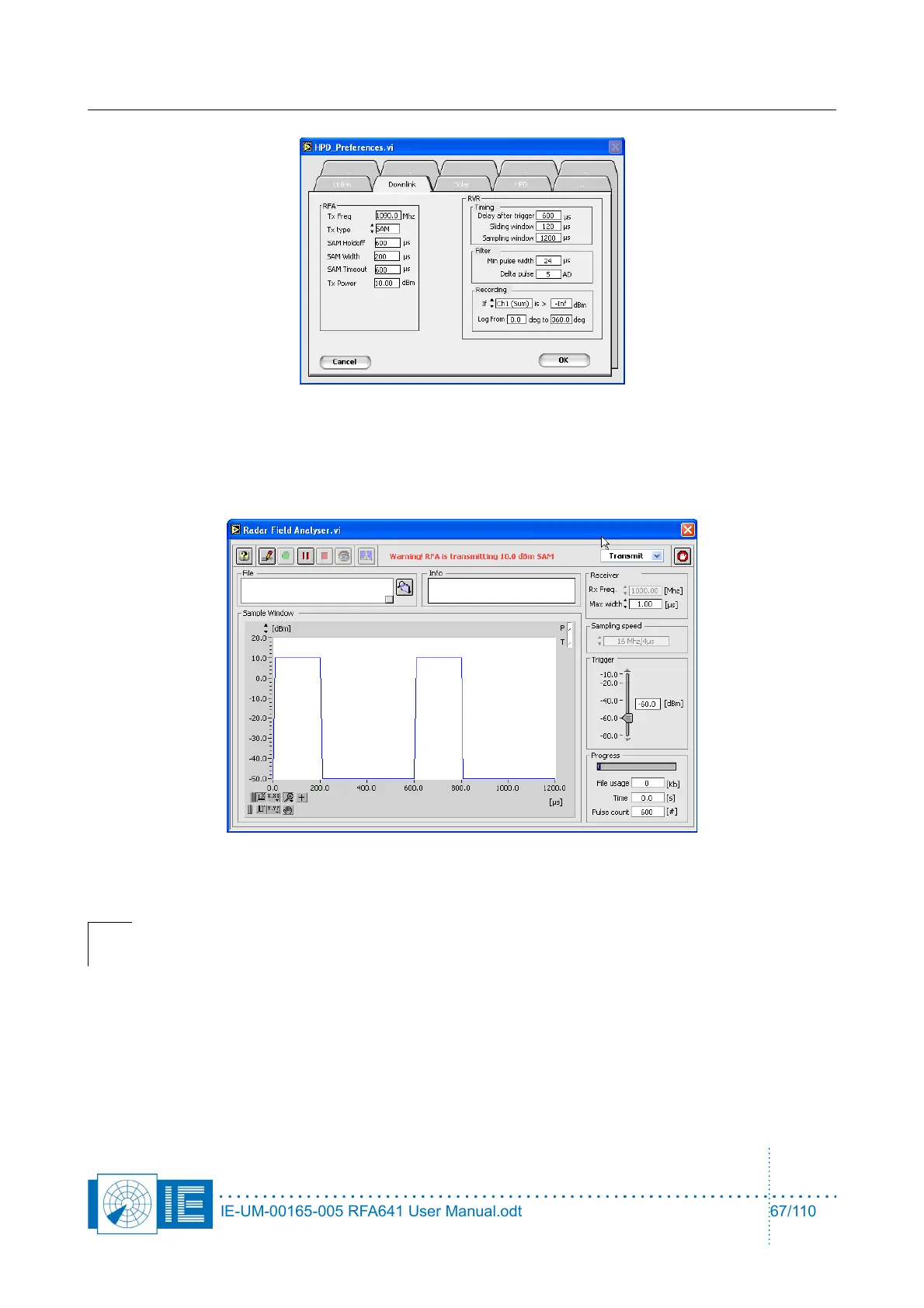
2. Several settings can be changed, such as the width of the pulses, Tx power,... The Tx type selector
can be switched between SAM and CW signals. When you have changed the settings according to
your wishes, click OK to return to the Uplink program.
3. The Uplink program will show the transmitted signal and warn you of the fact that the RFA is now
transmitting.
The RFA641 is now transmitting the requested signal, the RIM782 at the radar site can start recording the
signal which is picked up by the radar under test.
Caution: Always warn the people at the radar site of the fact that you will be transmitting a
signal for test purposes. It is advised to use the antenna cable as on/off switch to guarantee
a limited transmission time. Avoid interference to other users on the same frequency.
IE-UM-00165-005 RFA641 User Manual.odt 67/110



 To Next Page