Radar Field Analyser - RFA641 Edition Date: 28-Feb-18
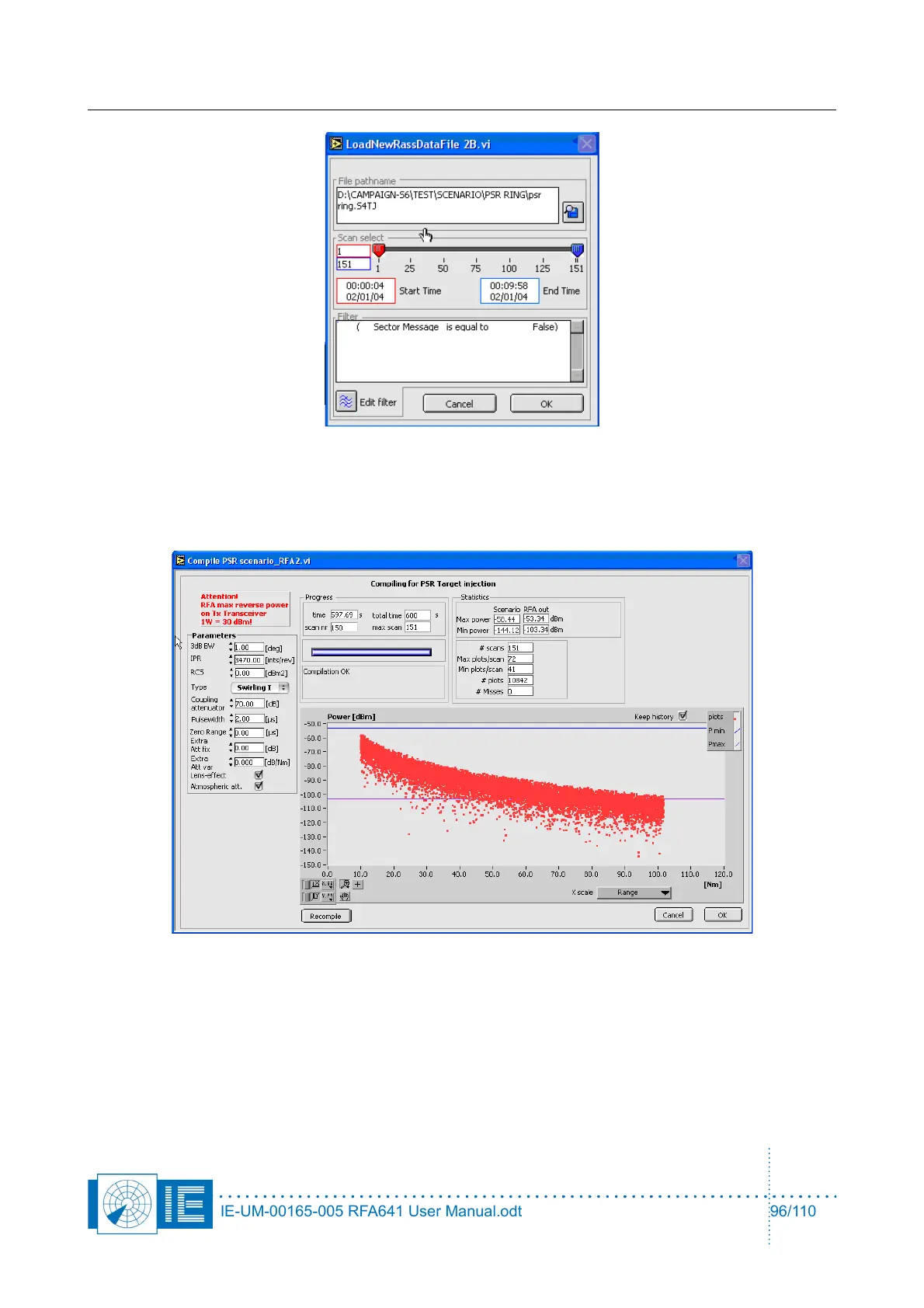
Here you can select the xxx.S4TJ file and optionally select a section of this file. The default filter “Sector
message = False” should be used, since the RFA PSR Target Generator does not generate sector
messages.
Click the OK button to continue.
The window will show the compilation process while the scenario is being calculated. If you see that the
parameters are wrong or you still want to modify something, you can enter different values in the Parameter
section and recompile the data by clicking the Recompile button. If you wish to stop the compilation process,
use the Cancel button. The window will also show the maximum output RFA power using the selected
Coupling attenuator by means of the upper blue line in the graph. Any target higher than this line will be
clipped ( creating a square target HPD).
The minimal line is also shown. This is the minimal value the RFA can generate correctly. No target lower
than that line is generated.
IE-UM-00165-005 RFA641 User Manual.odt 96/110



 To Next Page