Radar Field Analyser - RFA641 Edition Date: 28-Feb-18
The graphs X scale can be switched in [seconds], [ ms], [µs ] or [1/16 µs] using the X scale selector.
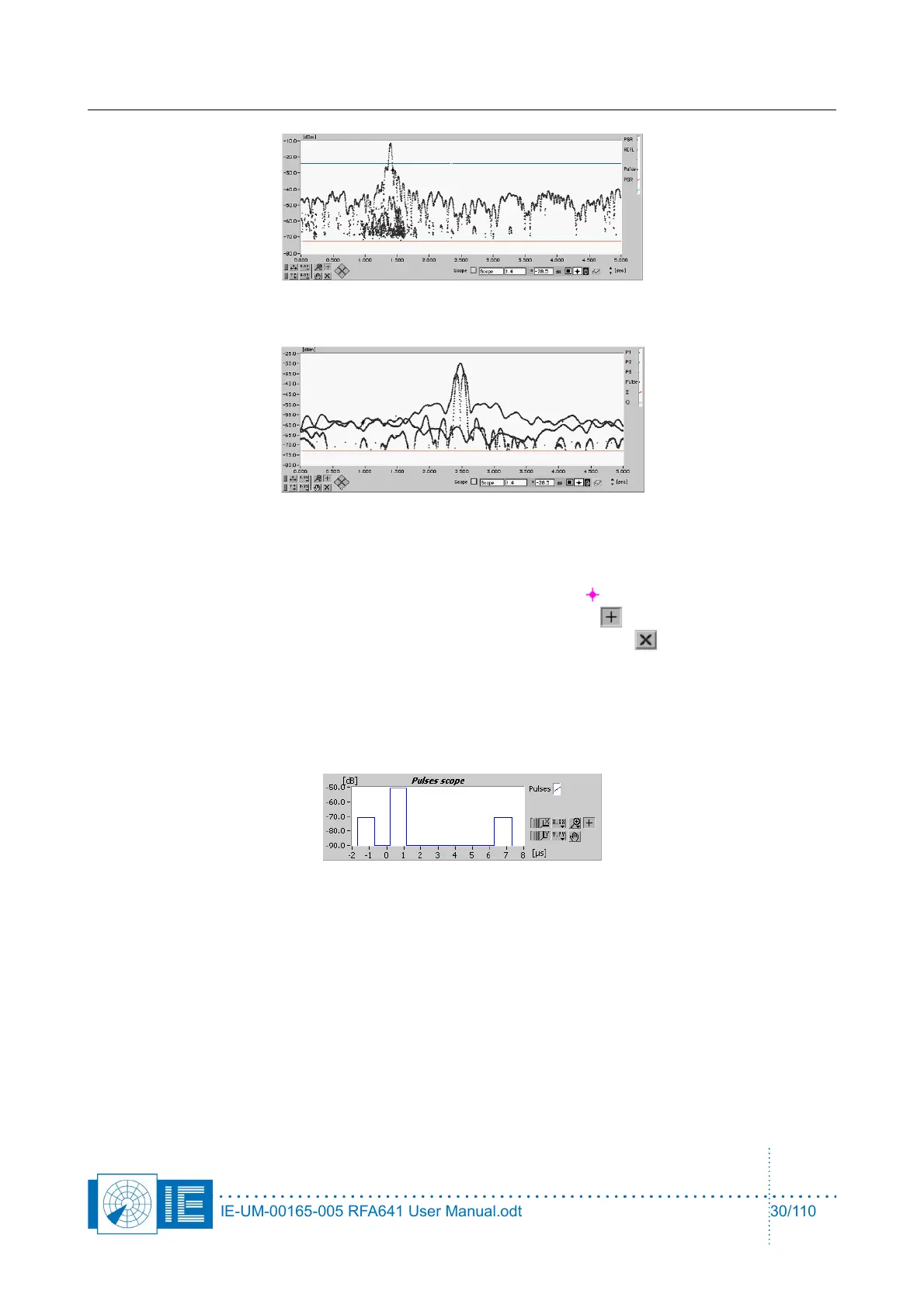
If you want to examine each recorded pulse in detail, there is a feature in the RFA software to
reconstruct the pulses in detail in the time domain. By using the cursor, the user can select any
pulse on the top graph. The cursor can be moved by selecting the cross-cursor from the cursor
palette and then selecting the cursor. If the cursor cannot be found, the X-cursor will put the
cursor in the middle of the graph.
The selected pulse and all pulses within 30 µs before and after the selection are redrawn in the
Pulses Scope graph. This allows you to examine particular cases of reflection or strange swapping
of the pulse modes. In many occasions you can record and analyse the creation of erroneous modes
at a fixed azimuth direction. This is often caused by the accidental combination of direct and
reflected signals.
3. To extract the HPD of a specific radar out of the loaded pulse file, the interrogation timing of that
radar must be known. The first step is to select a set of pulses of the radar under test.
The easiest method to do so is to select a horizontal portion of the SLS pattern using the zoom tool.
IE-UM-00165-005 RFA641 User Manual.odt 30/110



 To Next Page